This document explains how to read the Partner Dashboard and understand earnings, statuses, and metrics.
1. Partner Dashboard Overview
The Partner Dashboard provides real-time visibility into:
- referred merchants
- earnings performance
- merchant activity status
All data shown is calculated from successful Partner Revenue Share transactions.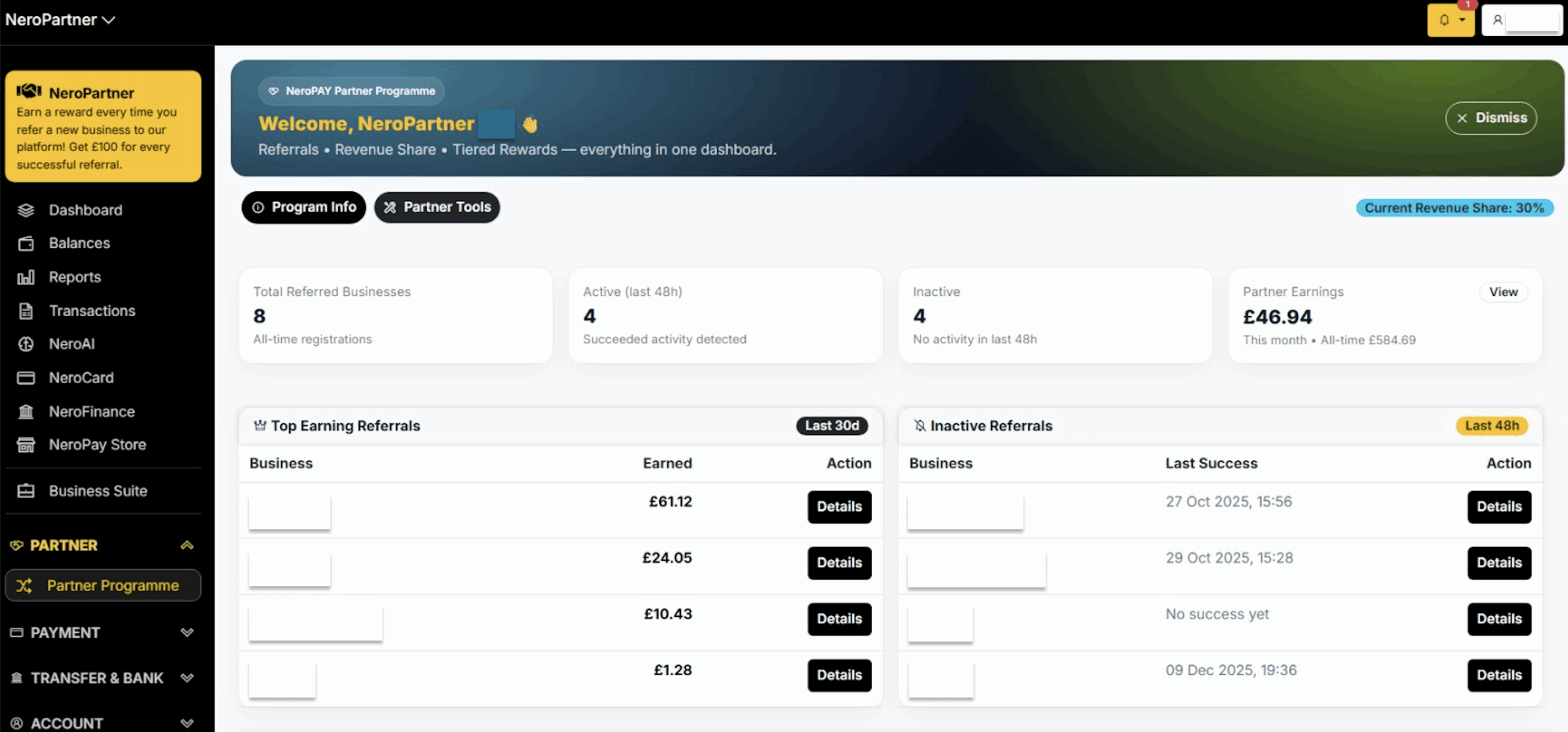
2. Key Dashboard Metrics Explained
2.1 Total Referred Businesses
- Shows all merchants that have registered through your referral link
- Includes both active and inactive merchants
2.2 Active (Last 48 Hours)
Merchants that have processed at least one successful transaction in the last 48 hours
These merchants:
- count toward your active merchant total
- contribute to revenue share calculations
2.3 Inactive
Merchants with no successful transactions in the last 48 hours
Inactive merchants:
- do not count toward active referral tiers
- do not generate revenue share until activity resumes
3. Partner Earnings Section
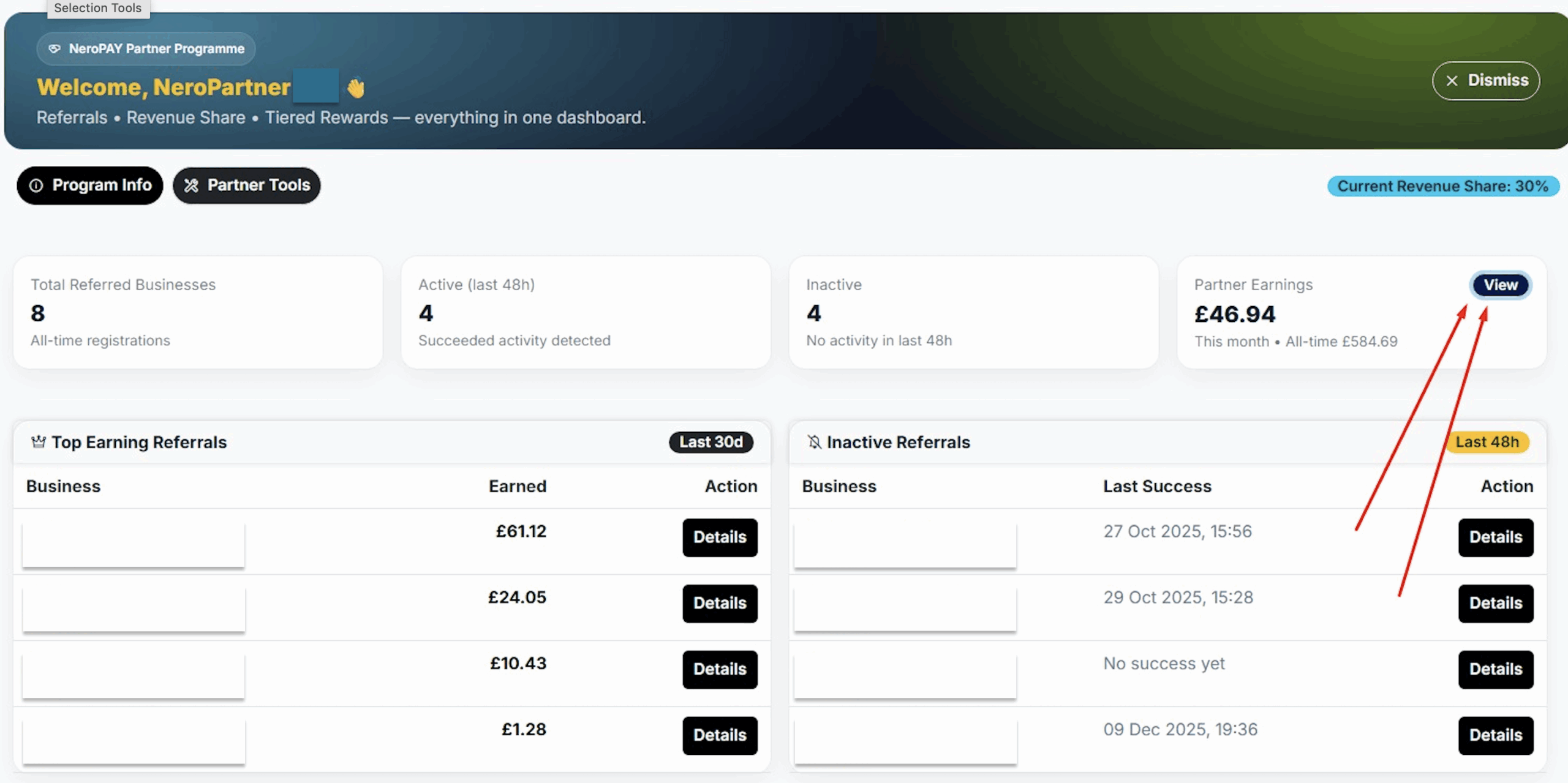
The Partner Earnings panel shows earnings aggregated by time period:
- Today
- This week
- This month
- Last 3 months (rolling)
- This year
Figures represent confirmed payouts, not pending estimates.
Clicking “View” opens a detailed breakdown.
4. Referral-Level Details
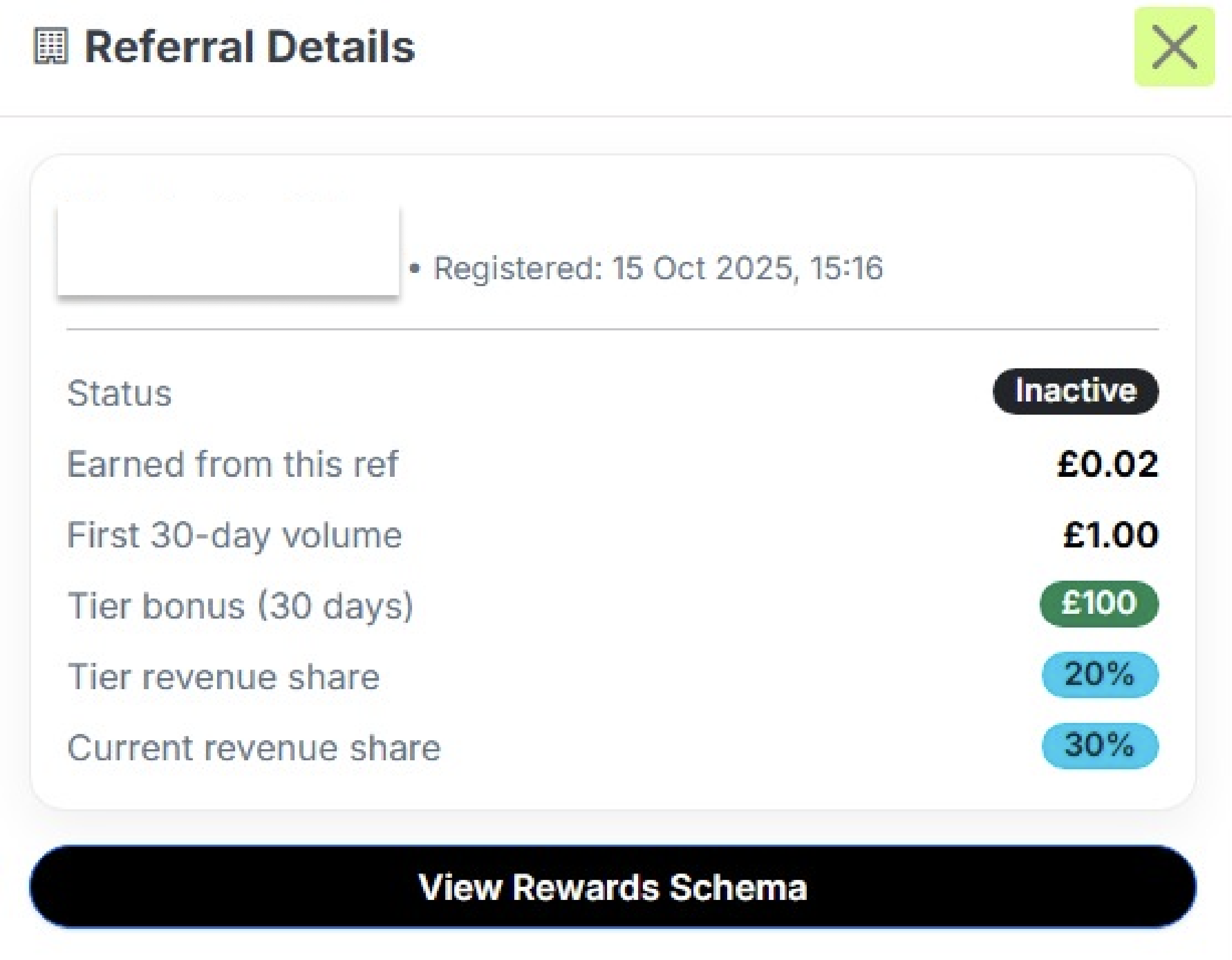
Each referred merchant has a dedicated detail view showing:
- Registration date
- Activity status (Active / Inactive)
- First 30-day transaction volume
- Tier bonus eligibility
- Tier revenue share
- Current revenue share
This allows partners to understand:
- why a specific merchant earns at a certain rate
- whether a tier bonus has been triggered
5. Understanding Tier vs Current Revenue Share
You may see two different percentages:
- Tier revenue share:
- Based on the number of active merchants at the time the referral was added
- Current revenue share:
- Based on your current total active merchant count
The system always applies the current revenue share rate when calculating earnings.
6. Inactive Referrals & Follow-Up
The dashboard highlights inactive referrals to help partners identify merchants who may need support.
Common reasons for inactivity:
- Terminal not yet deployed
- Low transaction volume
- Temporary business closure
Partners are encouraged (but not required) to follow up with these merchants.
7. Revenue Share with Multiple Partners (Dashboard View)
If a merchant is linked to more than one partner:
- Both partners may earn from transactions
- The dashboard shows the final adjusted share applied
The system ensures:
- fair distribution
- no over-allocation
- automatic rebalancing
8. Important Notes & Limitations
- Only successful transactions generate revenue share
- Inactive or deactivated merchants are excluded from active counts
- Dashboard data updates automatically; no manual refresh required
For full transaction exports and advanced filters, partners can access the Reports section.
9. Support
For questions related to:
- dashboard figures
- referral status
- earnings clarification
Please contact:
Email: partners@neropay.app
Phone: +44 333 049 4380
WhatsApp: +44 161 470 4736