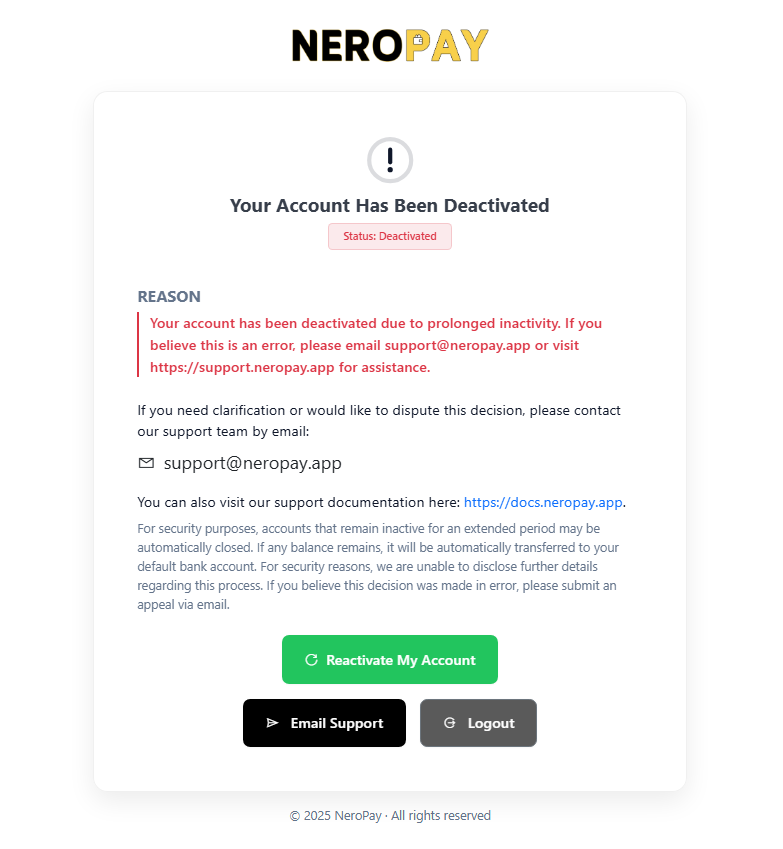
How to Reactivate Your Account
- Go to the NeroPay Merchant Portal and log in using your registered email and password.
- Once logged in, you will see a message indicating that your account has been deactivated due to inactivity.
- Click the “Reactivate My Account” button displayed on the page.
- After clicking, your account will be automatically reactivated.
What Happens After Reactivation
- Your account status will change from Inactive to Active.
- The ban reason (if any) will be automatically cleared.
- A notification record will be added to your account (sender: AutoReactivate).
- You will receive a confirmation email notifying you that your account has been successfully reactivated.
Need Help?
If you experience any issues during the reactivation process, please get in touch with our support team at support@neropay.app