How to get there
From your dashboard: NeroFinance
Before you apply — eligibility
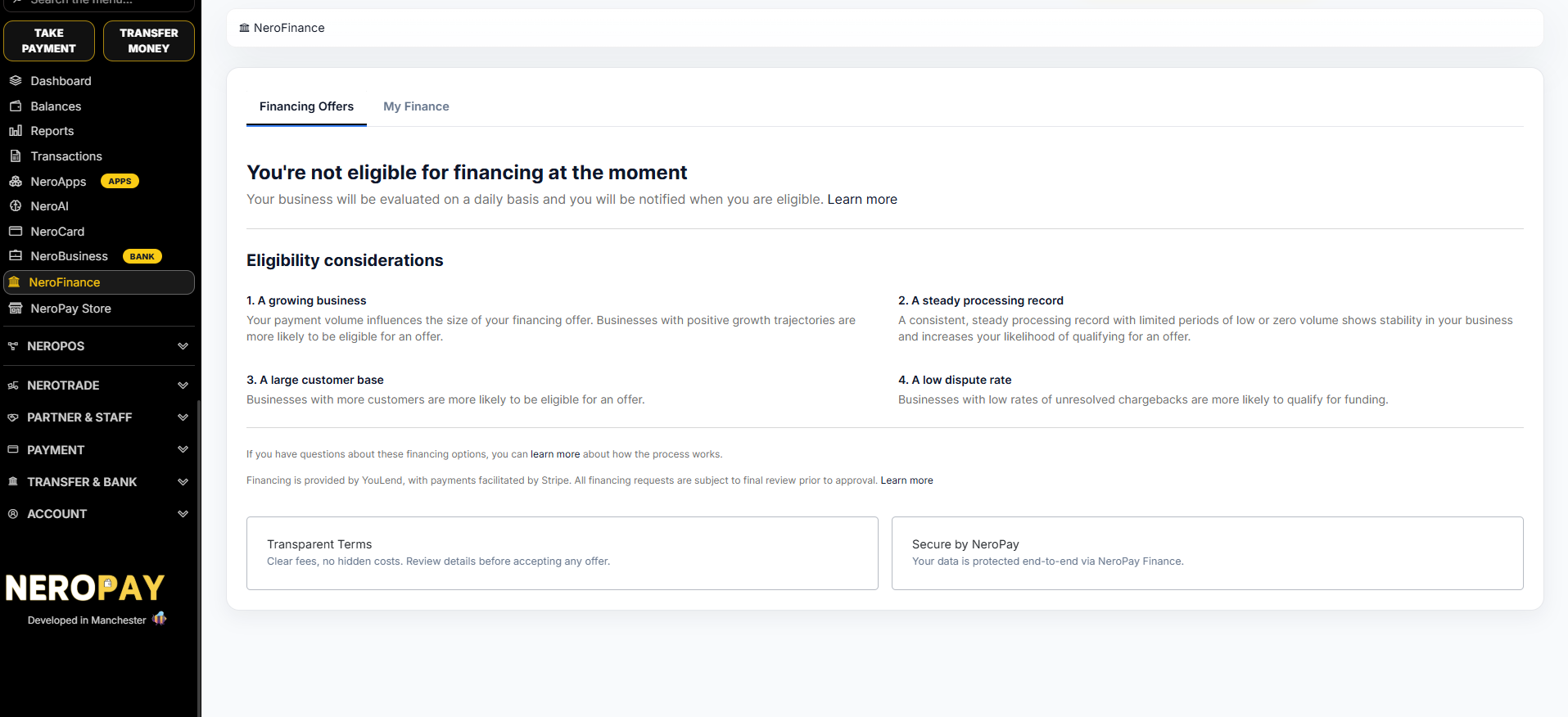
You need to have been processing transactions with NeroPay for at least 3 months before financing offers become available. Your business is evaluated on a daily basis, and you'll be notified as soon as you become eligible.
Eligibility is based on four considerations:
| Consideration | What it means |
|---|---|
| A growing business | Your payment volume influences the size of your offer. Positive growth increases your likelihood of qualifying |
| A steady processing record | Consistent processing with limited periods of low or zero volume shows business stability |
| A large customer base | Businesses with more customers are more likely to receive an offer |
| A low dispute rate | Low rates of unresolved chargebacks increase your chance of qualifying for funding |
💡 Tip: If you see "You're not eligible for financing at the moment", keep processing as normal — your account is re-evaluated every day.
📸
How to apply
- Go to NeroFinance → Financing Offers
- When you're eligible, your available financing offers will appear here
- Review the offer terms — all fees are shown upfront with no hidden costs
- Submit your application directly from your dashboard
- YouLend will contact you to complete the process — financing is provided by YouLend and subject to their final review prior to approval
⚠️ Note: While you apply through your NeroPay dashboard, the financing agreement is with YouLend. They will reach out to you directly to finalise your application.
Managing your financing — My Finance
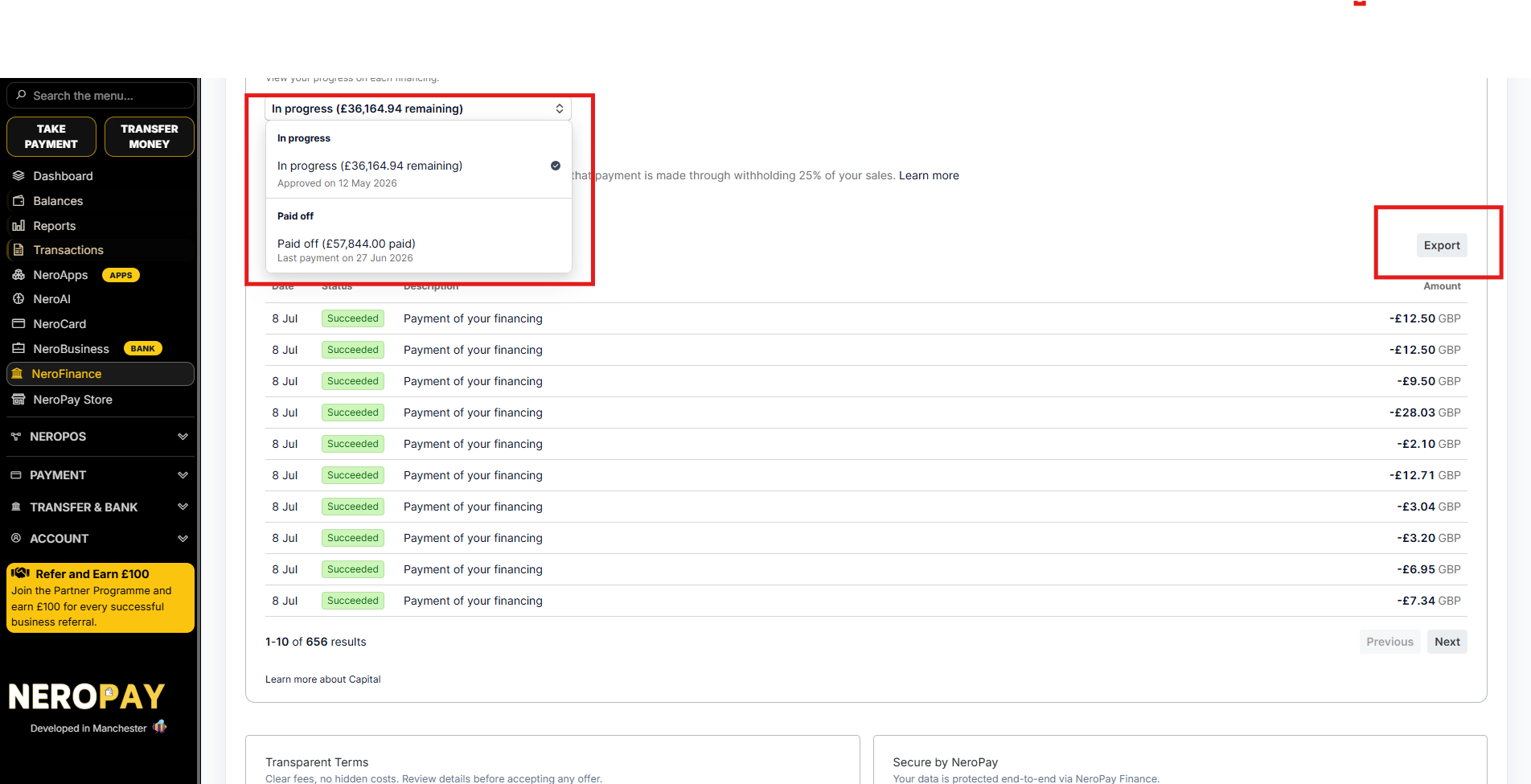
Once your financing is activated, go to NeroFinance → My Finance to track everything in one place:
| Item | What it shows |
|---|---|
| Financing selector | Switch between financings — In progress (amount remaining) and Paid off (total paid) |
| Paid to date | The total amount you've repaid so far |
| Remaining | The outstanding balance on your current financing |
| Repayments | Repayment is made automatically by withholding a percentage of your daily sales (e.g. 25%) |
| Transaction list | Every repayment with date, status, description, and amount |
📸 
Exporting your repayment history
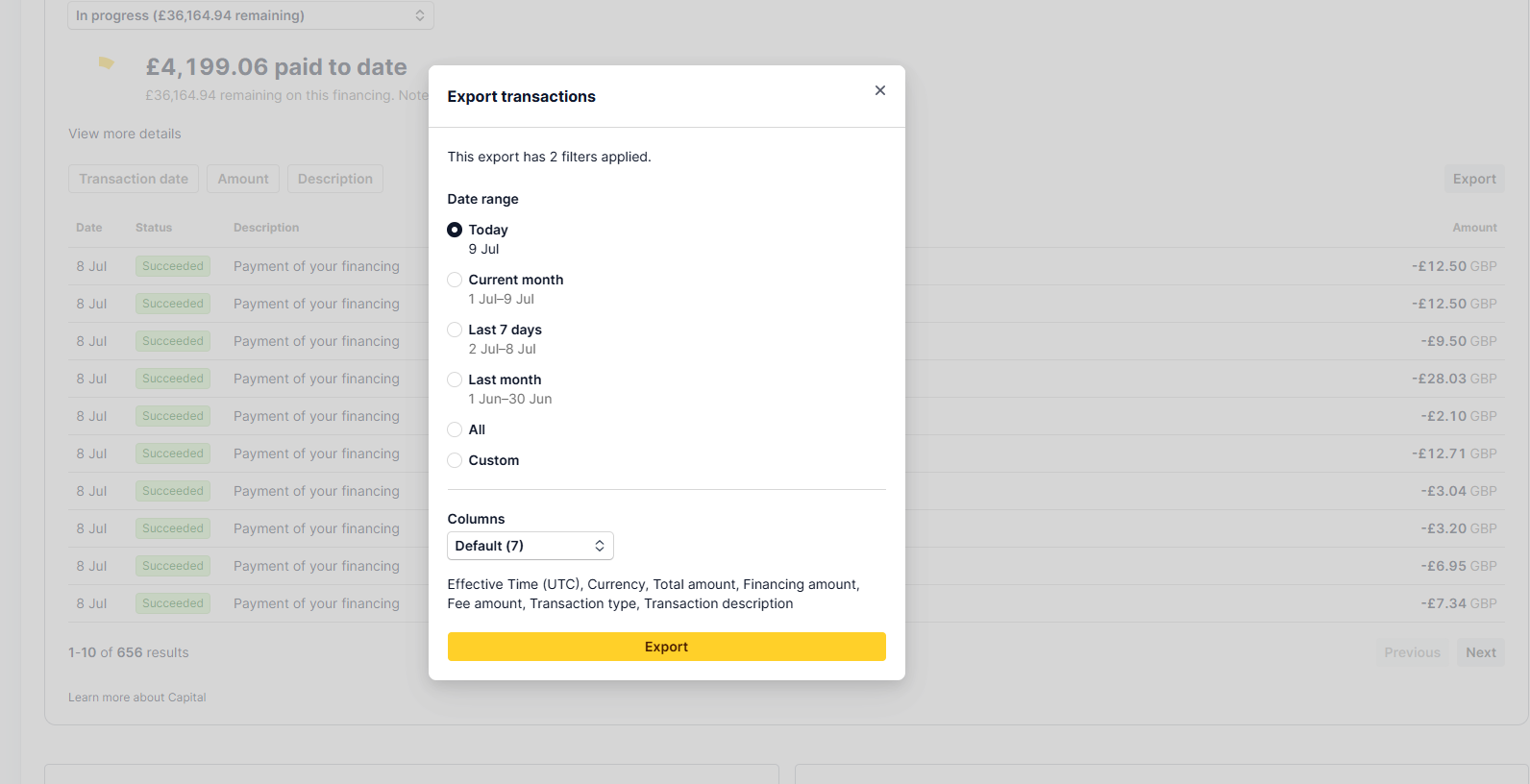
Click Export on the My Finance transaction list to download your repayment records:
- Choose a date range — Today, Current month, Last 7 days, Last month, All, or Custom
- Choose your columns — the default export includes Effective Time (UTC), Currency, Total amount, Financing amount, Fee amount, Transaction type, and Transaction description
- Click Export
📸
Frequently asked questions
Q: How long do I need to be with NeroPay before I can get financing? A: You need at least 3 months of transaction history with NeroPay. After that, your business is evaluated daily and you'll be notified when you're eligible.
Q: Who actually provides the loan? A: Financing is provided by YouLend, NeroPay's financing partner. You apply through your NeroPay dashboard, and YouLend will contact you to complete the process. All requests are subject to final review prior to approval.
Q: How do repayments work? A: Repayments are taken automatically as a percentage of your daily sales — so you pay more when business is strong and less when it's quiet. You can track every repayment in the My Finance tab.
Q: Why am I seeing "You're not eligible for financing at the moment"? A: Your business hasn't yet met the eligibility criteria — this is usually about processing history, volume, or dispute rate. Your account is re-evaluated every day, and you'll be notified as soon as you qualify.
Still need help? Contact us at support@neropay.app or create a ticket