
You can ask customers to pay a deposit, pay in full or leave a card when they book a service. You choose when the money is taken and what happens if they cancel late. These settings are made per service in Booking Settings.
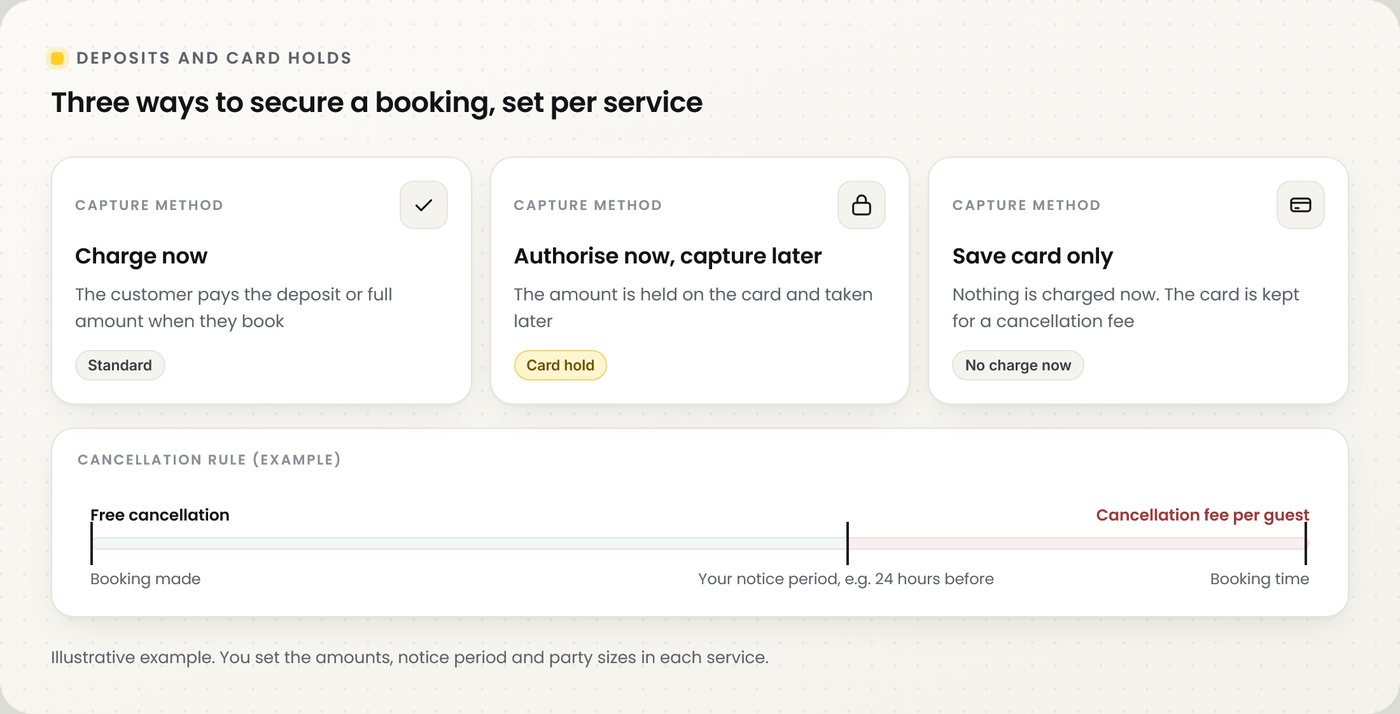
📸 Three ways to secure a booking, and an example cancellation rule.
Set it up for a service
| Step | What to do |
|---|---|
| 1 | Go to Booking Settings → Services and open the service in the Service editor |
| 2 | Turn on Take payment for this service |
| 3 | Choose the Payment type: pay for the full service, or pay a deposit only |
| 4 | Enter the deposit amount and choose how it is worked out |
| 5 | In Require deposit from this many guests, enter the party size that has to pay |
| 6 | Choose the Capture method, then save the service |
Capture methods
| Capture method | What happens |
|---|---|
| Charge now | The customer pays when they book. This is the standard option |
| Authorise now, capture later | The amount is reserved on the card when they book and taken later |
| Save card only | Nothing is charged at booking. The card is kept in case a cancellation fee applies |
Late cancellations
| Setting | What it does |
|---|---|
| Free cancellation notice | How long before the booking a customer can cancel without a fee: 1, 24, 48 or 72 hours |
| Cancellation fee per guest | The amount per guest charged when someone cancels inside the notice period |
| Charge applies to parties up to | The largest party size the fee applies to |
| Save a card for smaller-party cancellation fees | Asks parties that do not pay a deposit to leave a card, so the fee can be charged if needed |
Refunds when customers cancel
These apply to every service. Go to Booking Settings → Guests approval.
| Setting | What it does |
|---|---|
| Auto refund deposit if customer cancels | Gives the deposit back automatically when the customer cancels |
| Automatic deposit refund deadline | Only refunds automatically if they cancel at least 1, 24, 48 or 72 hours before, or at any time |
| Take payment after confirming | Shows the payment on the confirmation page after the booking is confirmed, not during booking |
💡 Note: To refund a payment yourself, open it in Transactions and click Refund.
Practical example
A restaurant wants to protect its Saturday tables from no-shows without putting off small groups.
| Setting | Their choice |
|---|---|
| Payment type | Deposit only |
| Require deposit from this many guests | 6, so only parties of 6 or more pay a deposit |
| Capture method | Charge now |
| Auto refund deposit if customer cancels | On, at least 24 hours before |
| Free cancellation notice | 24 hours before the booking |
| Save a card for smaller-party cancellation fees | On, so smaller parties leave a card instead of paying |
⚠️ Tell customers your deposit and cancellation terms in the service description, so they know before they book.
Frequently asked questions
Do all customers have to pay?
No. Only the services where you turn on Take payment for this service, and only parties at or above the size you set.
What is the difference between charging now and a card hold?
Charging now takes the money when the customer books. A card hold reserves the amount on their card and takes it later.
Can customers cancel without a charge?
Yes, until your free cancellation notice period. After that, the cancellation fee per guest can apply.
Are there fees for taking deposits?
Card processing fees apply as per your NeroPay pricing.
Can I refund a deposit myself?
Yes. Open the payment in Transactions and click Refund.
Still need help? Contact us at support@neropay.app or create a ticket.