Access settings
To open the settings menu, swipe right from the left edge of the reader screen to reveal a Settings button. Tap the Settings button and enter the admin PIN 07139 . From here, you can update your WiFi settings or generate a pairing code for device registration. Battery status is displayed at the top right of this screen. To close the settings menu, click the back arrow in the top left corner.
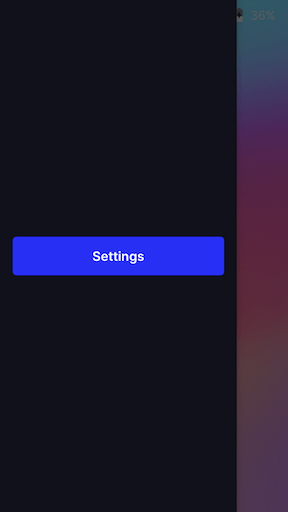 | Settings button | 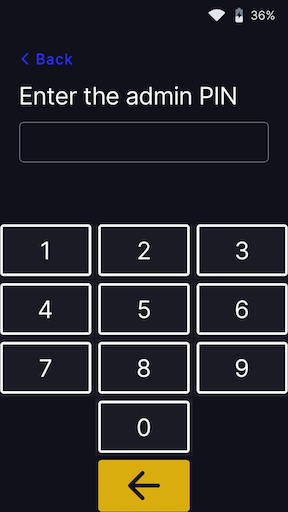 | Admin PIN 07139 | 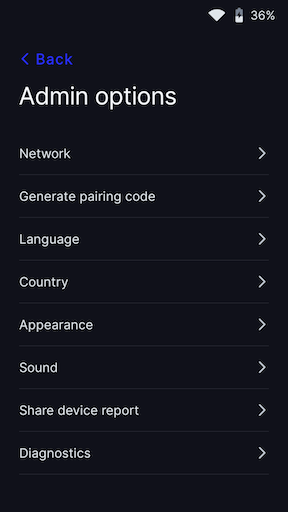 | Settings menu |
Screen timeout
To ensure that the POS and CARD TERMINAL remain connected and avoid any disruptions, it is recommended that you set the display timeout to NEVER. By doing so, the device will not turn off automatically, allowing uninterrupted communication between the terminal and the system. This setting is especially useful for maintaining a stable connection during longer periods of inactivity, ensuring that transactions can proceed smoothly without any unnecessary delays.
| Appearance menu | 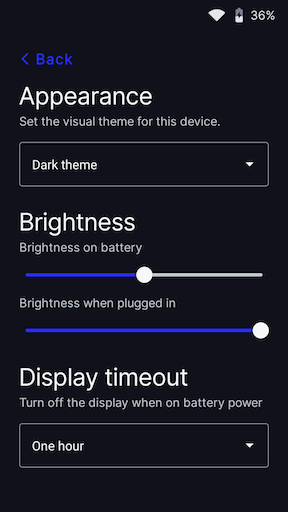 | Timeout Menu | 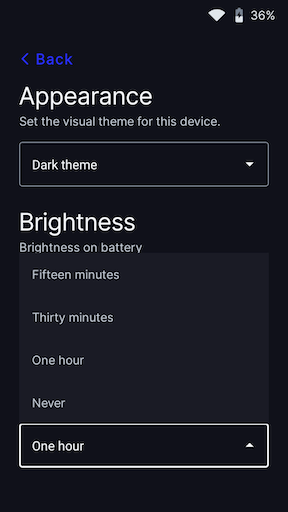 | Timeout NEVER |