If you are asked to reset your terminal, please follow the steps below:
1. Perform a Factory Reset
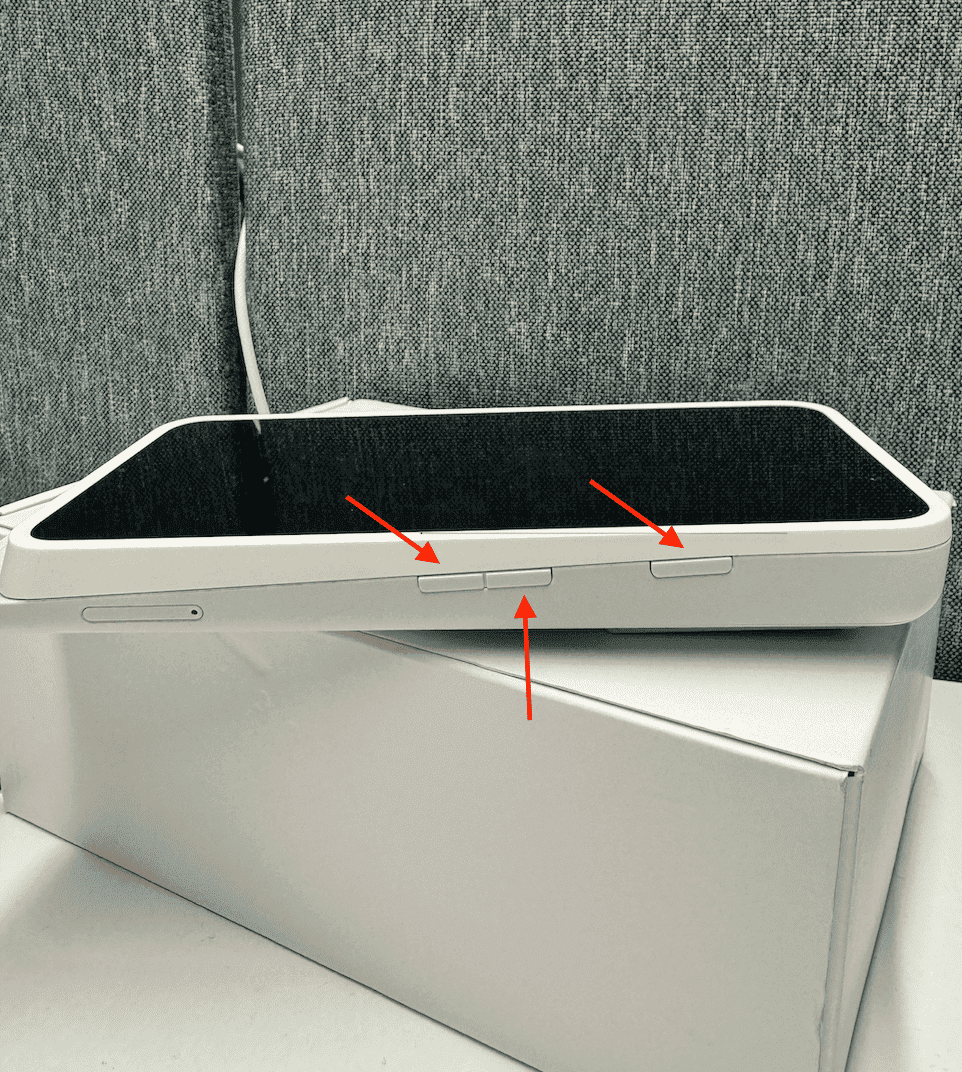
- Press and hold the three buttons together for about 10 seconds.
- A window titled “Confirm Factory Reset” will appear.
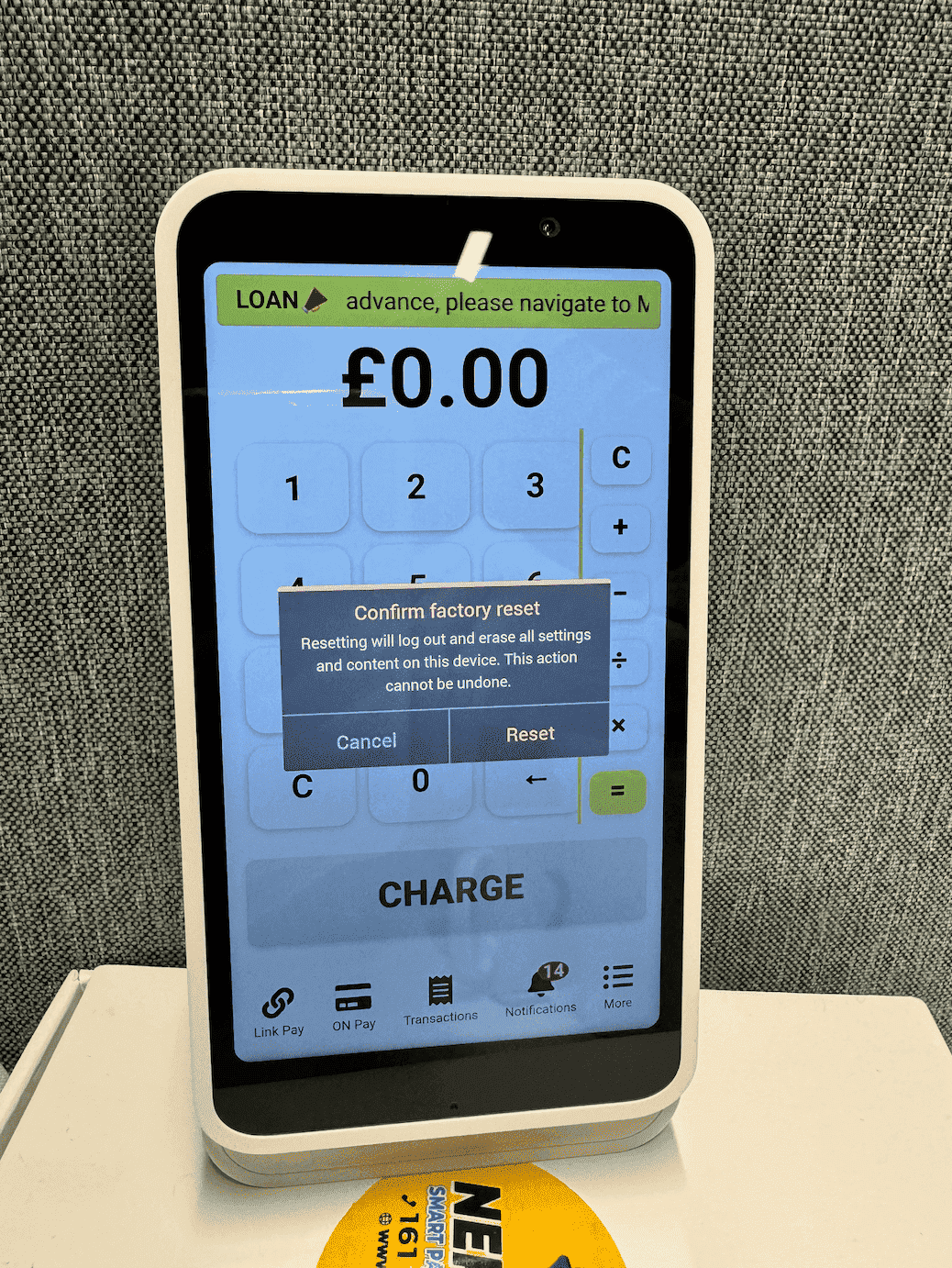
- Select “Reset” to proceed.
2. Set Up the Terminal Again
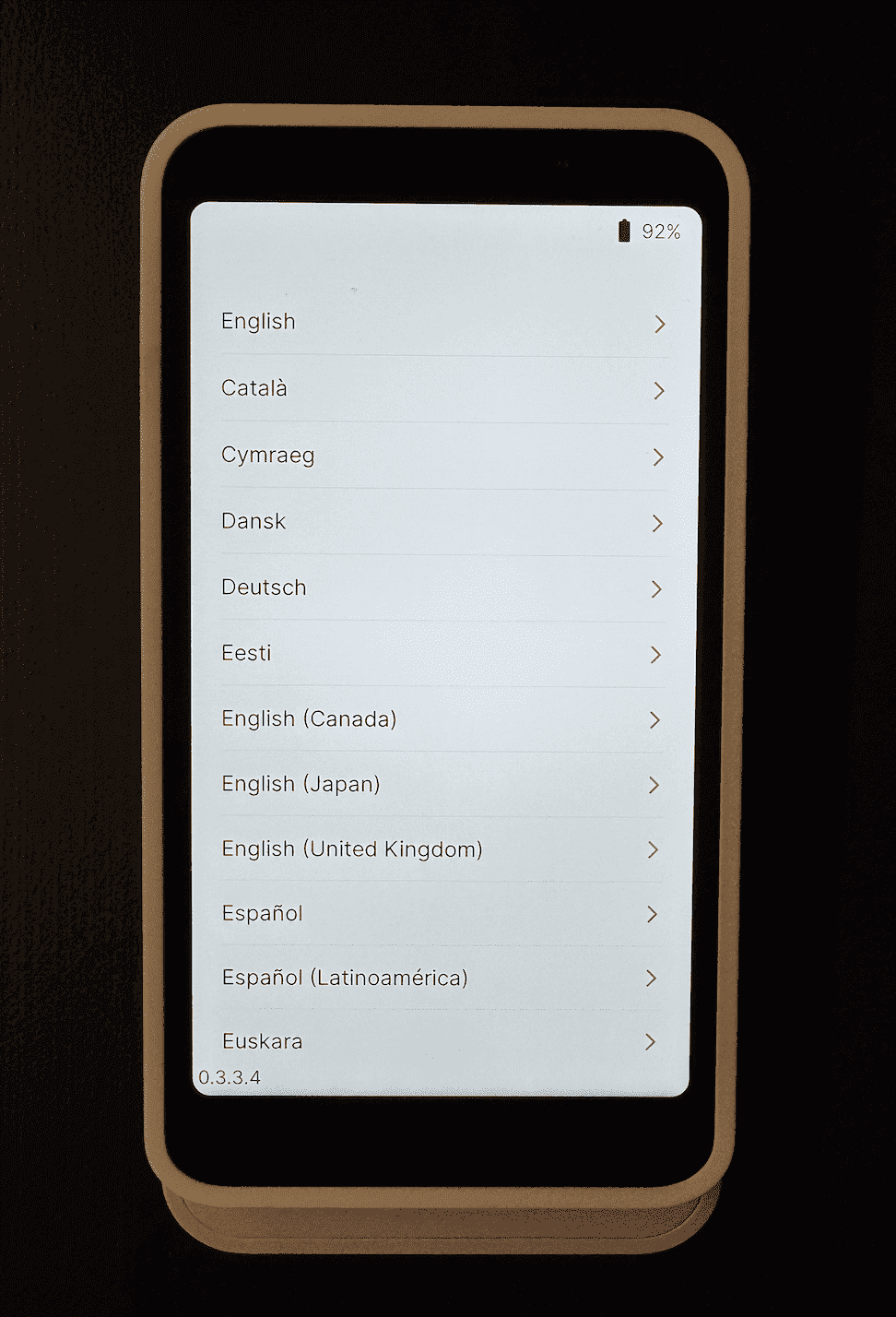
- The terminal will restart. When it turns back on, you will be asked to choose your language.
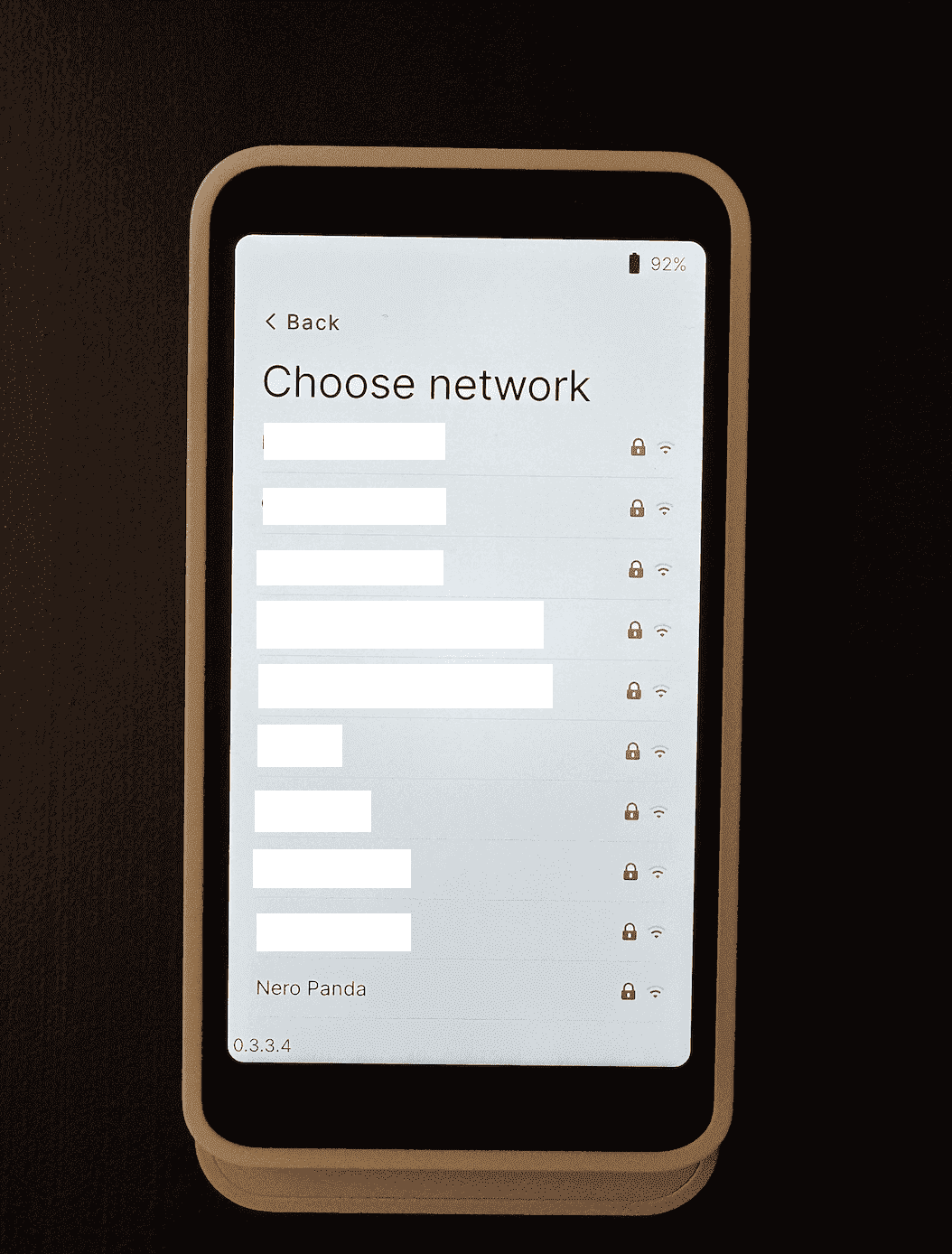
- Select and connect to your Wi-Fi network.
If you have any further questions, please contact our support team at support@neropay.app or create a ticket through your dashboard.