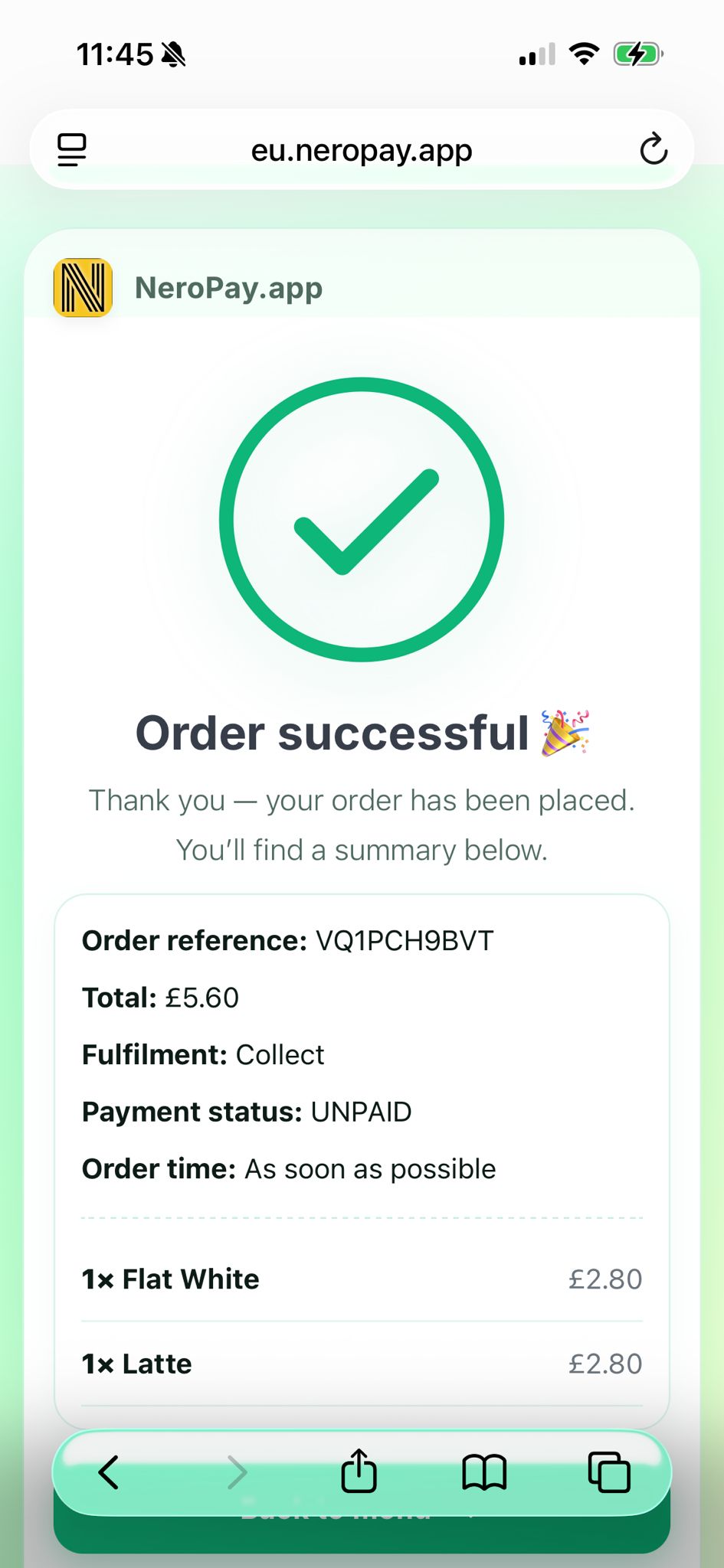
After the customer places the order, the confirmation page will be shown like this:
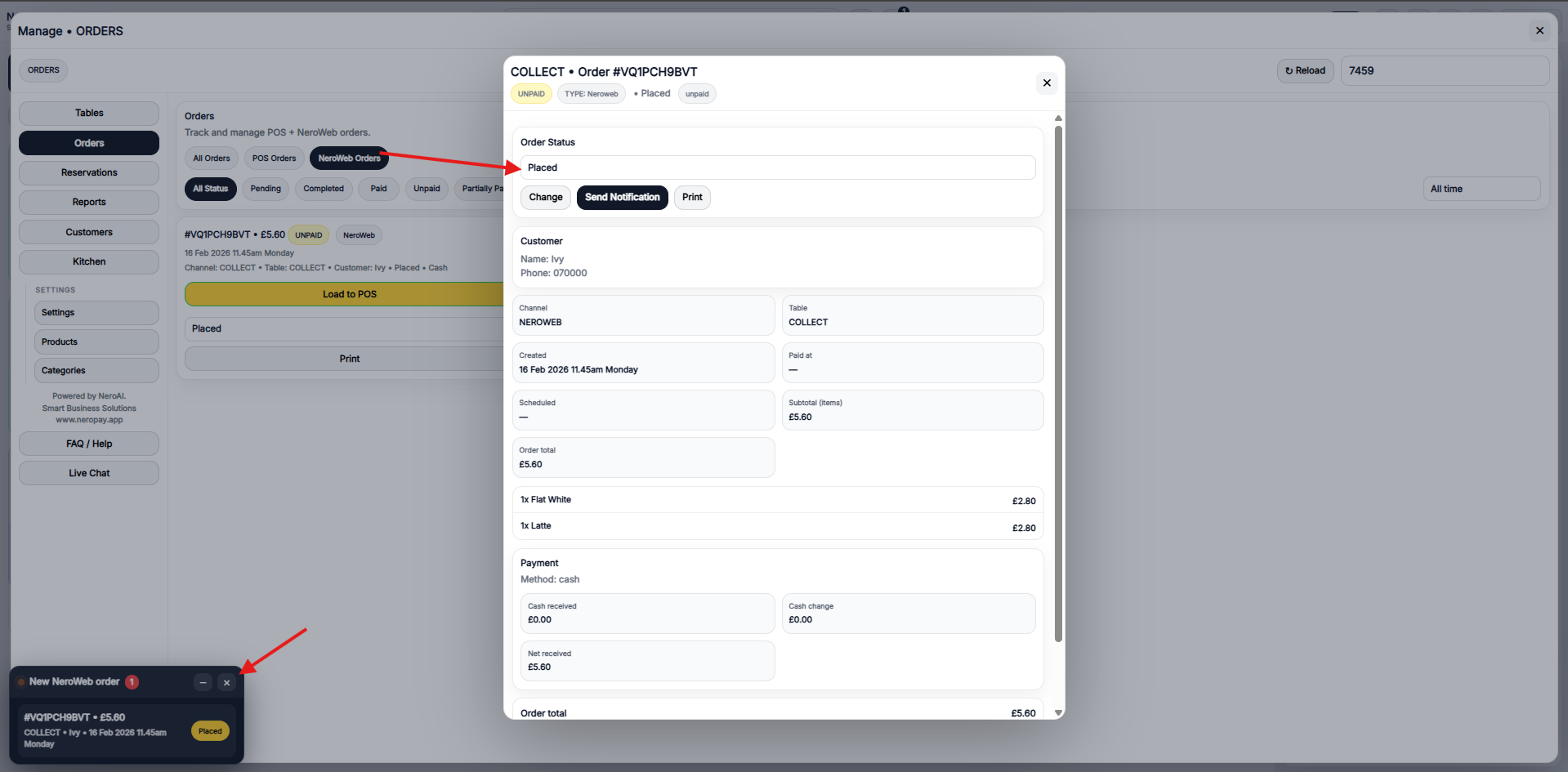
You can see the notifications on your EPOS. When you click into the order, you will see the order status.
The status options could be found in the drop-down; just choose the one you would like to change:
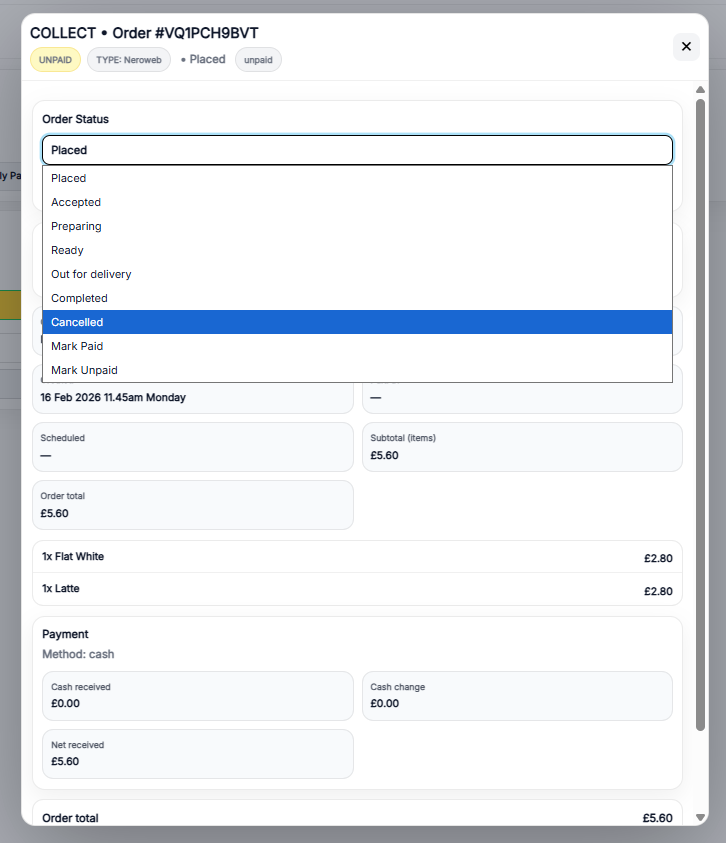
You could manage the status from the EPOS system.
If you have further questions, please feel free to reach out at support@neropay.app