
LinkPay lets you request a payment without a card terminal. Create a secure, one-time link for the amount, send it by SMS or email or share it yourself, and your customer pays on their own phone or computer. One list shows which links are paid, still open or expired.
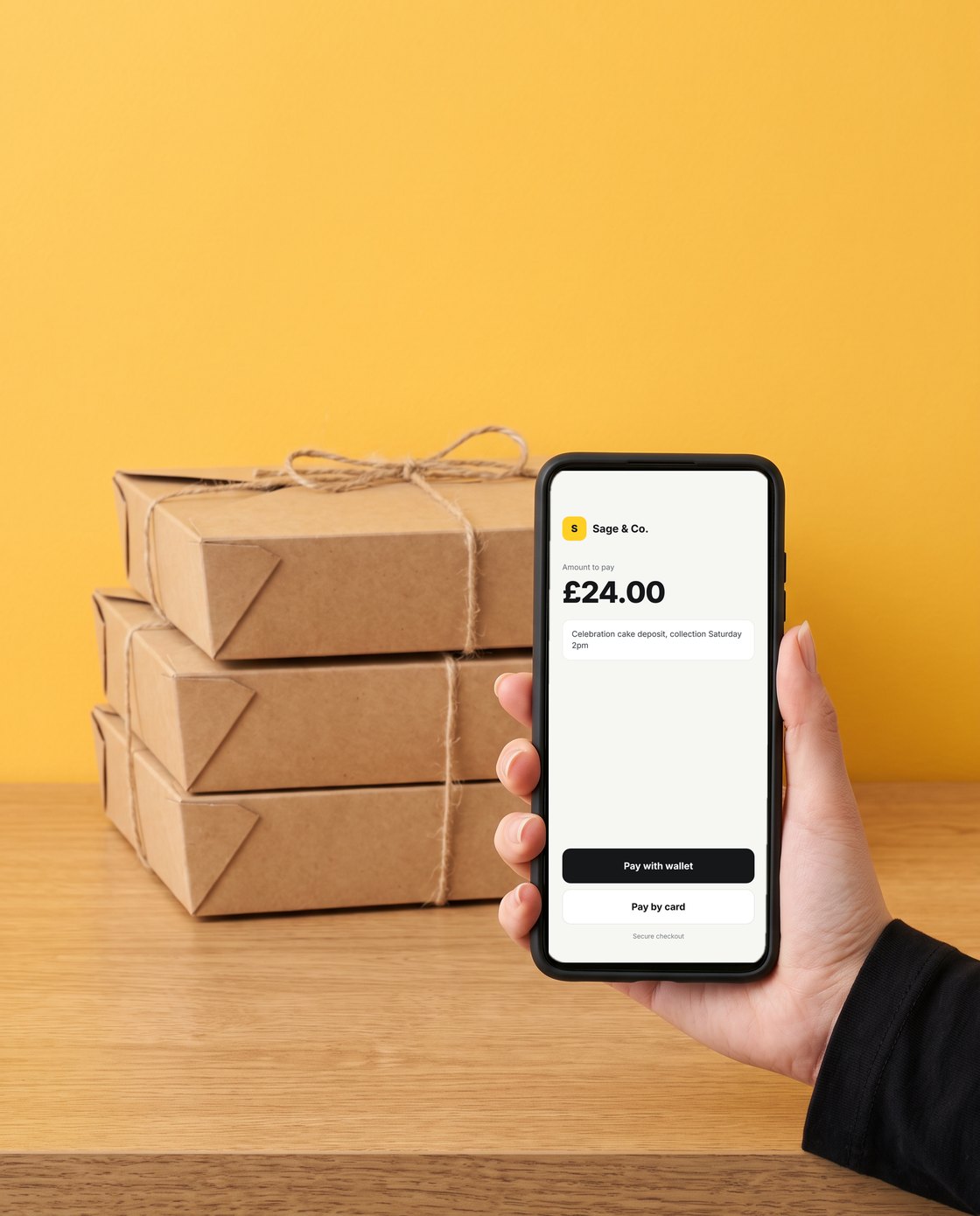
📸 What your customer sees: a secure checkout with your business name, the amount and your note. Illustrative example.
Create a payment link
Go to Payment → Payment Links and click Create Payment Link. You can also start from Take payment on your dashboard.
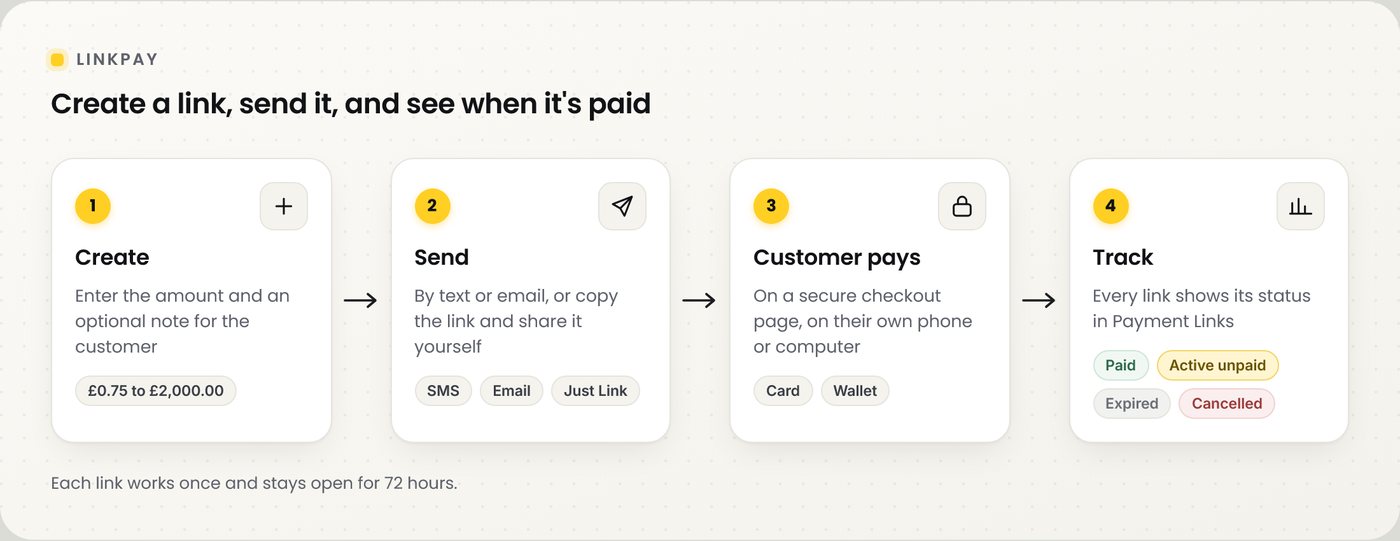
📸 Create, send, get paid, then track.
| Field | What to enter |
|---|---|
| Amount (£ GBP) | Between £0.75 and £2,000.00 |
| Recipient type | SMS, Email or Just Generate Link |
| Mobile number or email | For SMS, a UK mobile number or an international number starting with + and the country code. For email, the customer's email address |
| Description / Note (optional) | Shown to the customer on the checkout page, for example what the payment is for |
Click Send Payment Link. The link appears in your Payment Links list straight away.
⚠️ You need at least £1 in your NeroPay balance to create payment links.
Ways to send a link
| Option | What it does |
|---|---|
| SMS | Sends the link to the customer's mobile. A per-message SMS fee is taken from your balance. See Pricing info on the Payment Links page |
| Sends the link to the customer's email address. Free | |
| Just Generate Link | Creates the link for you to copy and share privately, for example on WhatsApp or Instagram. Free |
💡 Note: Card processing fees, if any, apply when the customer pays. See NeroPay pricing.
What your customer sees
When the customer opens the link, they see a secure checkout page with the amount and your note. They pay by card or digital wallet, and other payment options show where available. You don't see or handle their card details.
Track your links
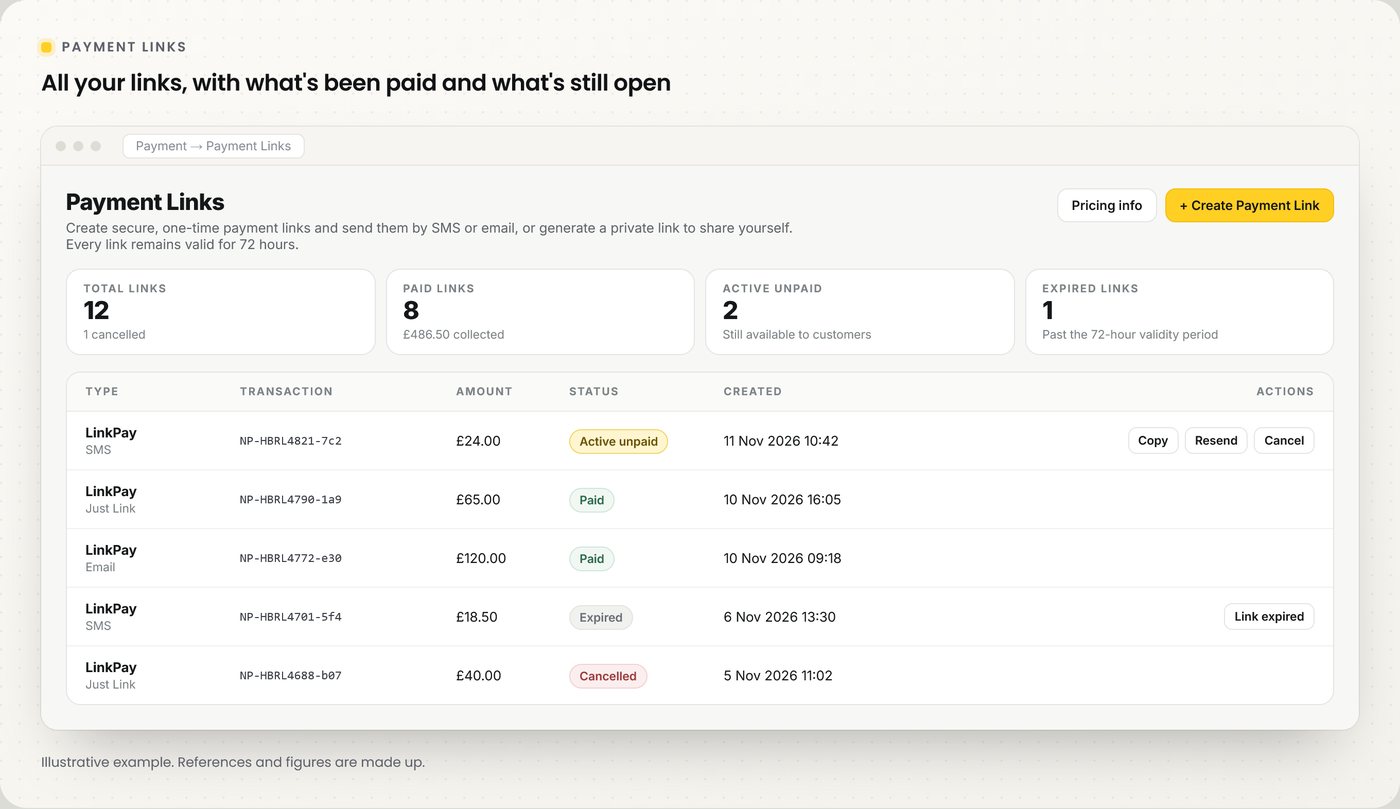
📸 Payment Links: counts at the top, every link and its status below.
| Status | What it means |
|---|---|
| Paid | The customer has paid. The payment shows in Transactions |
| Active unpaid | The link is still open and the customer can pay |
| Expired | 72 hours passed without a payment. Create a new link if you still need one |
| Cancelled | You cancelled the link, so it can no longer be paid |
From the list you can copy an active link, resend an eligible request, or cancel a link that has not been paid.
Cancel or refund
| Task | How |
|---|---|
| Cancel an unpaid link | Click Cancel on the link, then Yes, cancel link |
| Refund a paid link | Go to Dashboard → Transactions, open the payment and click Refund. Full and partial refunds are both possible |
⚠️ Cancelling a link can't be undone, and it doesn't refund a payment that has already been made.
LinkPay or Virtual Terminal?
| LinkPay | Virtual Terminal | |
|---|---|---|
| Who enters the card | Your customer, on their own device | You, with the customer's permission |
| Best for | Remote orders, deposits and payments by chat | Phone orders where the customer reads you their card |
| You see the card details | No | Yes |
See Virtual Terminal for the other option.
Frequently asked questions
How long does a payment link last?
Each link is valid for 72 hours and can be paid once.
What is the most I can request?
Up to £2,000.00 per link. The minimum is £0.75.
Can I send a link on WhatsApp?
Yes. Choose Just Generate Link, copy the link and paste it into a private chat. Never post payment links publicly.
Does sending by SMS cost anything?
Yes, a small per-message fee is taken from your balance. Email and Just Generate Link are free. See Pricing info on the Payment Links page.
How do I know a link has been paid?
Its status changes to Paid in Payment Links, and the payment appears in Transactions.
Still need help? Contact us at support@neropay.app or create a ticket.