How to get there
From your dashboard:
NeroConnect
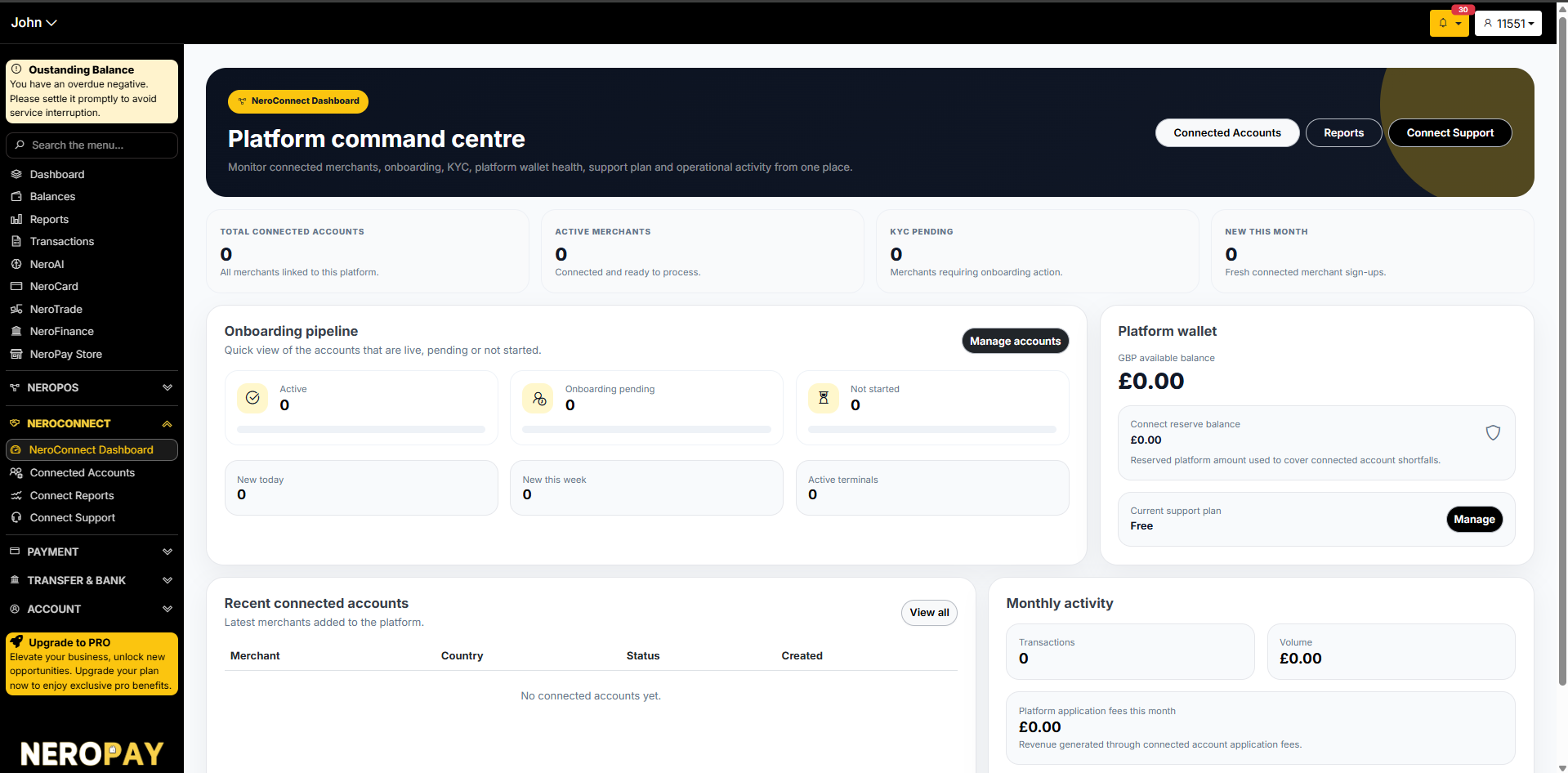
NeroConnect dashboard — Platform command centre
The NeroConnect Dashboard gives you a real-time overview of your entire platform:
| Metric | What it shows |
|---|---|
| Total connected accounts | All merchants linked to your platform |
| Active merchants | Merchants connected and ready to process payments |
| KYC pending | Merchants requiring onboarding or verification action |
| New this month | Fresh connected merchant sign-ups this month |
Onboarding pipeline
| Status | What it means |
|---|---|
| Active | Merchant is live and processing |
| Onboarding pending | Merchant has started but not completed setup |
| Not started | Merchant account created but no onboarding begun |
| New today / this week | Recently added merchants |
| Active terminals | Terminals currently in use across connected accounts |
Platform wallet
Shows your available GBP balance, connect reserve balance, and current support plan. The reserve balance is held to cover any connected account shortfalls.
📸
Connected accounts
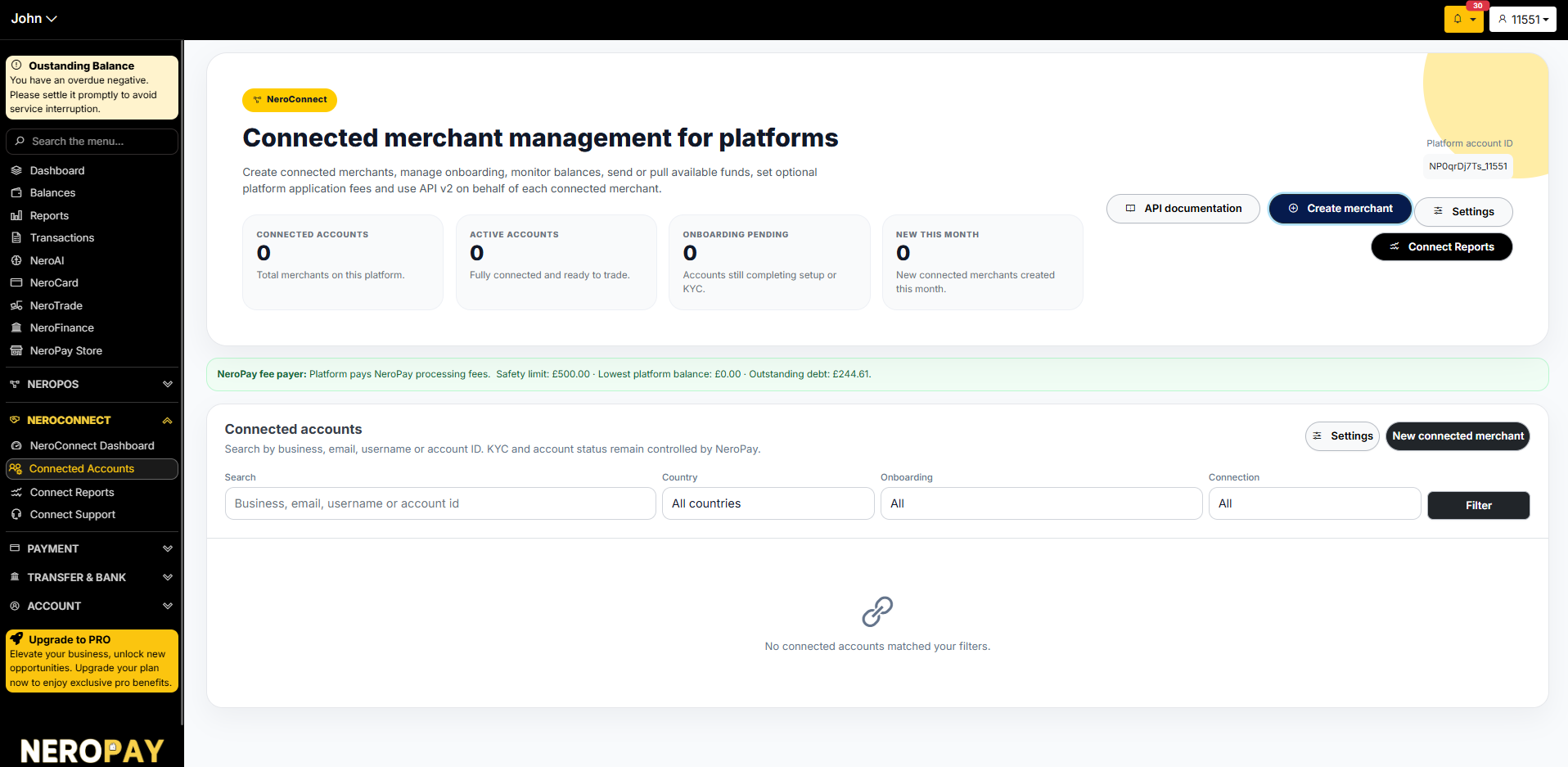
Go to NeroConnect → Connected Accounts to manage all merchants on your platform.
From here you can:
- Search by business name, email, username, or account ID
- Filter by country, onboarding status, or connection type
- View each merchant's status and activity
- Access API documentation
- Manage platform settings
📸
Creating a connected merchant
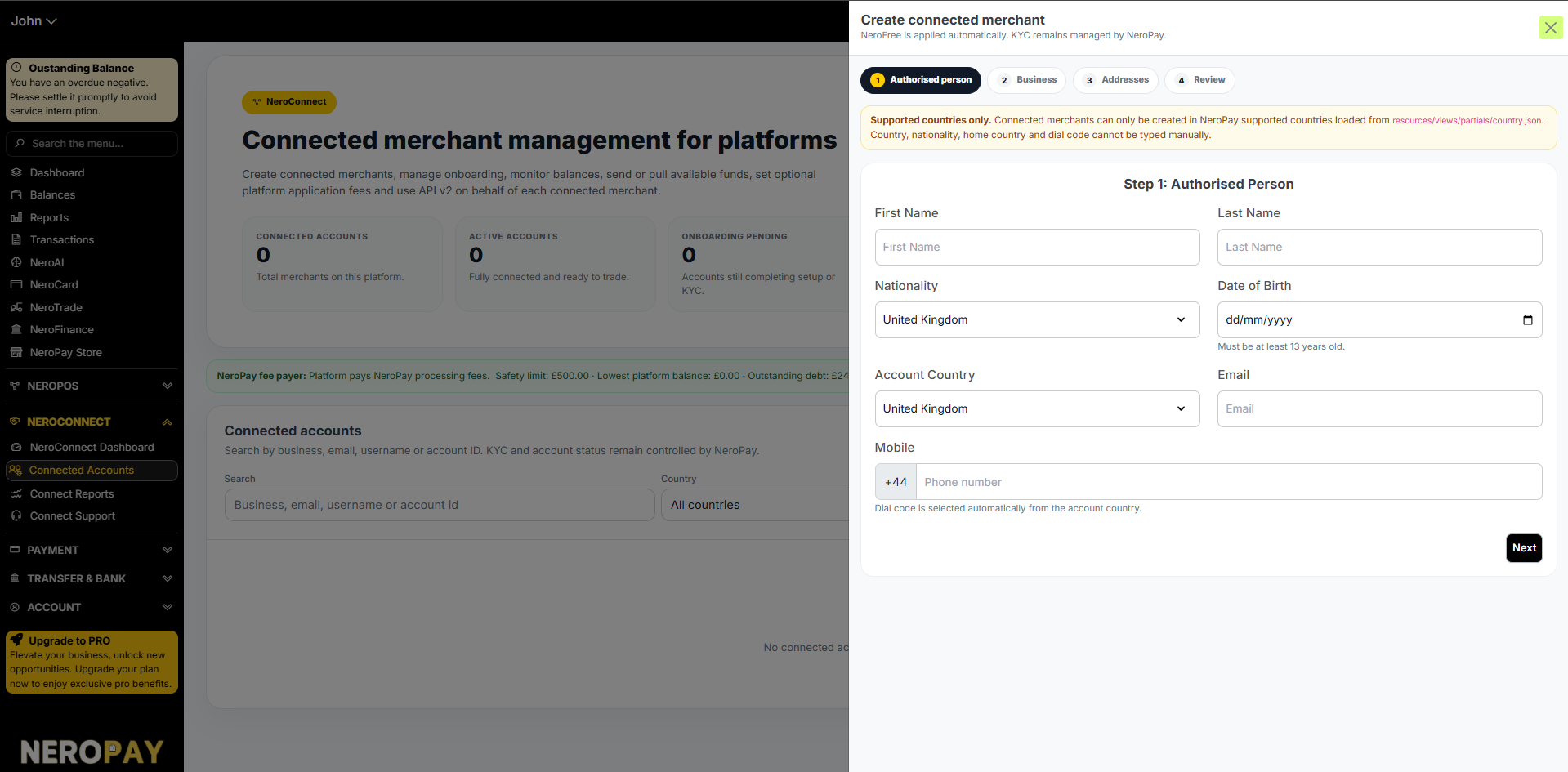
Click New connected merchant and complete the four-step form:
Step 1 — Authorised person
Field
What to enter
First name and last name
The authorised person's full name
Nationality
Select from supported countries only
Date of birth
Must be at least 13 years old
Account country
The country the merchant account operates in
Email
Merchant email address
Mobile
Phone number — dial code is set automatically⚠️ Note: Connected merchants can only be created in NeroPay supported countries. Country, nationality, home country, and dial code cannot be typed manually — select from the dropdown only.
Step 2 — Business Enter the merchant's business details.
Step 3 — Addresses Enter the merchant's business and registered addresses.
Step 4 — Review Confirm all details before submitting. NeroFree is applied automatically. KYC remains managed by NeroPay.
📸
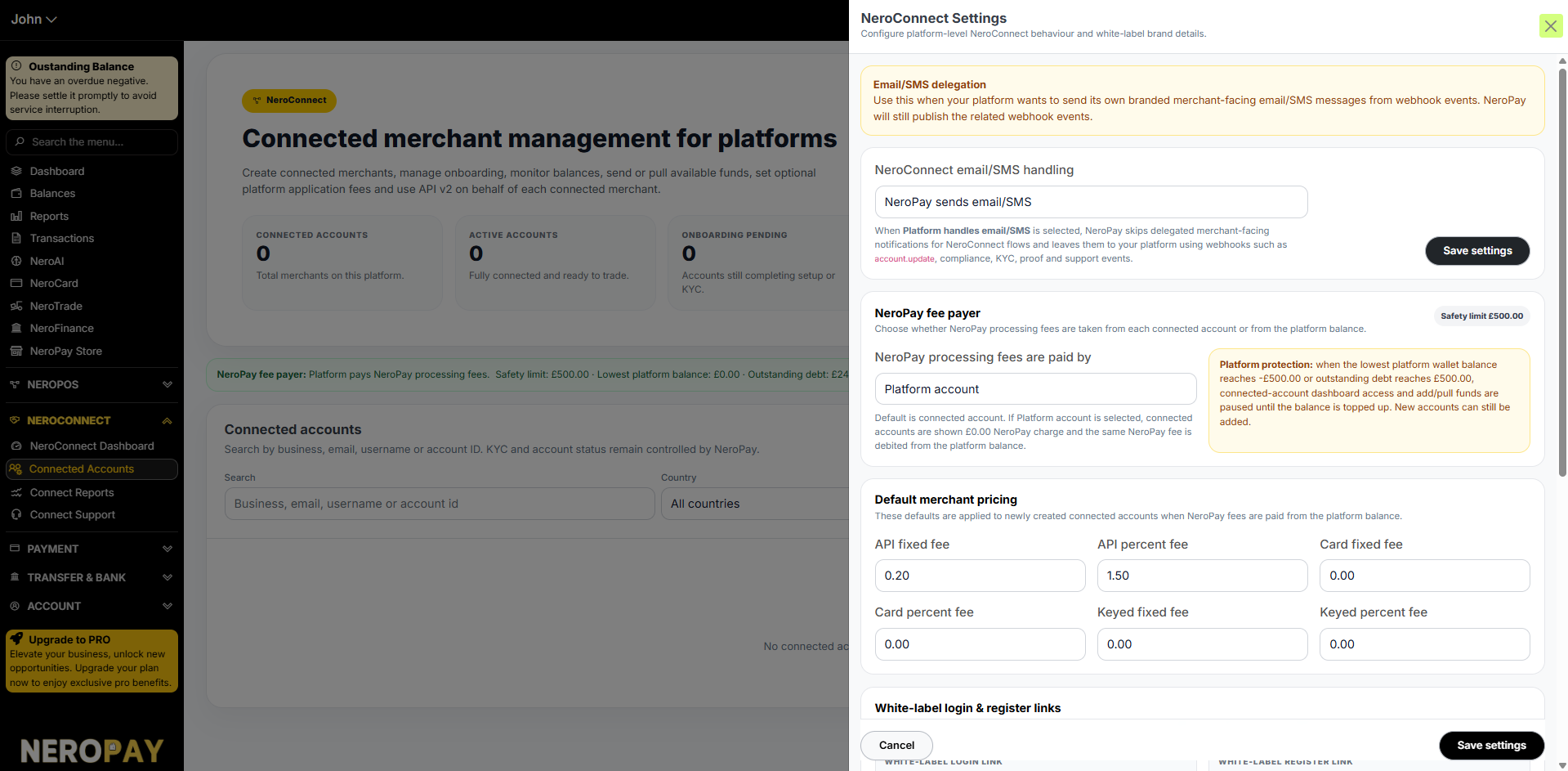
NeroConnect settings
Click Settings on the Connected Accounts page to configure your platform behaviour and white label branding.
Email / SMS delegation
| Option | What it does |
|---|---|
| NeroPay sends email/SMS | NeroPay handles all merchant-facing communications automatically |
| Platform handles email/SMS | NeroPay skips delegated notifications and sends webhook events to your platform instead — for account updates, compliance, KYC, proof, and support events |
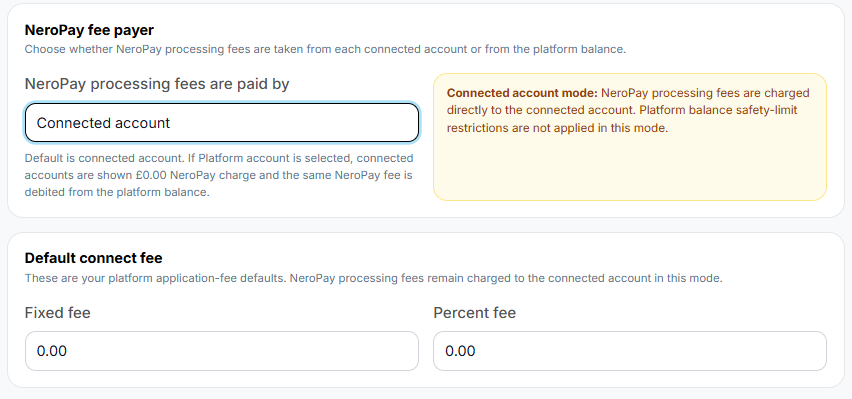
NeroPay fee payer
Choose who pays NeroPay processing fees:
| Option | What it means |
|---|---|
| Connected account | Fees are charged directly to each merchant's account. Platform balance safety limits do not apply |
| Platform account | Fees are charged to your platform balance. Connected accounts see £0.00 NeroPay charge. Platform protection applies — if your balance reaches -£500 or outstanding debt reaches £500, dashboard access and fund actions are paused until topped up |
⚠️ Platform protection: Safety limit is £500.00. If the platform wallet balance reaches this threshold, connected-account dashboard access and add/pull fund actions are paused. New accounts can still be added.
📸
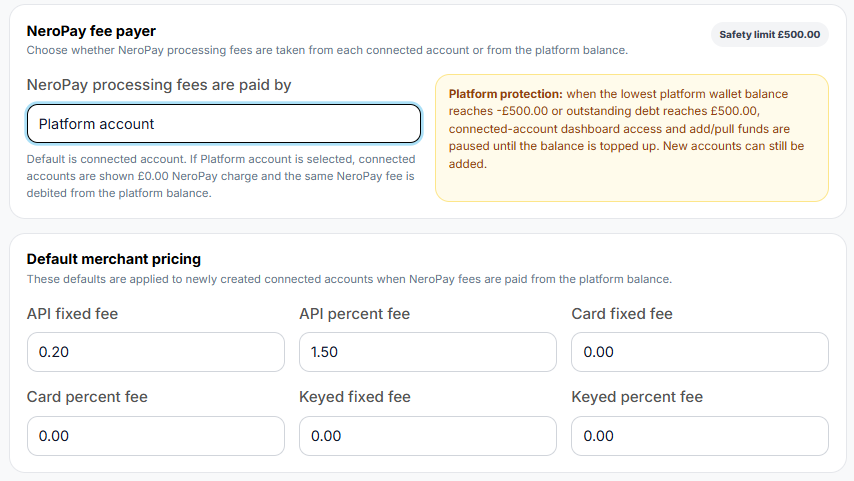
Default merchant pricing (Platform account mode only)
Set the default fees applied to newly created connected accounts:
- API fixed fee
- API percent fee
- Card fixed fee
- Card percent fee
- Keyed fixed fee
- Keyed percent fee
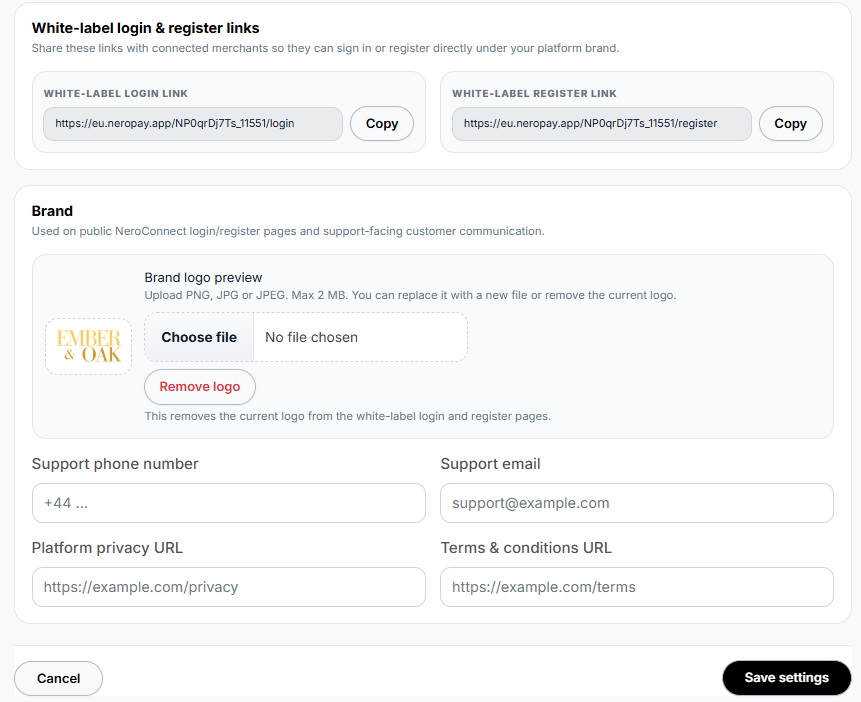
White label login and register links
Share these links with merchants so they can sign in or register directly under your platform brand:
- White-label login link
- White-label register link
Brand
Upload your logo and enter your support contact details to appear on white-label login and register pages:
- Brand logo (PNG, JPG, or JPEG — max 2MB)
- Support phone number
- Support email
- Platform privacy URL
- Terms and conditions URL
📸
Connect Reports
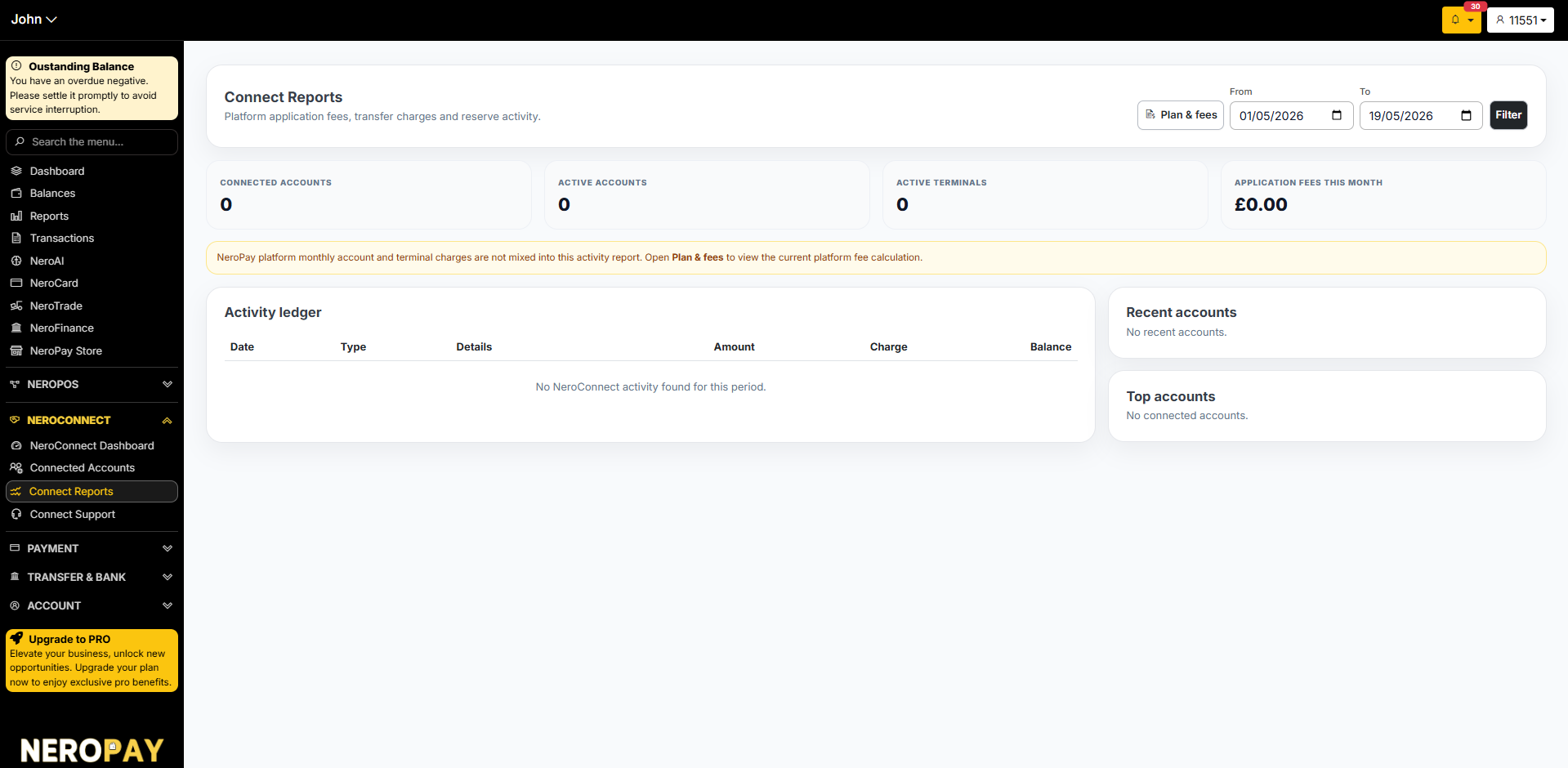
Go to NeroConnect → Connect Reports to view platform activity including application fees, transfer charges, and reserve activity.
| Metric | What it shows |
|---|---|
| Connected accounts | Total merchants on your platform |
| Active accounts | Merchants currently trading |
| Active terminals | Terminals in active use |
| Application fees this month | Revenue generated through connected account fees |
The Activity ledger shows a full record of all platform-level transactions — date, type, details, amount, charge, and running balance.
💡 Note: NeroPay platform monthly account and terminal charges are not included in this activity report. Click Plan & fees to view the current platform fee calculation.
📸
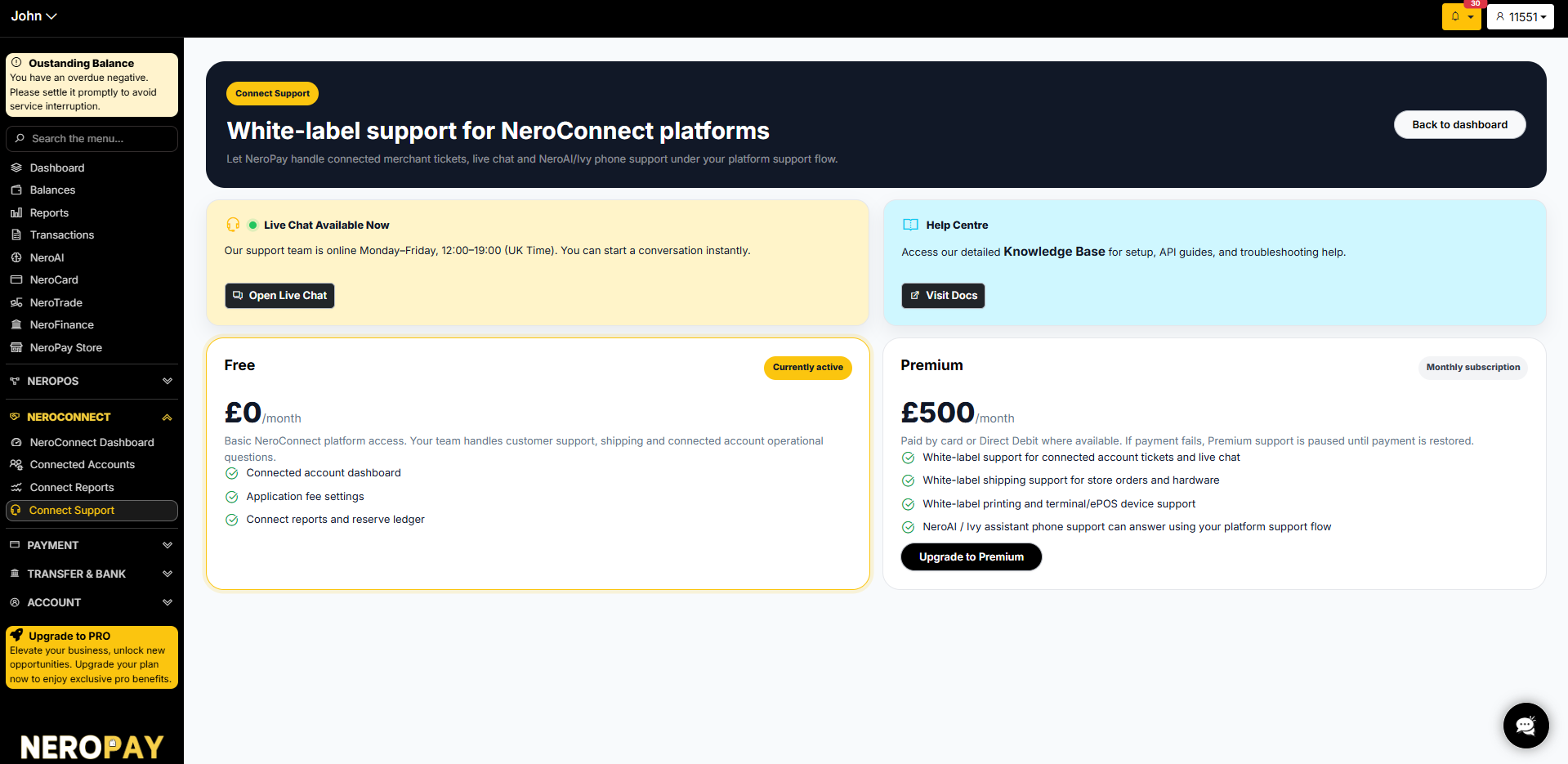
Connect Support
Go to NeroConnect → Connect Support to access white-label support options for your platform.
Support plans:
| Plan | Cost | What's included |
|---|---|---|
| Free | £0/month | Connected account dashboard, application fee settings, connect reports and reserve ledger |
| Premium | £500/month | White-label support for connected account tickets and live chat, white-label shipping support, white-label printing and terminal/EPOS device support, NeroAI/Ivy assistant phone support under your platform support flow |
Live chat: Available Monday–Friday, 12:00–19:00 UK time.
Help Centre: Visit docs for setup guides, API documentation, and troubleshooting.
📸
Frequently asked questions
Q: Can I use my own brand on the merchant login page? A: Yes. Upload your logo and enter your support details in NeroConnect Settings. Share your white-label login and register links with merchants.
Q: Who handles KYC for my connected merchants? A: KYC and account status remain controlled by NeroPay regardless of your partnership mode.
Q: What happens if my platform balance falls too low? A: If your platform wallet reaches -£500 or outstanding debt reaches £500, dashboard access and fund actions for connected accounts are paused until you top up. New accounts can still be created.
Q: Can I set my own fees for my merchants? A: This depends on your partnership mode. Platform mode gives you full pricing autonomy. Connected mode does not — pricing is set by NeroPay. See NeroConnect — White label partnership guide → for full details.
Still need help? Contact us at support@neropay.app or create a ticket