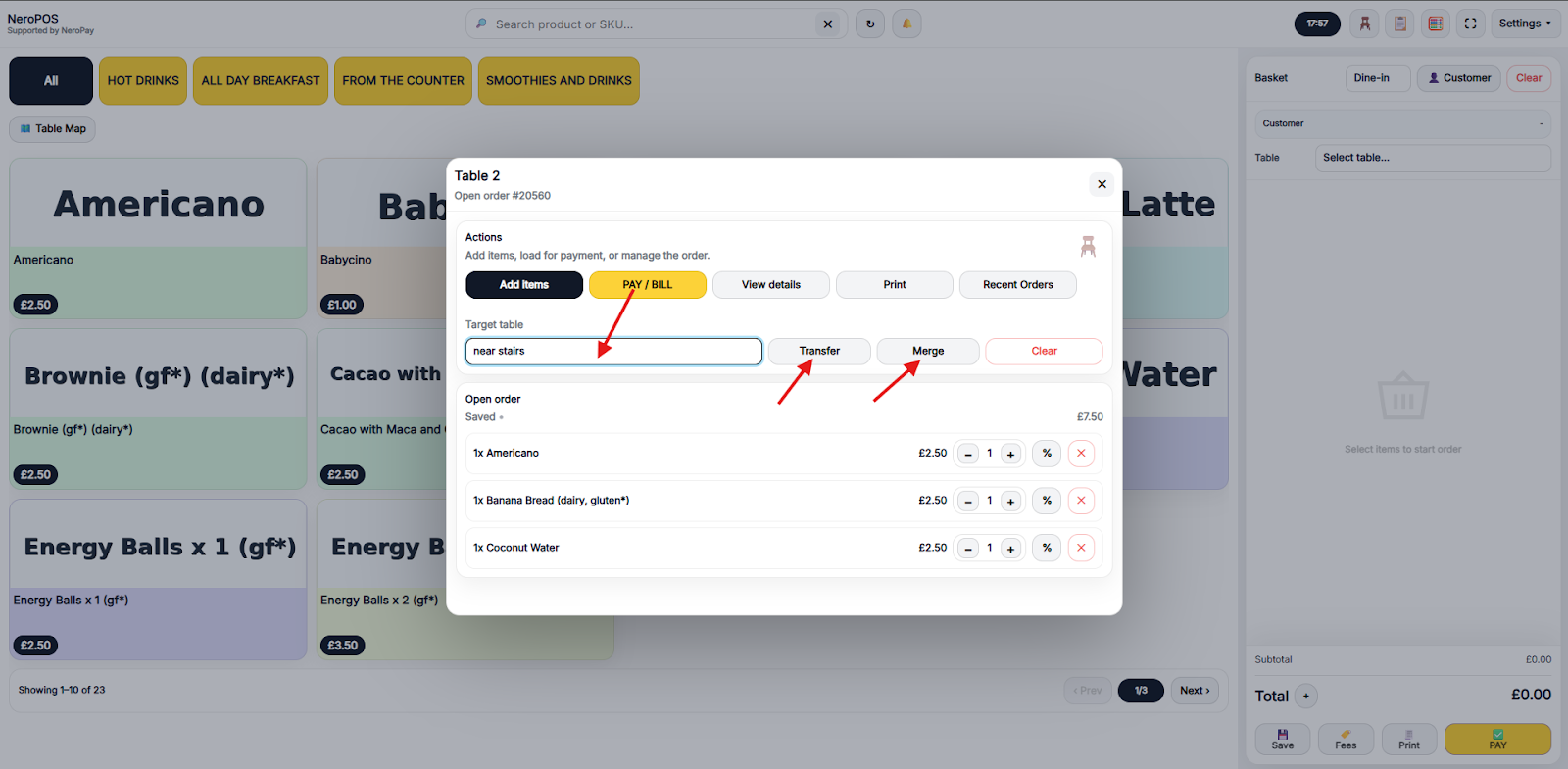
If customers move to another table or additional guests join and need to combine tables, you can easily manage this using the transfer or merge feature.
This allows you to move or combine tables without hassle and is an essential tool for efficient floor management in busy hospitality environments.
What could I do when my customer wants to transfer the table or merge the tables while dining in?
Take orders for dine-in on EPOS
1. The arrow is indicating the table you have chosen
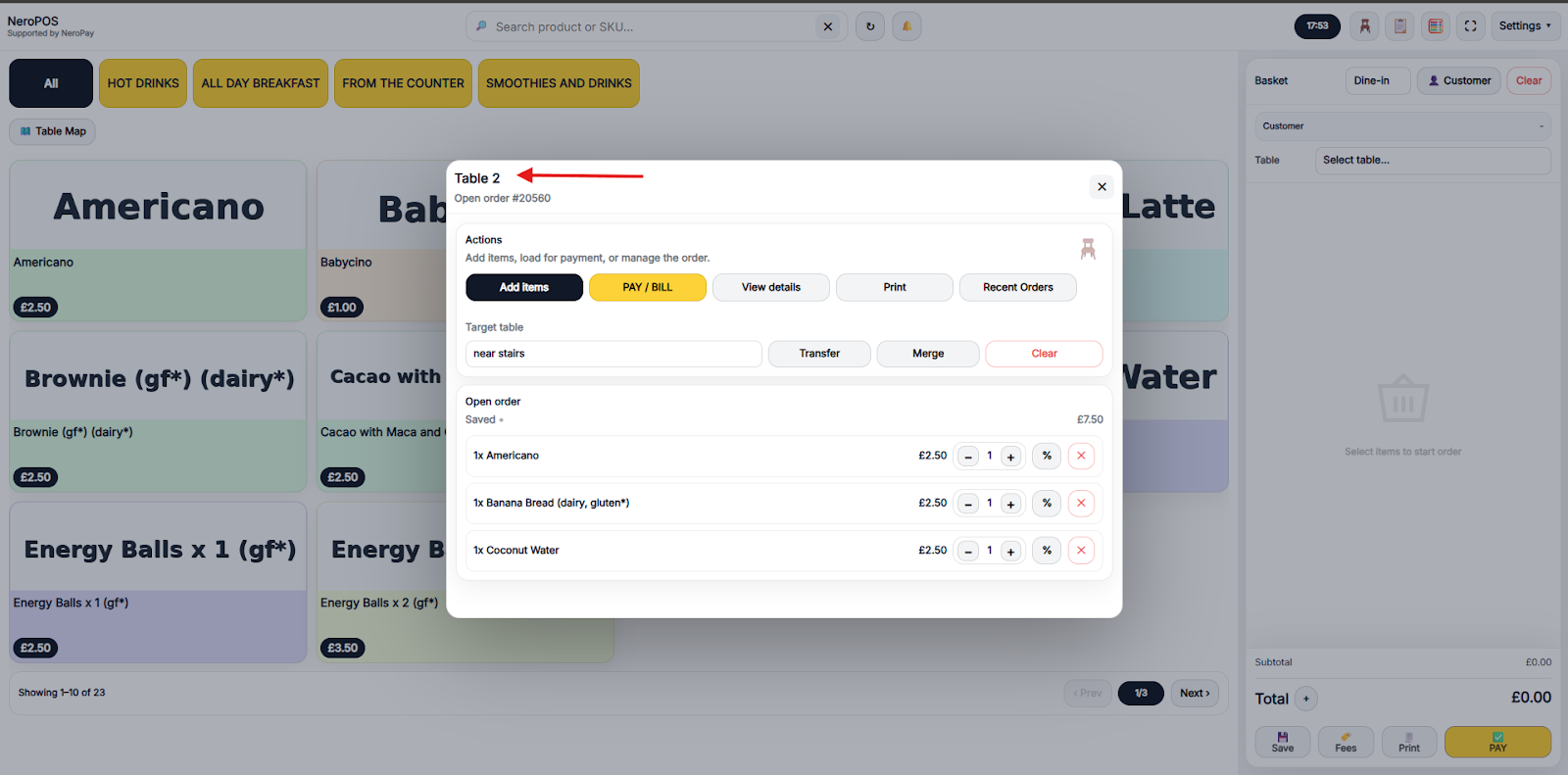
2. Choose the actions you would like to do with the table. Choose the target table first and transfer or merge
If you have any questions, please contact us via email at support@neropay.app