Why enhanced verification is requested
Enhanced verification is a standard part of financial regulation. NeroPay may request it when:
- Your account is being reviewed as part of routine compliance checks
- Your transaction activity triggers a review
- Additional business documentation is needed to confirm your trading status
This is not a penalty. It is a normal part of operating a regulated payment account.
Documents you may be asked to provide
Depending on your account, you may be asked for one or more of the following:
| Document | Requirements |
|---|---|
| Latest 3 months of business bank statements | Must show your business name, address, and account number |
| Utility bill | e.g. electricity, gas, water, or internet — must show your business name and trading address |
| Government-issued letter | e.g. from HMRC, Companies House, or another official authority |
| Short environment video (approx. 30 seconds) | A video of your store or business premises to confirm you are an operating business |
⚠️ All documents must be clear, complete, and no older than 3 months unless otherwise specified.
How to complete enhanced verification
- Log in to your NeroPay dashboard
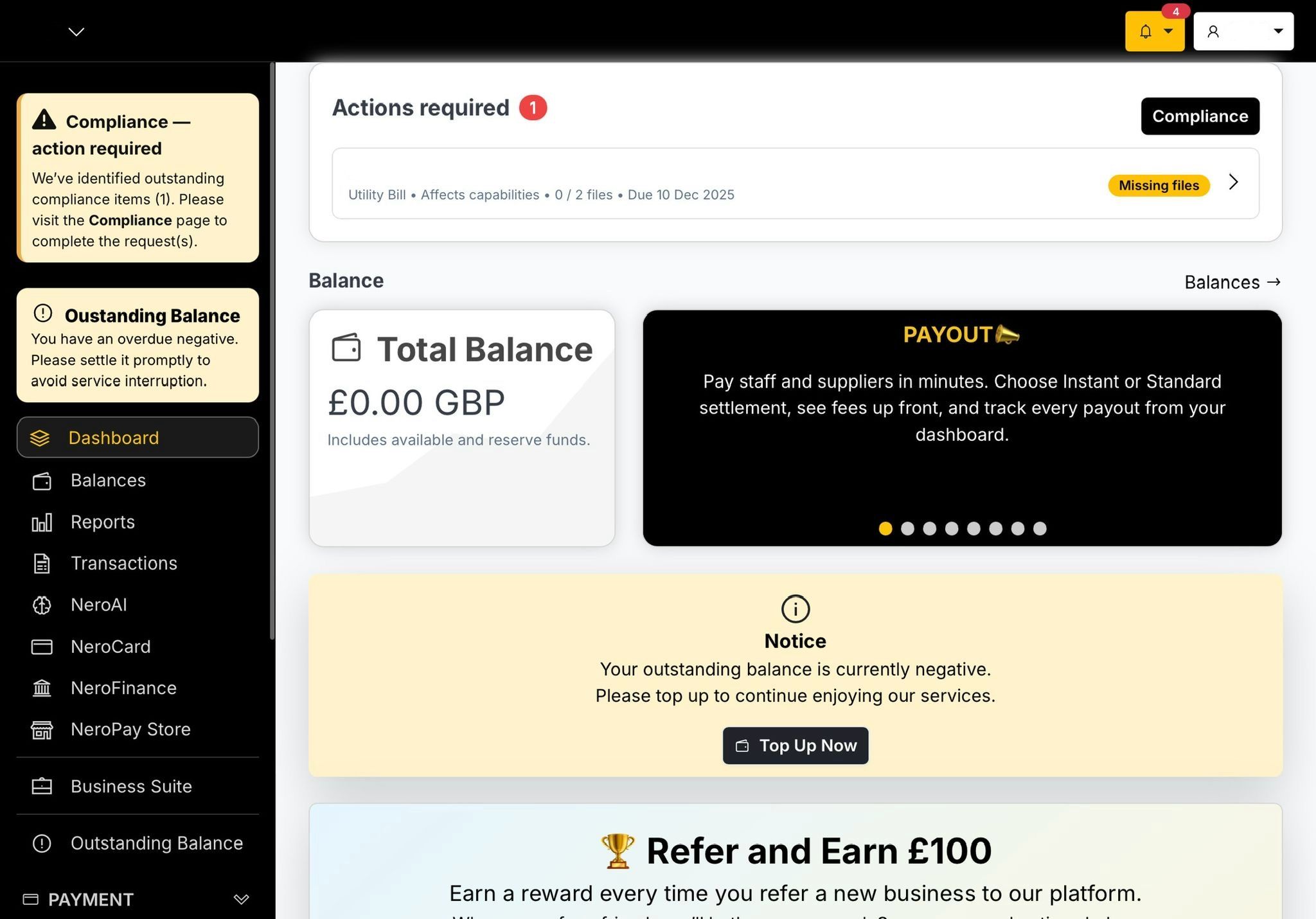
- If action is required, a notification bar will appear at the top of the home page
- Click Actions required
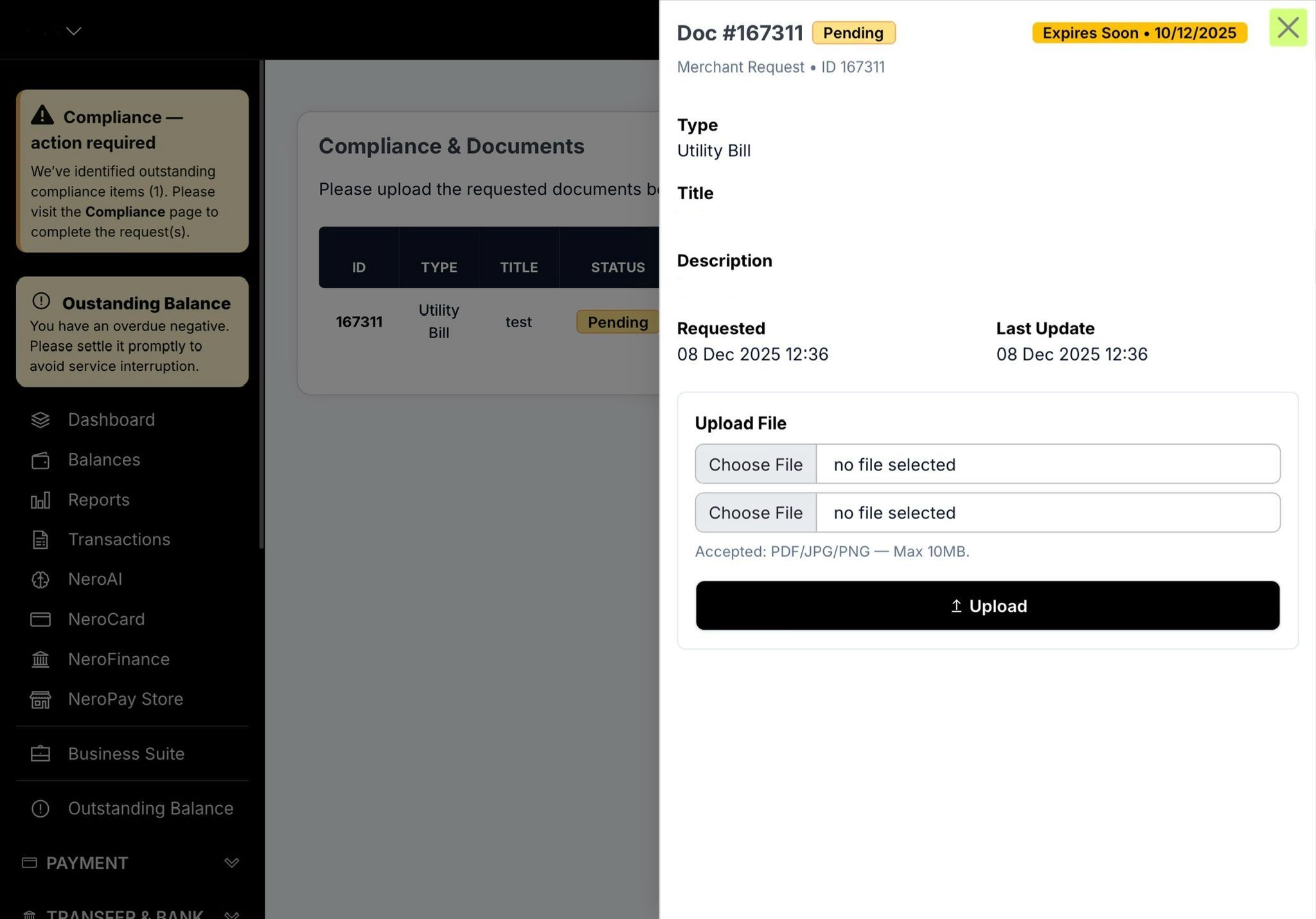
- You will be taken to the Compliance page, which lists the specific items requested — e.g. Utility Bill, Bank Statement, Environment Video
- Click on each item to open it
- Upload the corresponding file — PDF, image, or video as specified
- Check that all information is readable before submitting
- Once all files are uploaded, the compliance team will review them and update your status
📸
💡 For guidance on uploading a verification video, see the article How to upload your verification video.
After you submit
- Your document status will update on the Compliance page
- The compliance team will review your submission
- You will be contacted if anything further is needed or if a document needs to be resubmitted
Frequently asked questions
Q: Why has my account been restricted pending enhanced verification? A: NeroPay is required under financial regulations to verify the identity and trading status of merchants. If additional documents are needed, your account may be temporarily restricted until the review is complete.
Q: How long does the review take? A: Review times vary. The team will contact you if additional information is needed. Submitting clear, complete documents helps avoid delays.
Q: What if I cannot provide one of the requested documents? A: Contact support@neropay.app to explain your situation. The compliance team will advise on alternative documents where possible.
Q: Will I be notified when my review is complete? A: Yes. Your dashboard status will update and you will be contacted by email if any further action is required.
Still need help? Contact us at support@neropay.app or create a ticket from your dashboard.