-
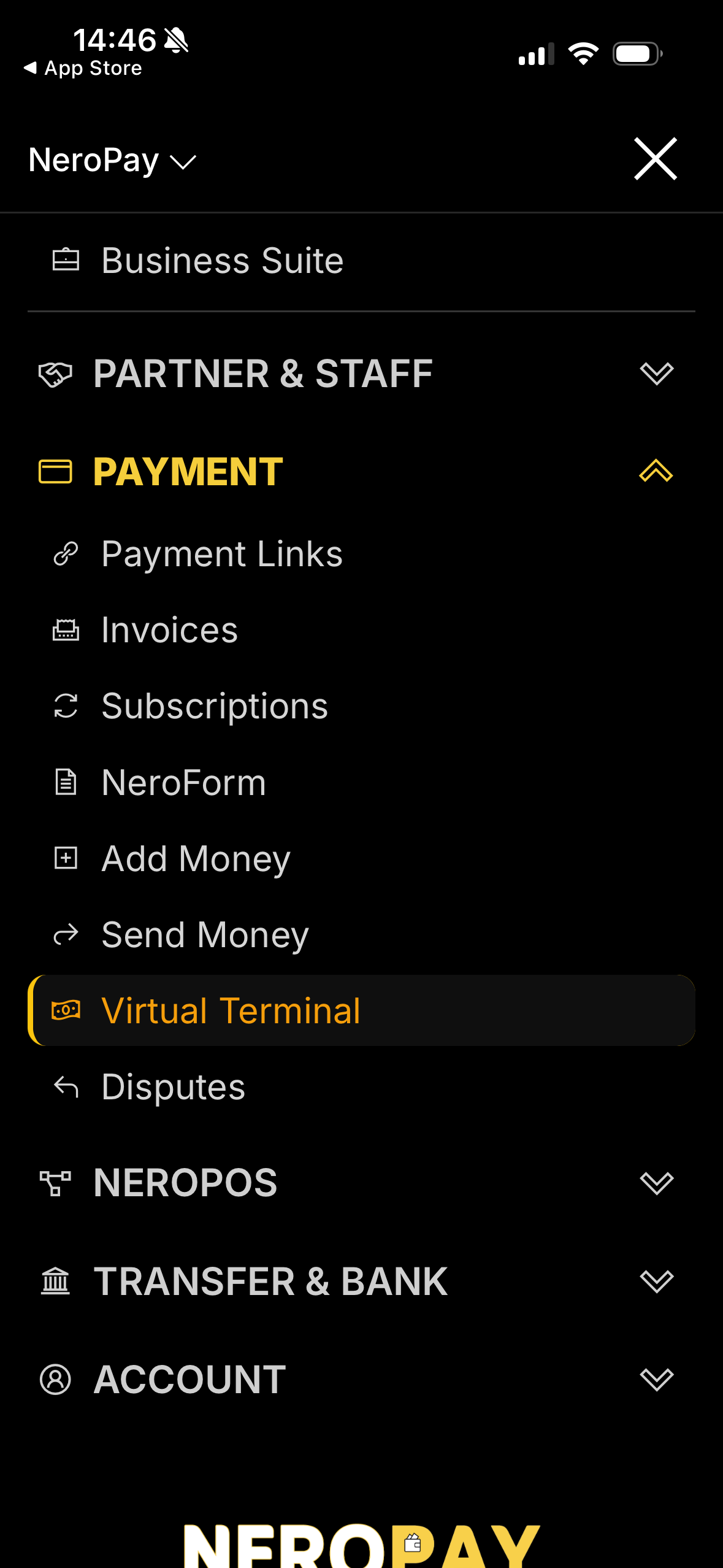
Go to the dashboard in your app and navigate to Payment → Virtual Terminal.
-
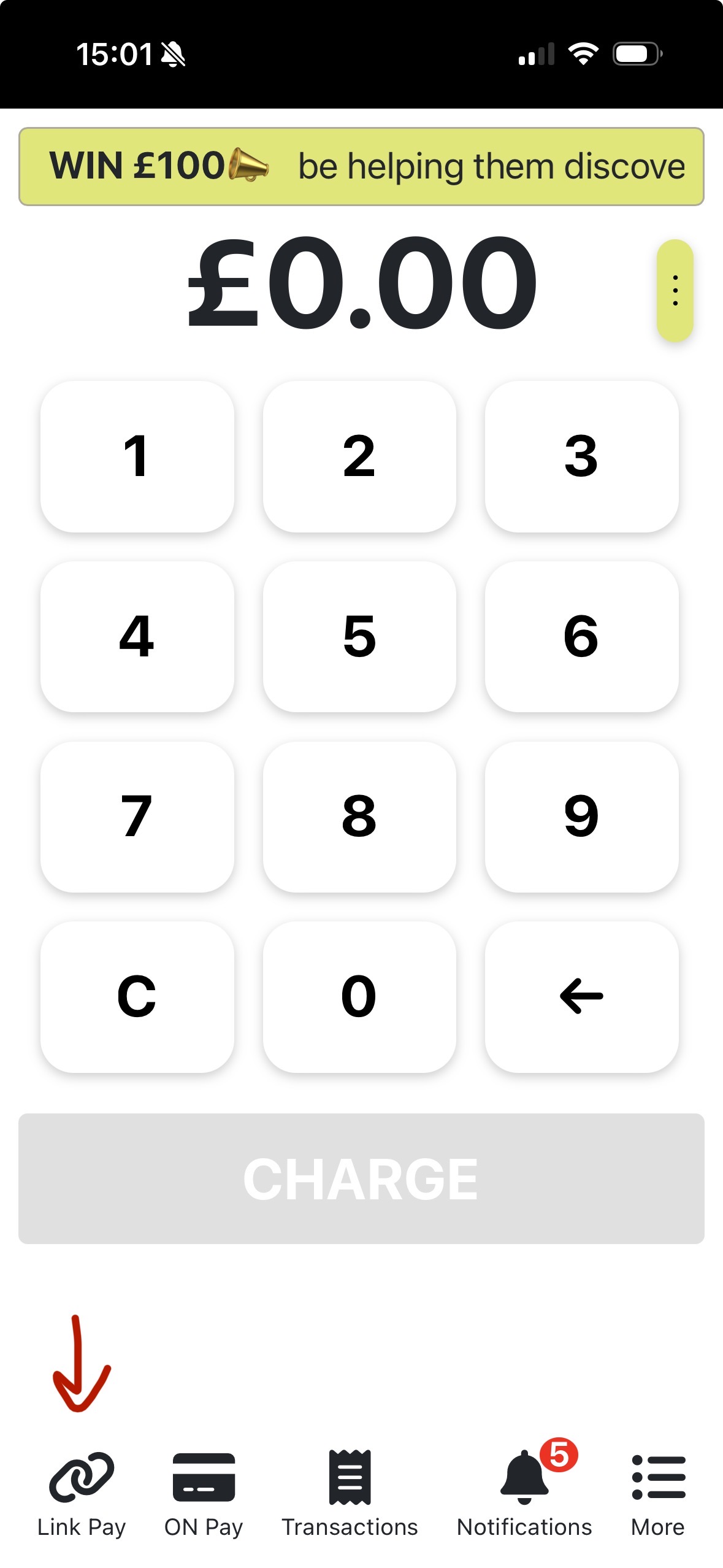
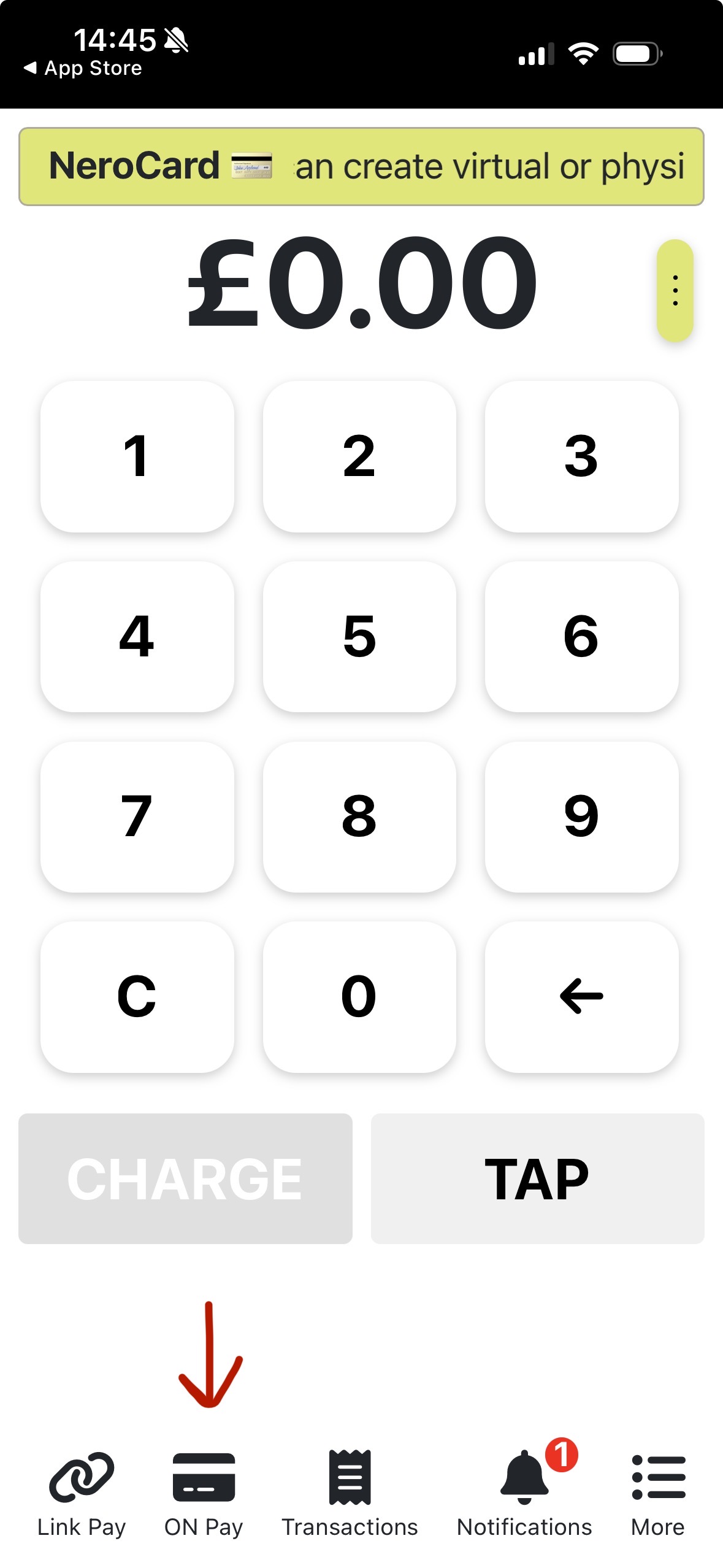
You will see an interface like a terminal—select the payment method you’d like to use.
-
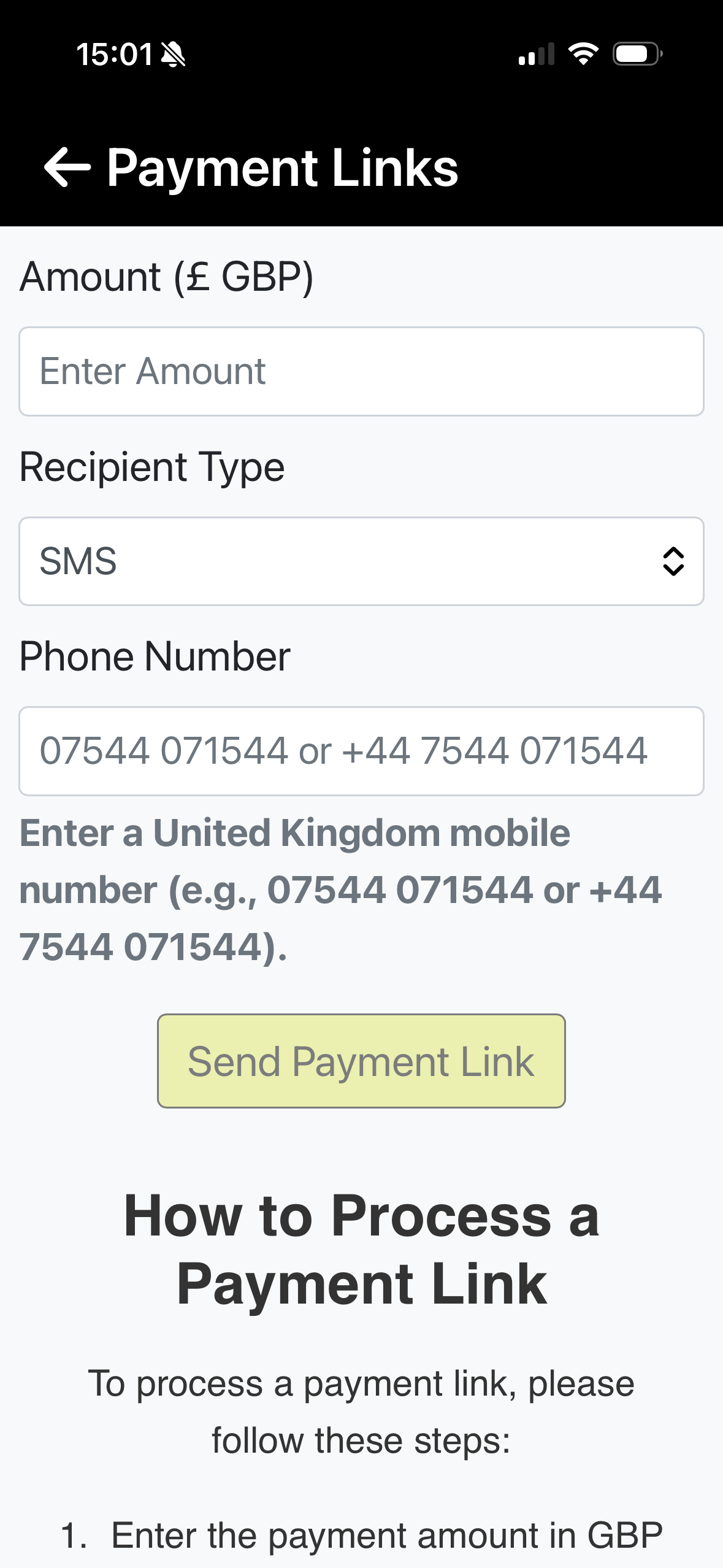
Link Pay: Enter the amount, recipient type, and phone number.
-
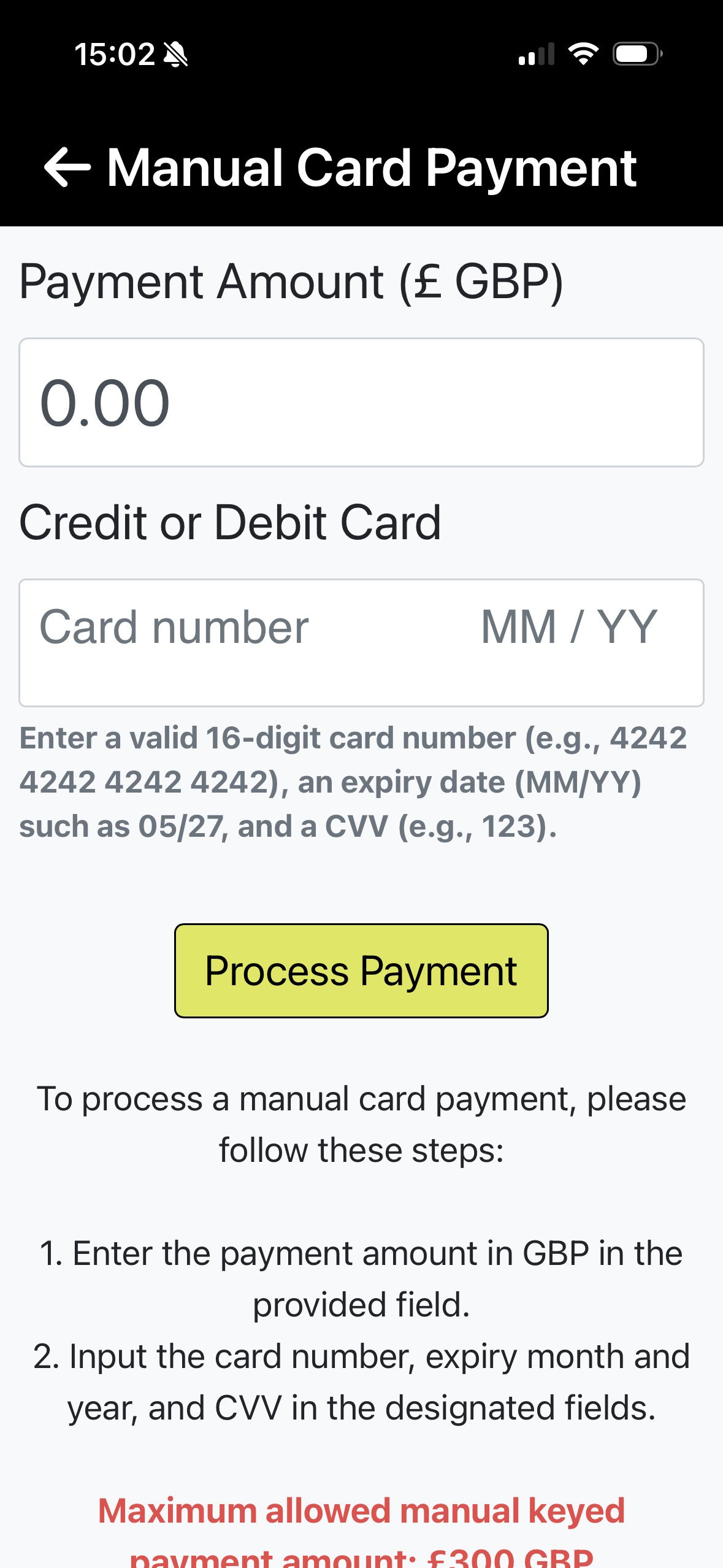
On Pay: Enter the card details.
If you have futher question, please contact us at support@neropay.app
App