How to get there
From your dashboard, follow this path:
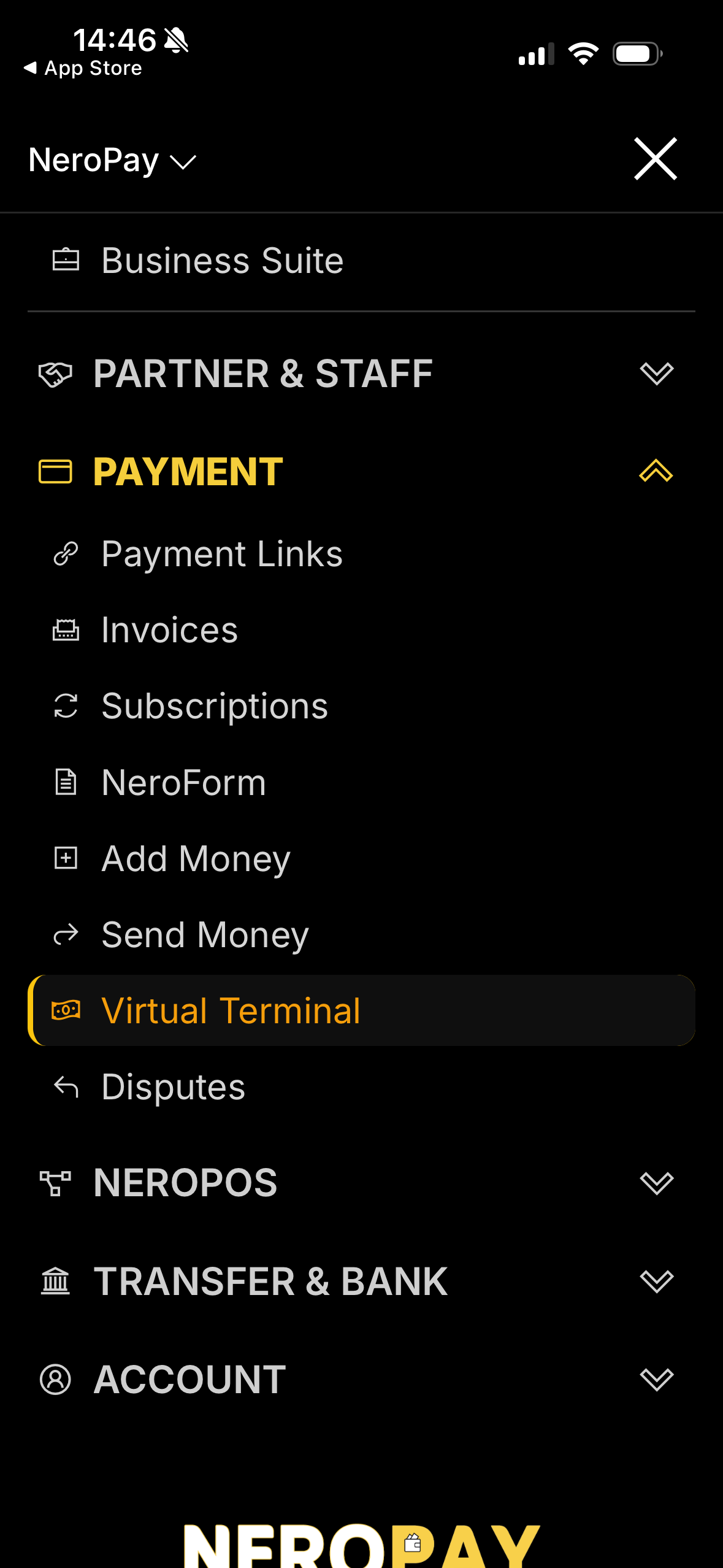
Payment → Virtual Terminal
Step 1 — Open the dashboard
Open the NeroPay app and log in with your merchant account.
📷
Step 2 — Navigate to Virtual Terminal
From the main menu, select Payment, then tap Virtual Terminal.
📷
Step 3 — Choose how to take payment
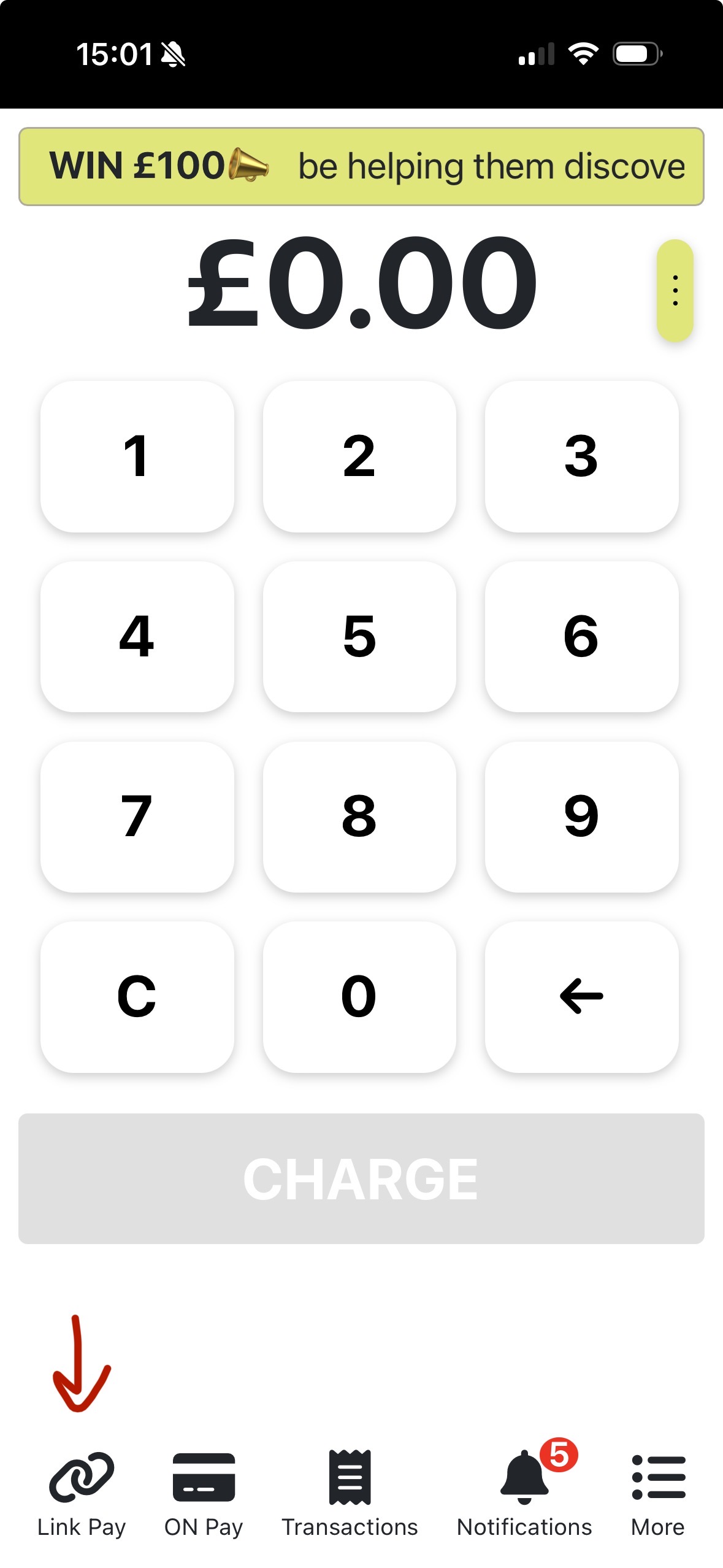
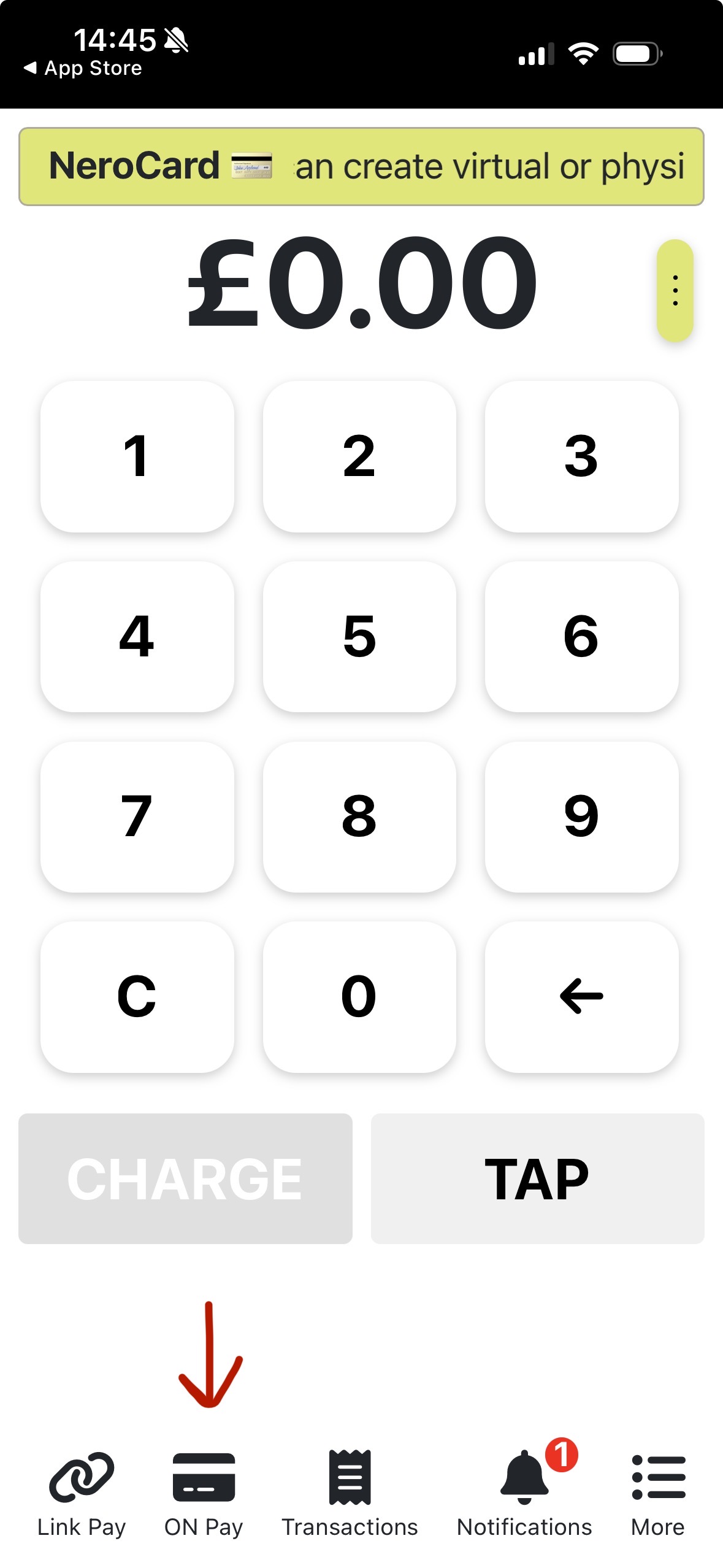
On the Virtual Terminal screen, select the payment method you want to use.
-
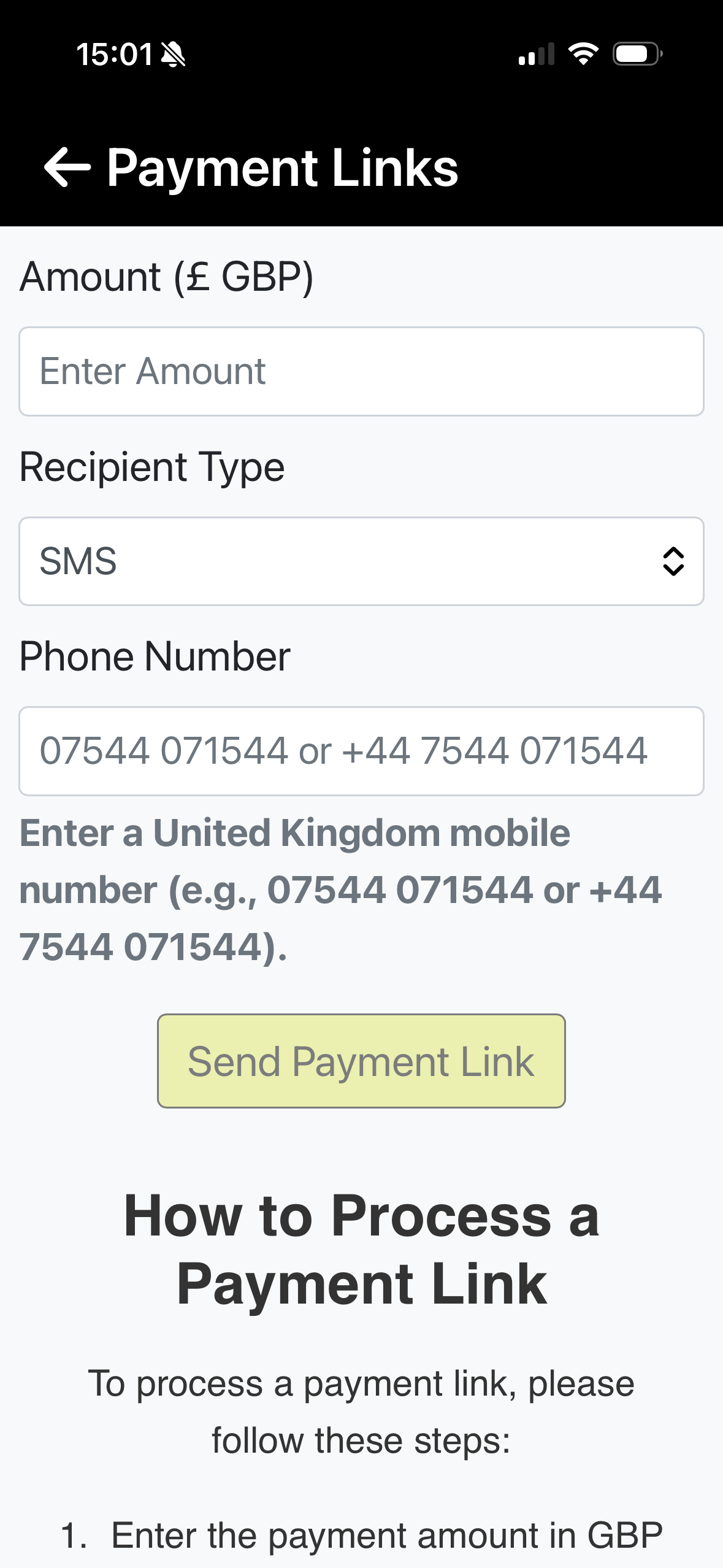
Link Pay: Enter the amount, choose the recipient type, and add the customer’s phone number to send a secure payment link.
-
On Pay: Enter the customer’s card details directly into the terminal-style interface.
📸
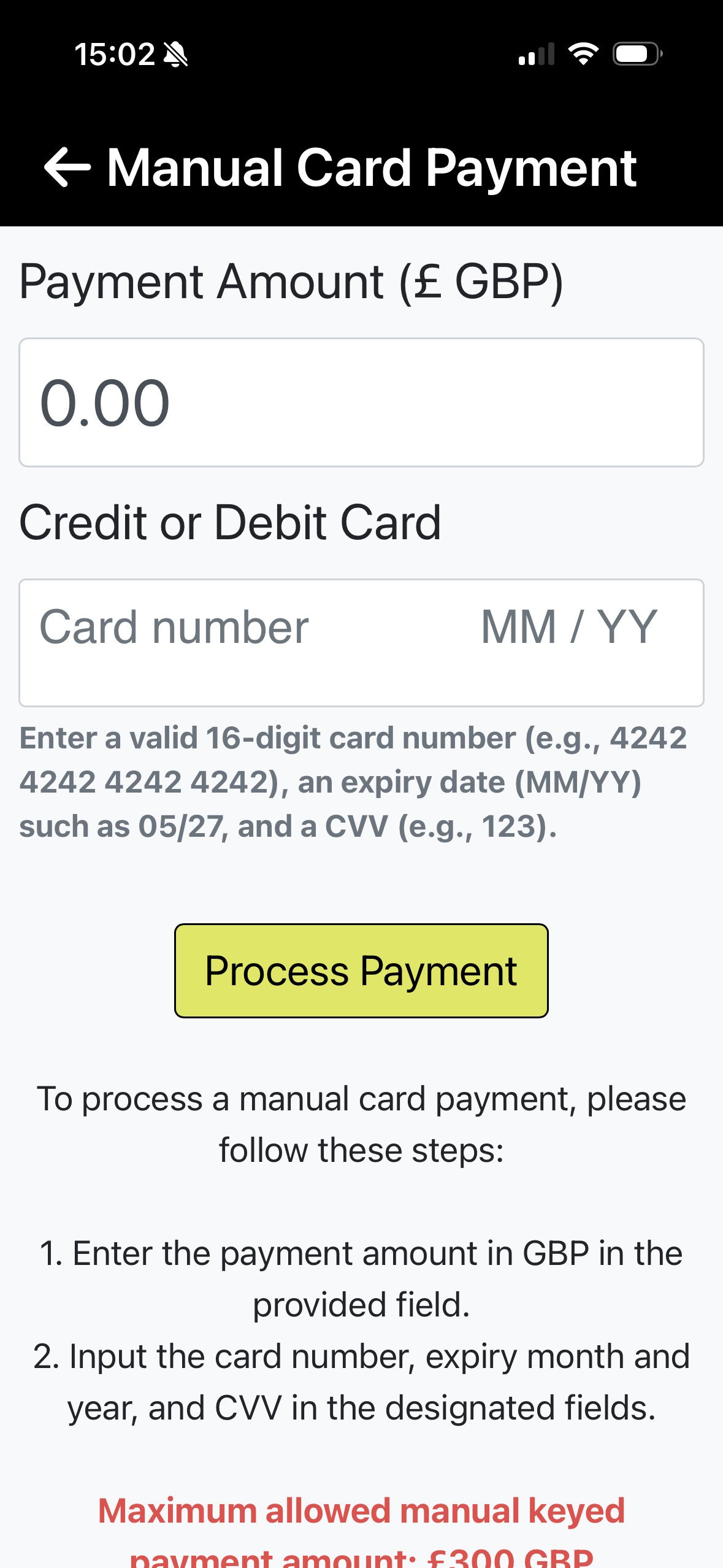
Step 4 — Confirm and process
Review the payment details, then confirm to process the transaction. Your customer will either receive a payment link (Link Pay) or be charged via the card details you entered (On Pay).
Still need help?
If you have further questions, contact us at support@neropay.app or reach out through our Support Centre