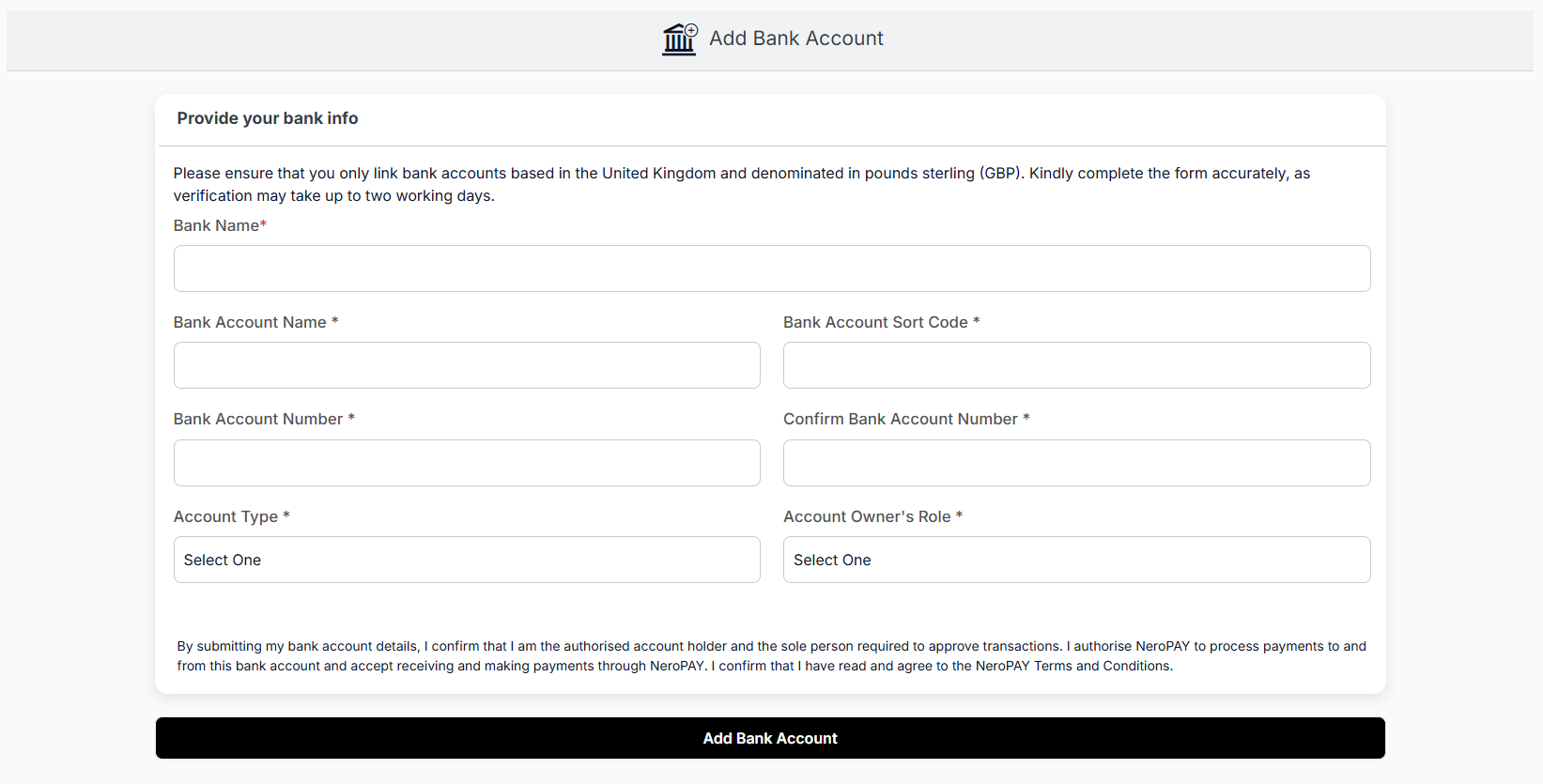
Linking your bank account to NeroPAY allows you to send and receive payments quickly and securely. The process only takes a few minutes, and verification is usually completed within two working days. Follow the steps below to add your bank account.
Step-by-Step Guide
Log in to your NeroPAY account
- Go to the NeroPAY website and sign in.
- Navigate to the “Add Bank Account” section.
Provide your bank information
Complete the form with the following details:
- Bank Name: Enter the name of your bank (e.g., Barclays, HSBC).
- Bank Account Name: Type the full name registered on your bank account.
- Bank Account Sort Code: Enter your 6-digit UK sort code (e.g., 12-34-56).
- Bank Account Number: Enter your 8-digit account number.
- Confirm Bank Account Number: Re-enter your account number for accuracy.
- Account Type: Select the type of account (e.g., Current Account, Savings Account).
- Account Owner’s Role: Choose your role (e.g., Account Holder, Business Owner).
Review the confirmation text
- Read the declaration confirming you are the authorised account holder.
- Ensure you agree to NeroPAY’s Terms and Conditions.
Submit your details
Click the “Add Bank Account” button at the bottom of the page.
Verification process
- Your bank account will be verified within two working days.
- You may receive an email notification once verification is complete.
Tip: Always double-check your sort code and account number before submitting to avoid delays.