How to get there
From your dashboard, follow this path:
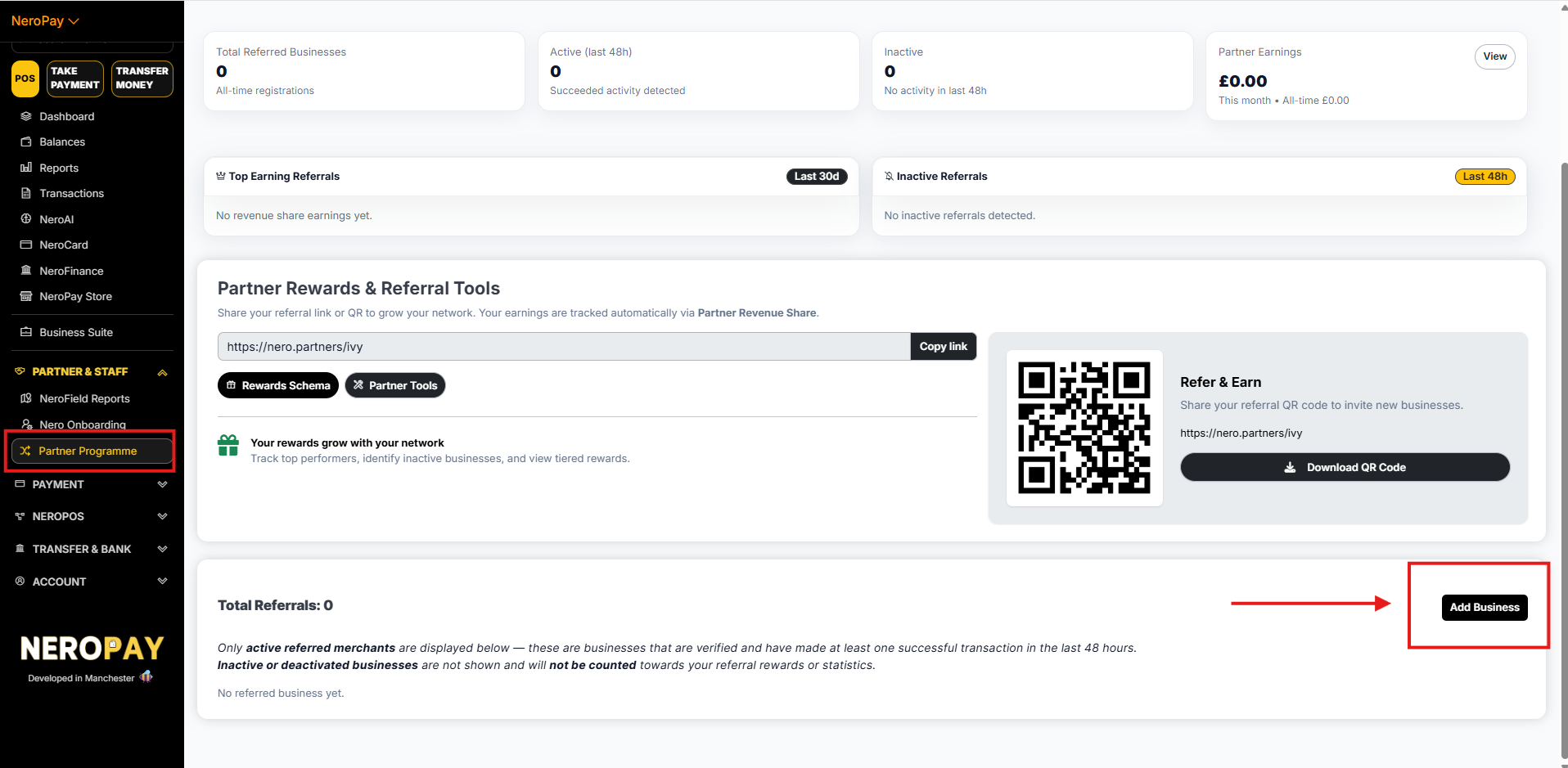
Partner & Staff → Partner Programme
Step 1 — Open the Add Business form
On your Partner Programme page, click Add Business in the bottom right corner of the Total Referrals section.
📸
Step 2 — Ask your referral for their account details
Before filling in the form, you need to collect the following information from the merchant you are referring:
| Field | Where the merchant finds it |
|---|---|
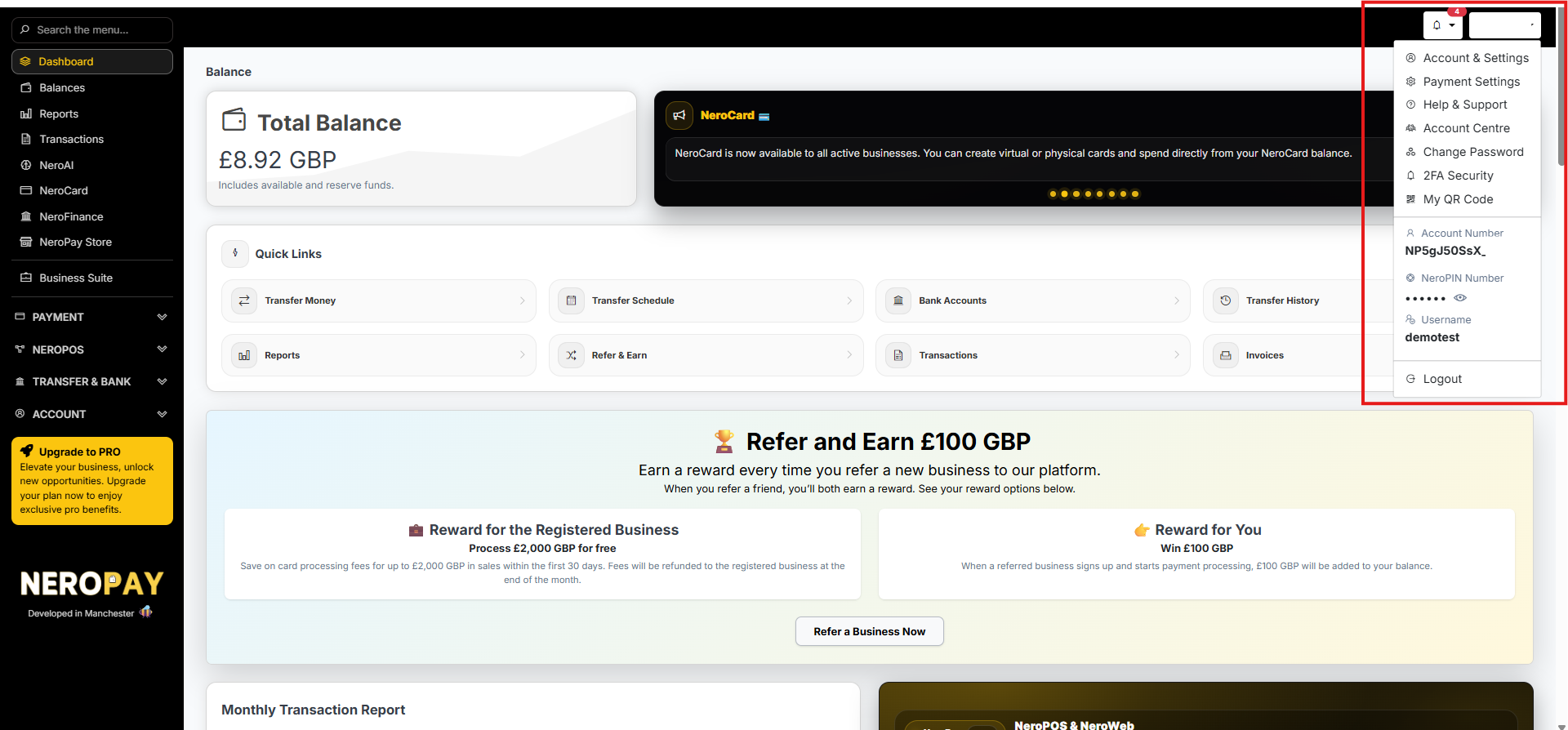
| Business Account Number | Dashboard → top-right menu → Account Number |
| Business NeroPIN Number | Dashboard → top-right menu → NeroPIN Number |
| Business Username | Dashboard → top-right menu → Username |
💡 Tell your referral: Click your profile icon in the top-right corner of your NeroPay dashboard. You will see your Account Number, NeroPIN Number, and Username listed there.
📸
Step 3 — Fill in the form
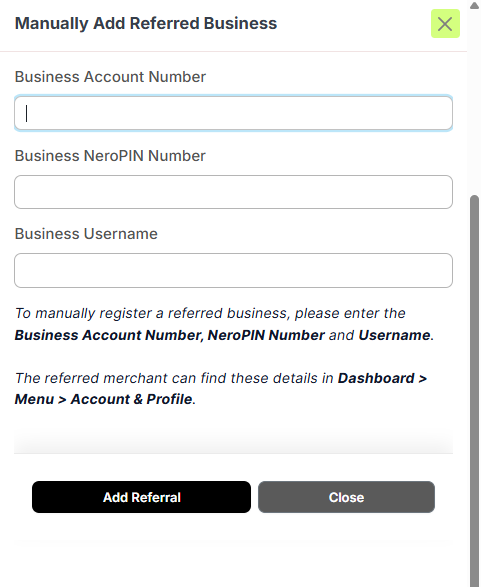
Enter the details your referral has provided:
- Business Account Number
- Business NeroPIN Number
- Business Username
📸
Step 4 — Submit
Click Add Referral to complete the submission. The business will be added to your referral list and tracked automatically from this point forward.
⚠️ Note: Only active referred merchants count towards your referral rewards and statistics. A merchant is considered active once they are verified and have made at least one successful transaction in the last 48 hours. Inactive or deactivated businesses will not be counted.
Frequently asked questions
Q: What if my referral can't find their Account Number or NeroPIN? A: Ask them to click their profile icon in the top-right corner of their NeroPay dashboard. Their Account Number, NeroPIN Number, and Username are all displayed there.
Q: Is there a deadline for adding a referral manually? A: We recommend adding referrals as soon as possible. For best results, share your referral link or QR code from the start to avoid needing to add merchants manually.
Q: Will the merchant know I have added them as a referral? A: The referral is recorded on your account. For any questions about how this affects the merchant's account, contact support.
Q: Why is my manually added referral not showing in my dashboard yet? A: The merchant must be verified and complete at least one successful transaction before they appear as active in your dashboard.
Still need help? Contact us at partners@neropay.app, call +44 333 049 4380, or WhatsApp +44 161 470 4736