NeroPay Mobile Apps turns your NeroBooking page, NeroWeb store or own website into a branded app for Android, iPhone or both. Customers open your business from their home screen, then book, order and pay through the checkout your website already uses. It is a monthly service: NeroPay prepares the app and supports you through publishing it to the app stores.
📸 Mobile Apps sits under NeroPOS in the dashboard sidebar. Create my app starts the setup.
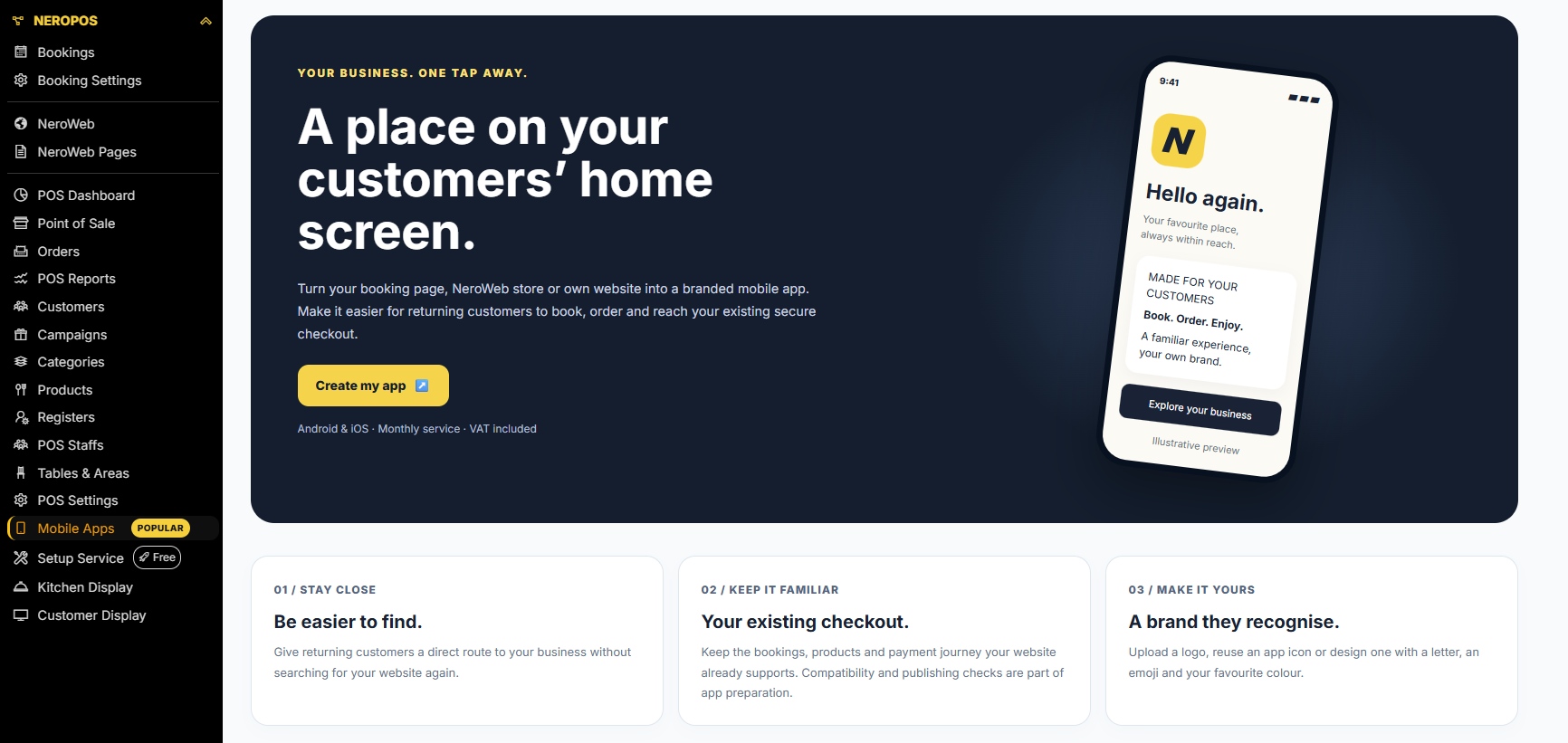
What a mobile app gives your business
| Benefit | What it means |
|---|---|
| Be easier to find | A direct route from the customer’s home screen, without searching for your website again |
| Your existing checkout | The bookings, products and payment journey your website already supports |
| A brand they recognise | Your own logo, or an icon made from a letter or emoji in your colours |
What the app opens
The app opens one website you already have. Customers can do whatever that website lets them do today.
| Website | What customers can do in the app |
|---|---|
| NeroBooking widget | Make and manage bookings |
| NeroWeb store | Browse, order and pay online |
| Your own website | Anything the site supports, including NeroPOS-connected ordering where it is enabled |
💡 Note: The app does not switch on services your website does not already have. To take online orders or payments in the app, enable them on the website first.
Plans
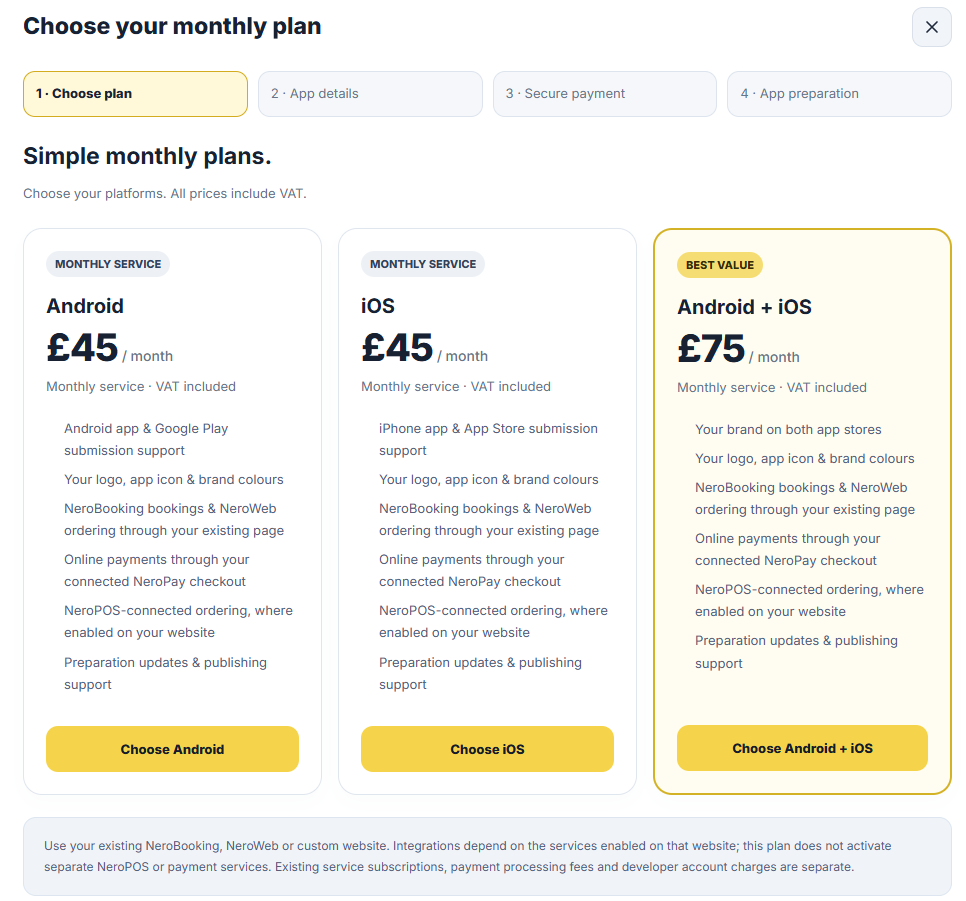
Choose one platform or both. Each plan is a monthly service with VAT included, and the current price is shown on each plan card when you start.
| Plan | What it covers |
|---|---|
| Android | An Android app and Google Play submission support |
| iOS | An iPhone app and App Store submission support |
| Android + iOS | Your brand on both app stores; the best-value plan |
| Included in every plan | Details |
|---|---|
| Branding | Your logo, app icon and brand colours |
| Bookings and ordering | NeroBooking bookings and NeroWeb ordering through your existing page |
| Online payments | Through your connected NeroPay checkout |
| NeroPOS ordering | Where it is enabled on your website |
| Preparation and publishing | Preparation updates and publishing support |
| NeroAI store artwork | Store screenshots built from your own app screens, up to three attempts per app |
📸 The first setup step: choose Android, iOS or both. Prices include VAT. Figures shown are illustrative.
What the plan does not include
| Cost | Who charges it |
|---|---|
| Your existing NeroPay service subscriptions | NeroPay, billed as they are now |
| Payment processing fees | NeroPay, as on your existing account |
| Google Play or Apple developer account | Google or Apple, paid to them directly |
⚠️ A mobile app plan does not activate separate NeroPOS or payment services. It uses the services already enabled on the website the app opens.
How it works
| Step | What happens |
|---|---|
| 1 · Choose plan | Pick Android, iOS or both |
| 2 · App details | Name, website, privacy policy, publishing preference, icon and permissions |
| 3 · Secure payment | Start the monthly subscription; nothing is built until payment is verified |
| 4 · App preparation | NeroPay prepares your app, usually within 1–5 hours of payment and all required details |
| Store review | The app is submitted to Google Play or the App Store, which review it on their own timescale |
The full walkthrough is in Setting up your mobile app. Once your app is prepared, Managing your mobile app covers downloads, store artwork, billing and cancelling.
Before you start
| What you need | Why |
|---|---|
| A live website | The NeroBooking widget, NeroWeb store or own website the app will open |
| A public privacy policy link | The app stores ask for one when an app is listed |
| A logo, or an idea for your icon | A square logo file, or a letter or emoji on your brand colour |
| Developer account access | Needed if the app is published through your own Google Play or Apple developer account |
| A payment card | The subscription starts when you pay |
Things to know
| Topic | Detail |
|---|---|
| Store acceptance | Google and Apple review every app and decide whether to publish it; acceptance is not guaranteed |
| Billing | Starts on the day you pay and covers preparation and store review |
| Timing | The 1–5 hour preparation time is an estimate, not a guaranteed deadline |
| Cancelling | Stops future renewals; paid service continues until the end of the period you have paid for |
Frequently asked questions
Do I need a website to get an app?
Yes. The app opens an existing NeroBooking page, NeroWeb store or your own website. If you do not have one yet, set up NeroBooking or NeroWeb first.
Can I have an app on both Android and iPhone?
Yes. Choose the Android + iOS plan in the first step of setup. It puts your brand on both app stores and costs less than two separate plans.
Will customers pay through the app?
Customers pay through the NeroPay checkout already connected to your website. The app does not change how payments work or what payment processing costs.
Will my app definitely be accepted by the stores?
No. Google and Apple review every app and make the final decision. NeroPay prepares the app and supports you through publishing, but cannot guarantee acceptance.
How long does it take?
Preparation usually takes 1–5 hours after payment and receipt of all required details. Store review and publication take additional time, set by Google or Apple.
Still need help? Contact us at support@neropay.app or create a ticket.