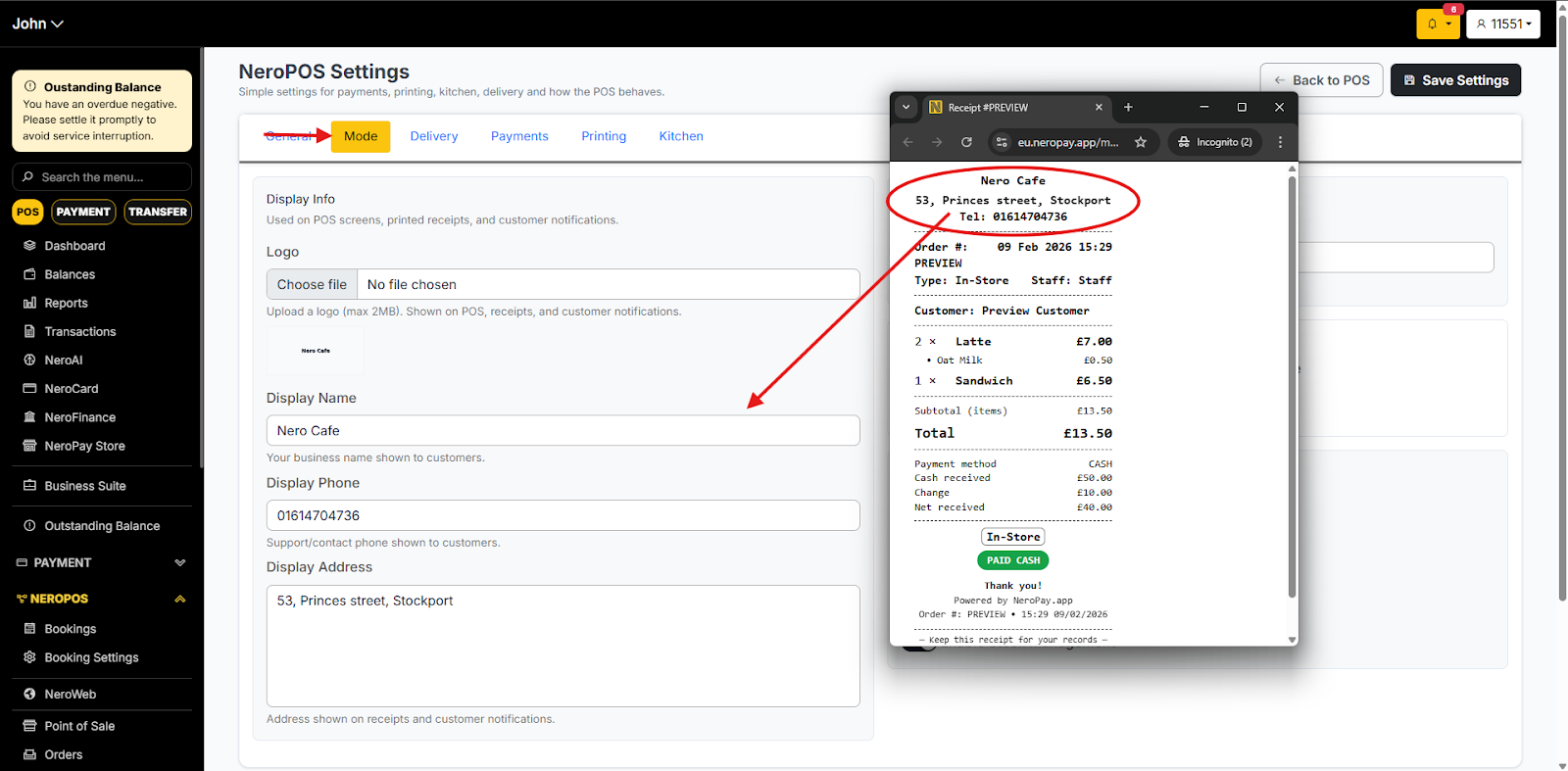
You can customise your receipt by adding your shop name and phone number. If you would like to display your shop address, you can include that as well.
How could I customise my receipt?
1. Go to “NEROPOS -> Pos Setting”. Click on the Printing Tab
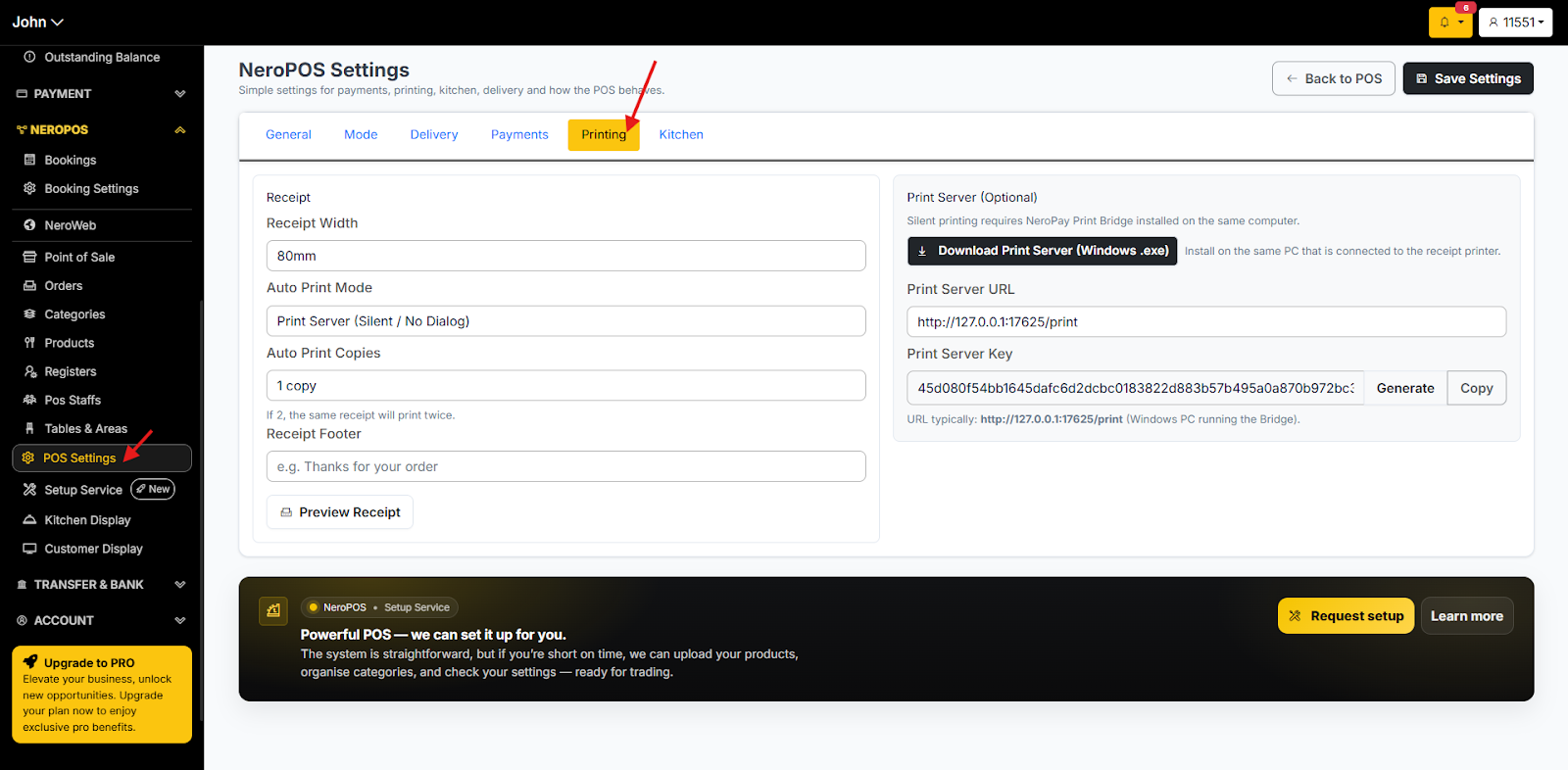
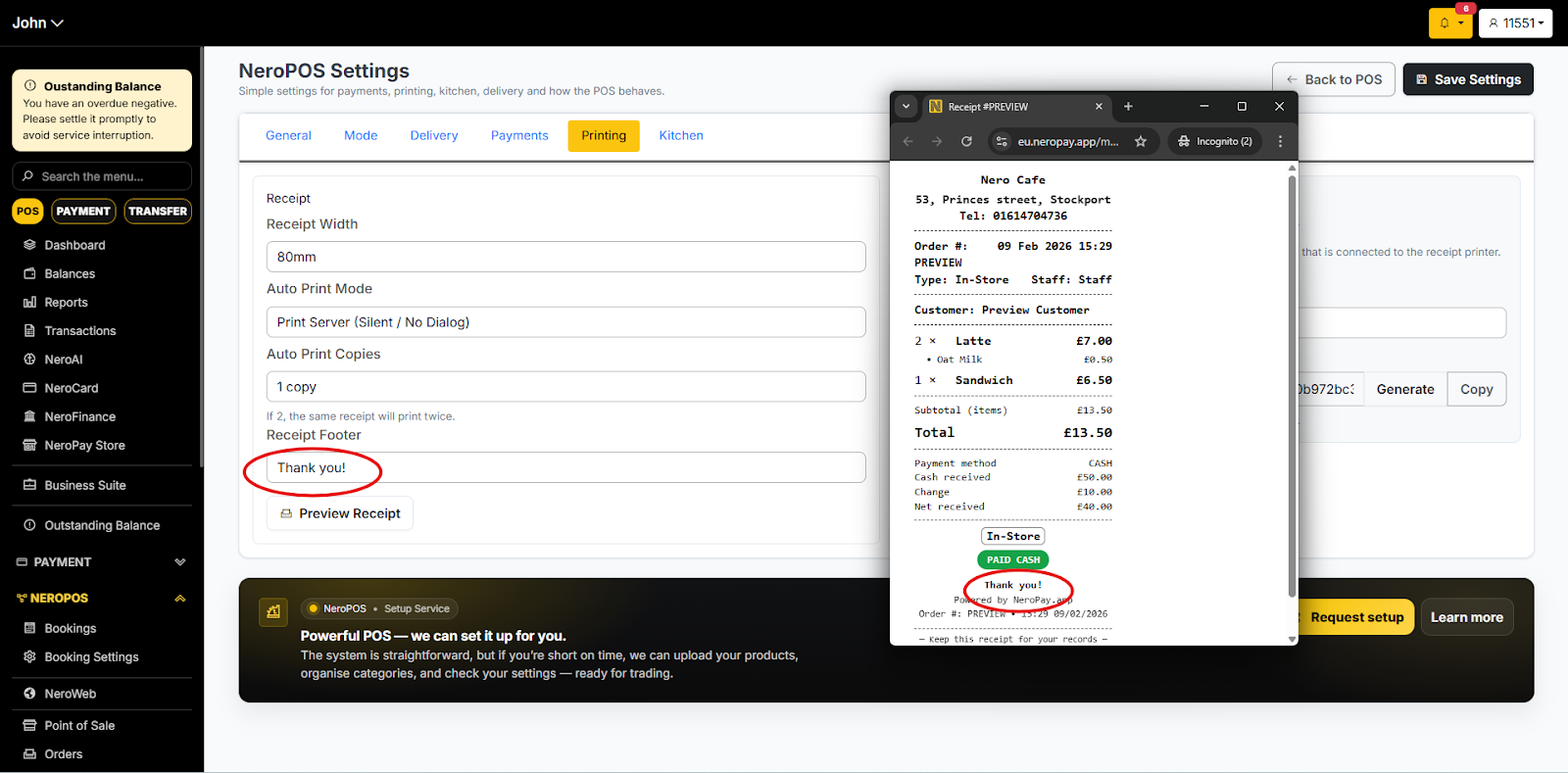
2. If you would like to add any footers to your receipt, you could change them here. NeroPOS Settings -> Printing Tab
3. If you would like to change the name of the shop, phone number or address, you could edit it from NeroPOS Settings -> Mode
If you have any questions, please contact us via email at support@neropay.app