You can manage customer notifications to keep them informed when their orders are ready. Notifications can be sent via SMS or email.
If your customers place an order online, you can easily notify them once the order is ready for collection.
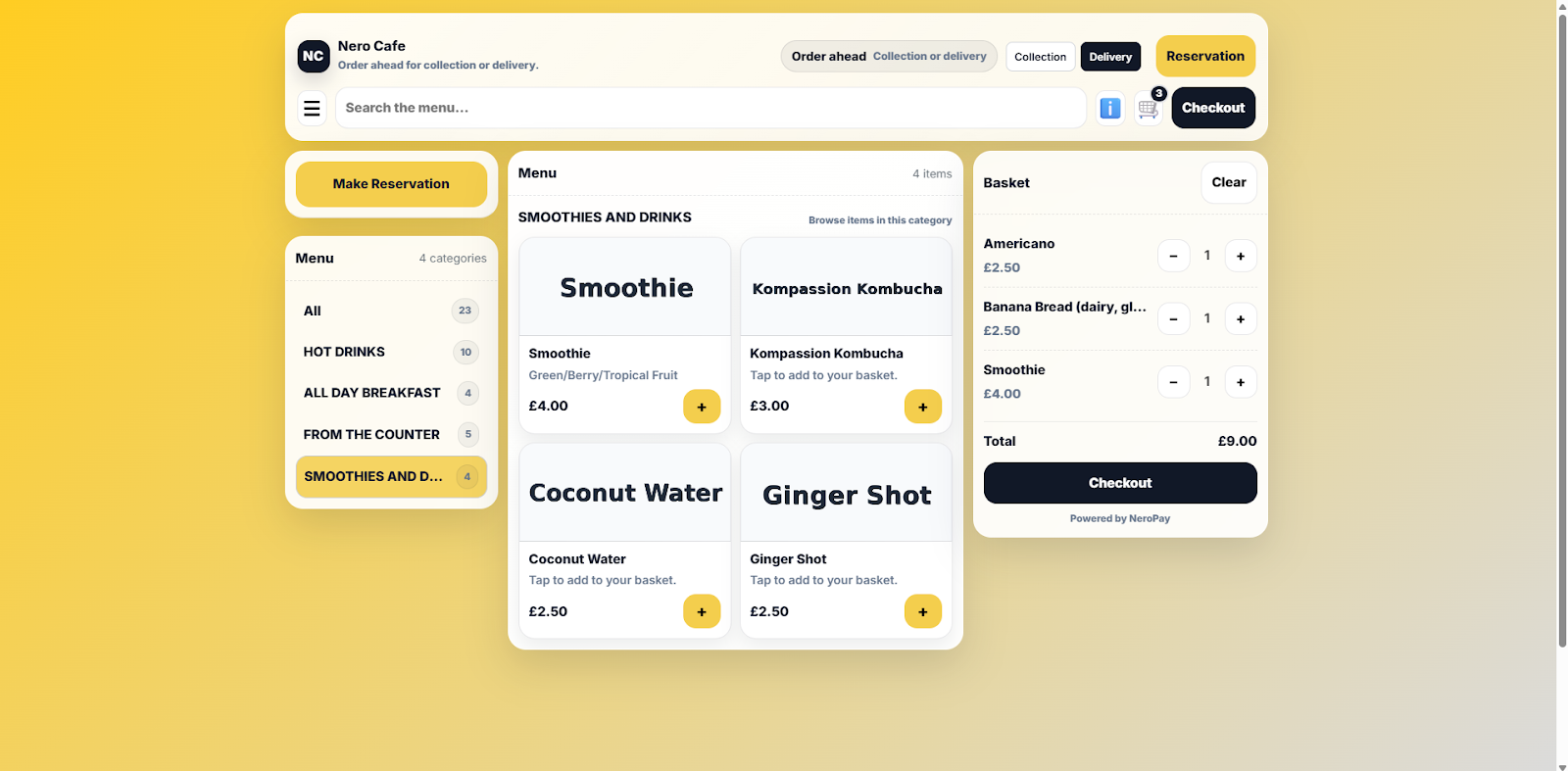
Step 1 – Customer Order Page
This is the page your customers will see when they place an order online.
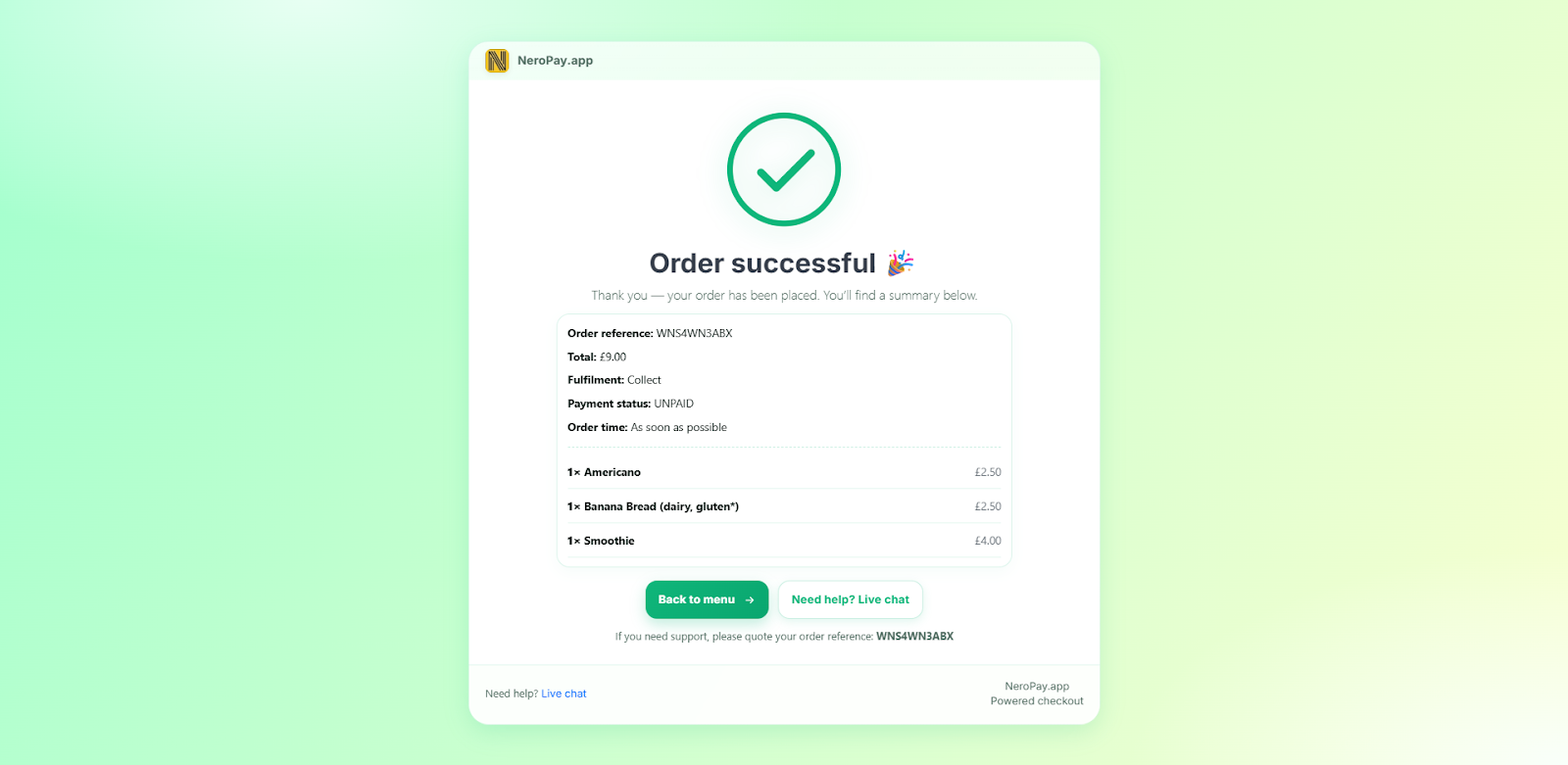
Step 2 – Order Confirmation
Once the customer has completed their order, they will see a confirmation page confirming that the order has been received.
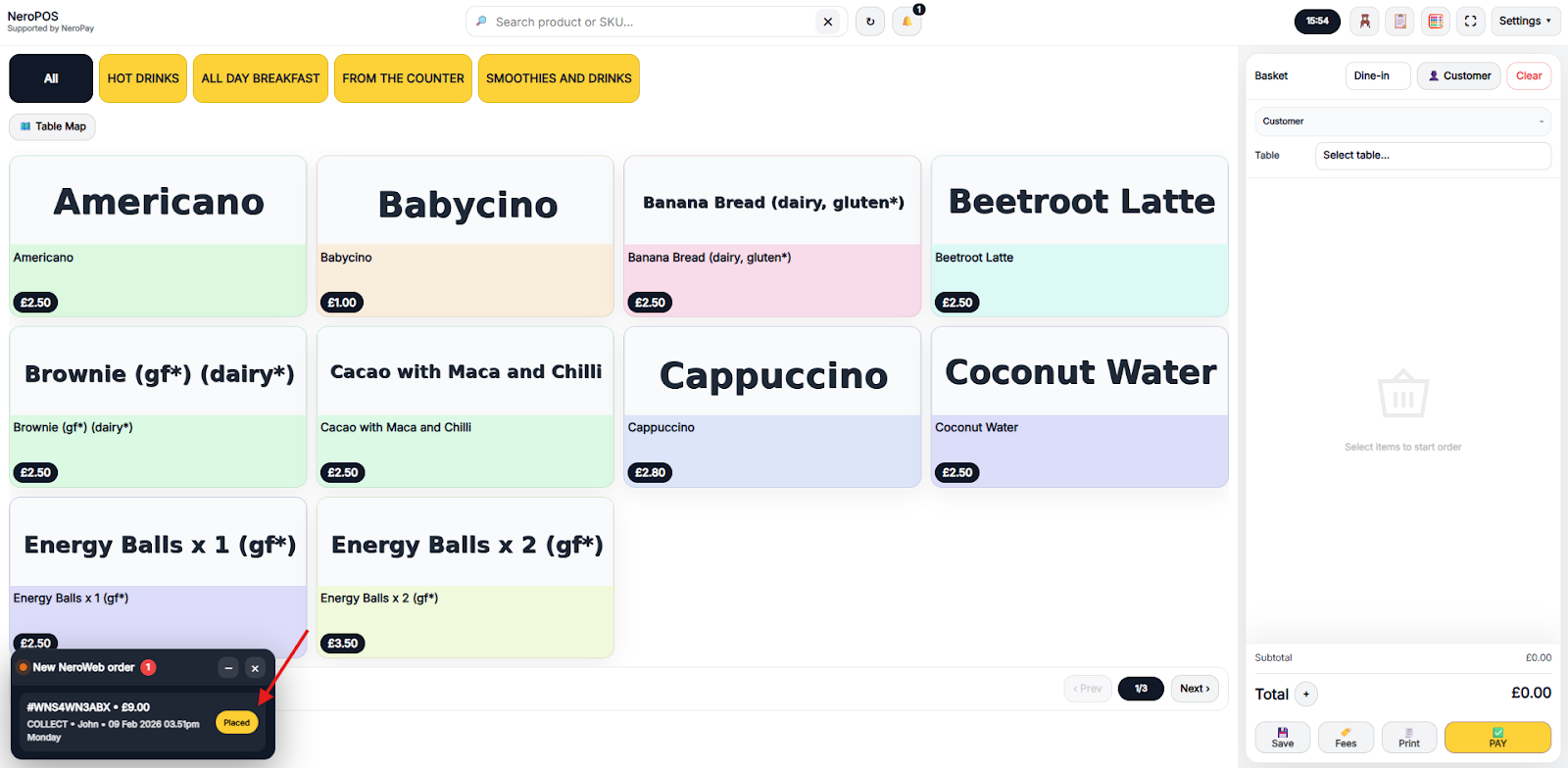
Step 3 – EPOS Notification
When the order is received, a notification will appear on your EPOS system.
Step 4 – Open the Order Window
Click on the pop-up notification. A new window will open where you can manage the order and send customer notifications.
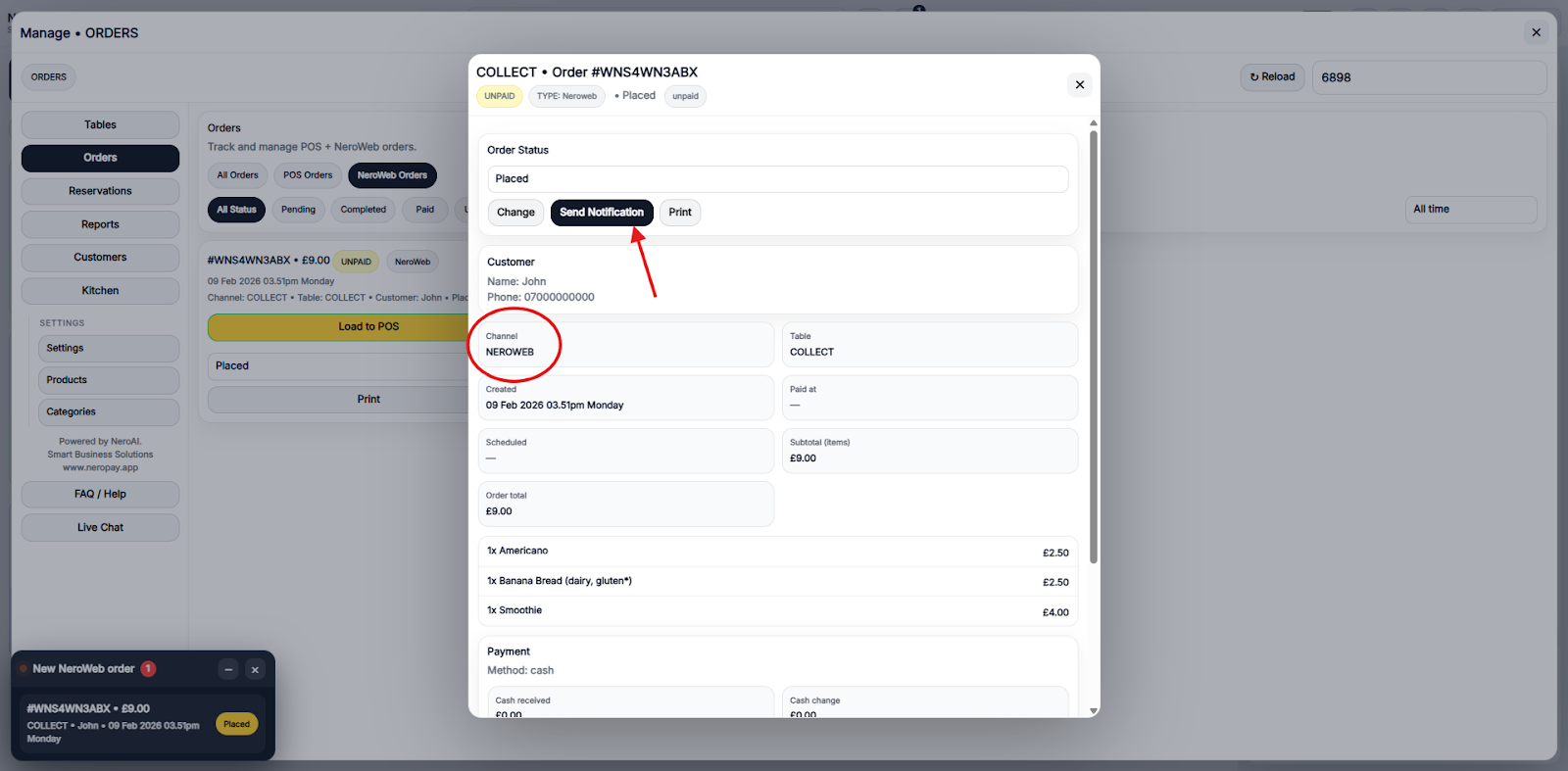
Step 5 – Send Ready Notification
From this window, you can notify the customer that their order is ready.
Notifications can be sent via:
- SMS
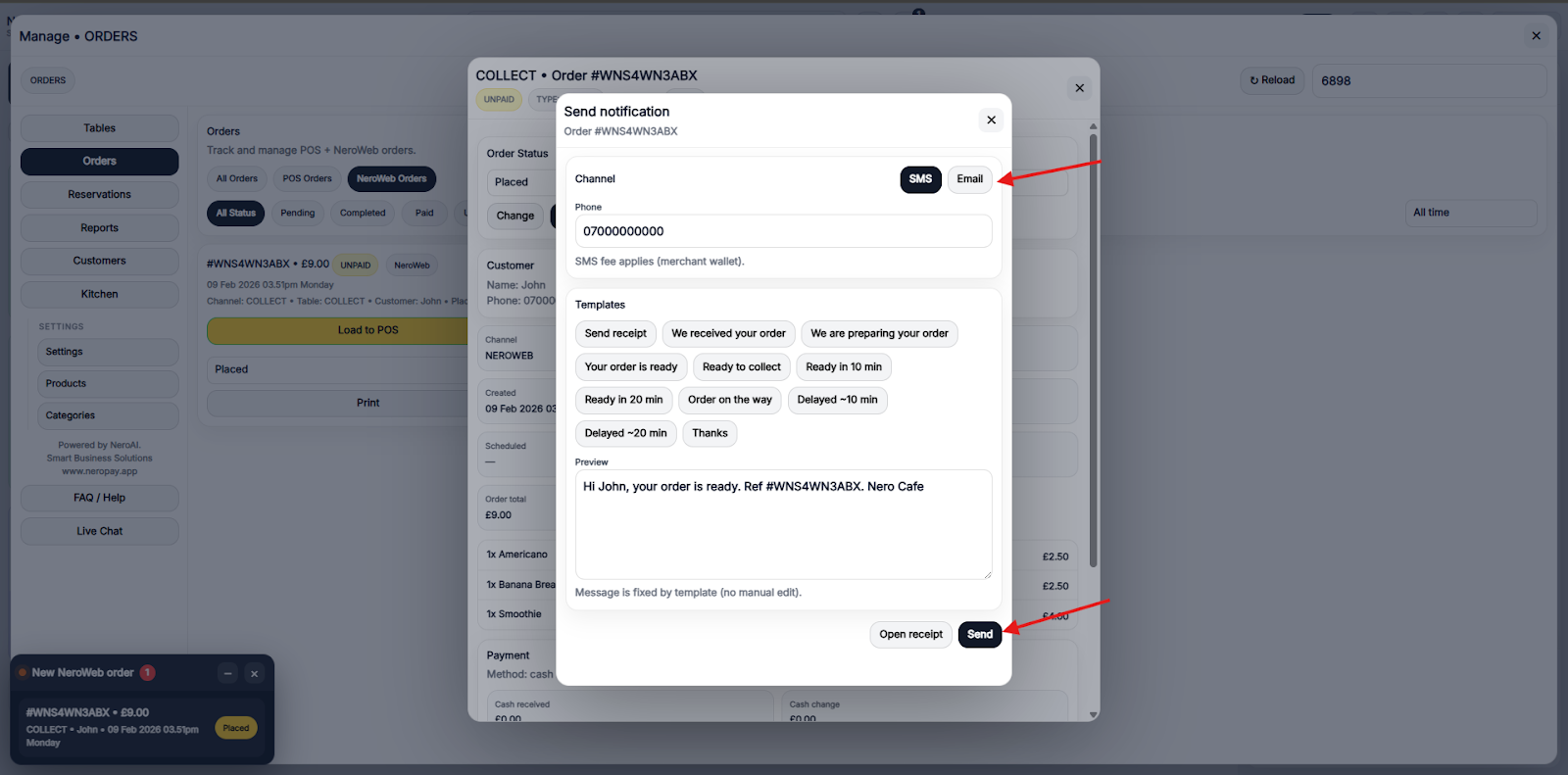
This ensures your customers are informed promptly and improves the overall collection experience.
If you have any questions, please contact us via email at support@neropay.app