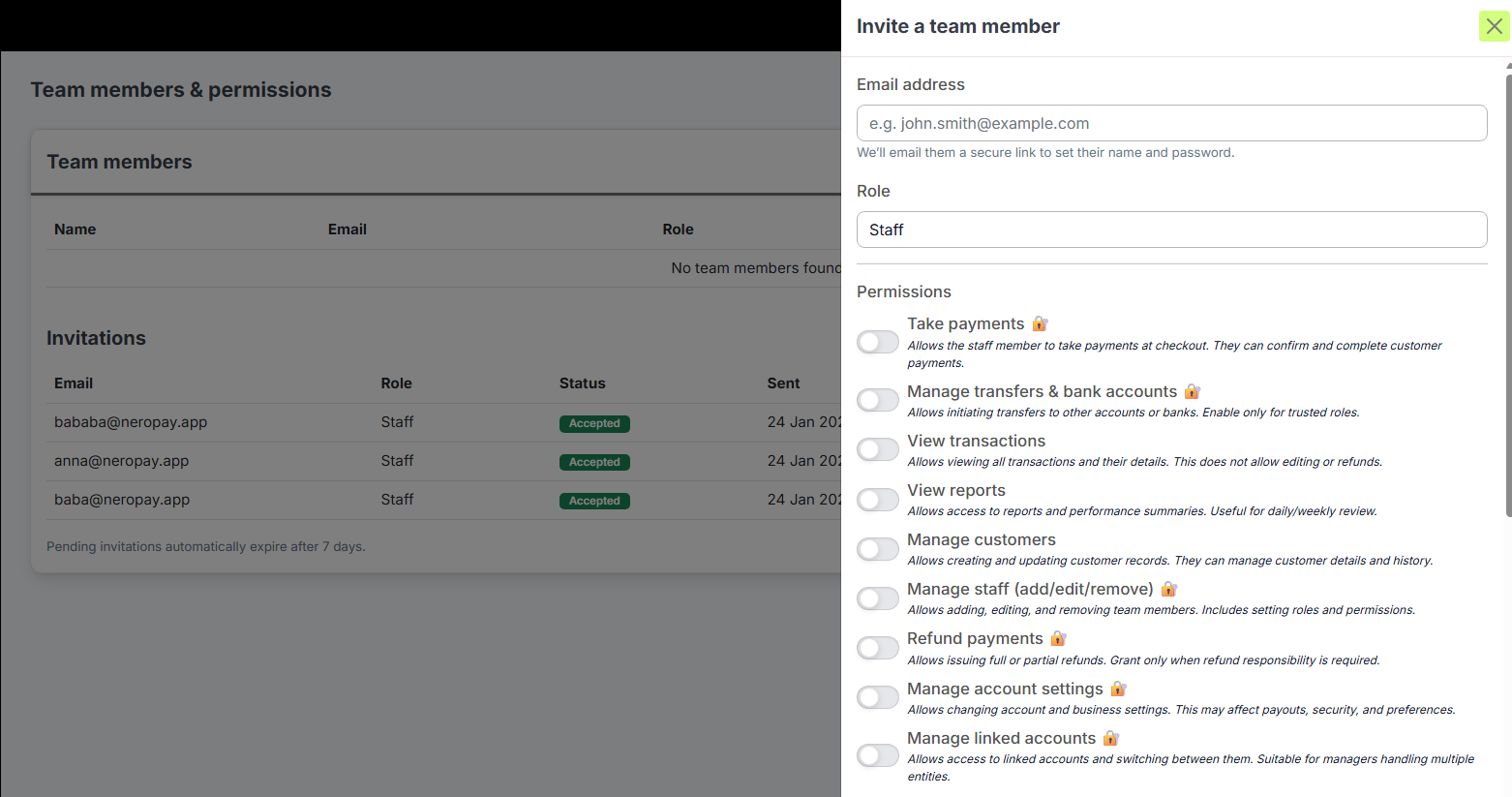
Where to find it
Go to:
Menu → Account & Profile → Team & Permissions
You’ll now see Invite team member available alongside Add team member.
How it works
- You can invite a team member by entering their email address.
- (You don’t need to create a password for them.)
- The invited person will receive an email invitation link.
- Through this link, they can set their name and password and join your account.
- Each invitation link is valid for 7 days.
- If it isn’t accepted within 7 days, it will expire, and you can simply send a new invitation.
- Every invitation has a clear status, so you can easily track it:
Pending
Accepted
Expired
Cancelled
Once the invitation is accepted, you’ll receive a confirmation that the team member has successfully joined your account.
Helpful notes
- If an invitation has expired, just send a new invitation from the Team Permissions page.
- If you see that a team member is “already invited,” there may be an existing pending invitation.
- Invited team members may not see certain notifications that are intended only for the main merchant login. This is expected behaviour.
Why this update matters
This improvement makes it faster and more secure to add staff to your account, without the need to share or manage passwords manually.
If you have any further questions, please contact support@neropay.app.