Connect Agents gives your own sales team a restricted login, assigns them merchants and tracks each person's commission. Commission is a share of your platform's net income from their merchants, not a share of the merchants' sales.
⚠️ Connect Agents are your platform's own team. They introduce merchants to your platform; they are not agents of NeroPay or of any payment firm, and must not present themselves that way.
How commission is worked out
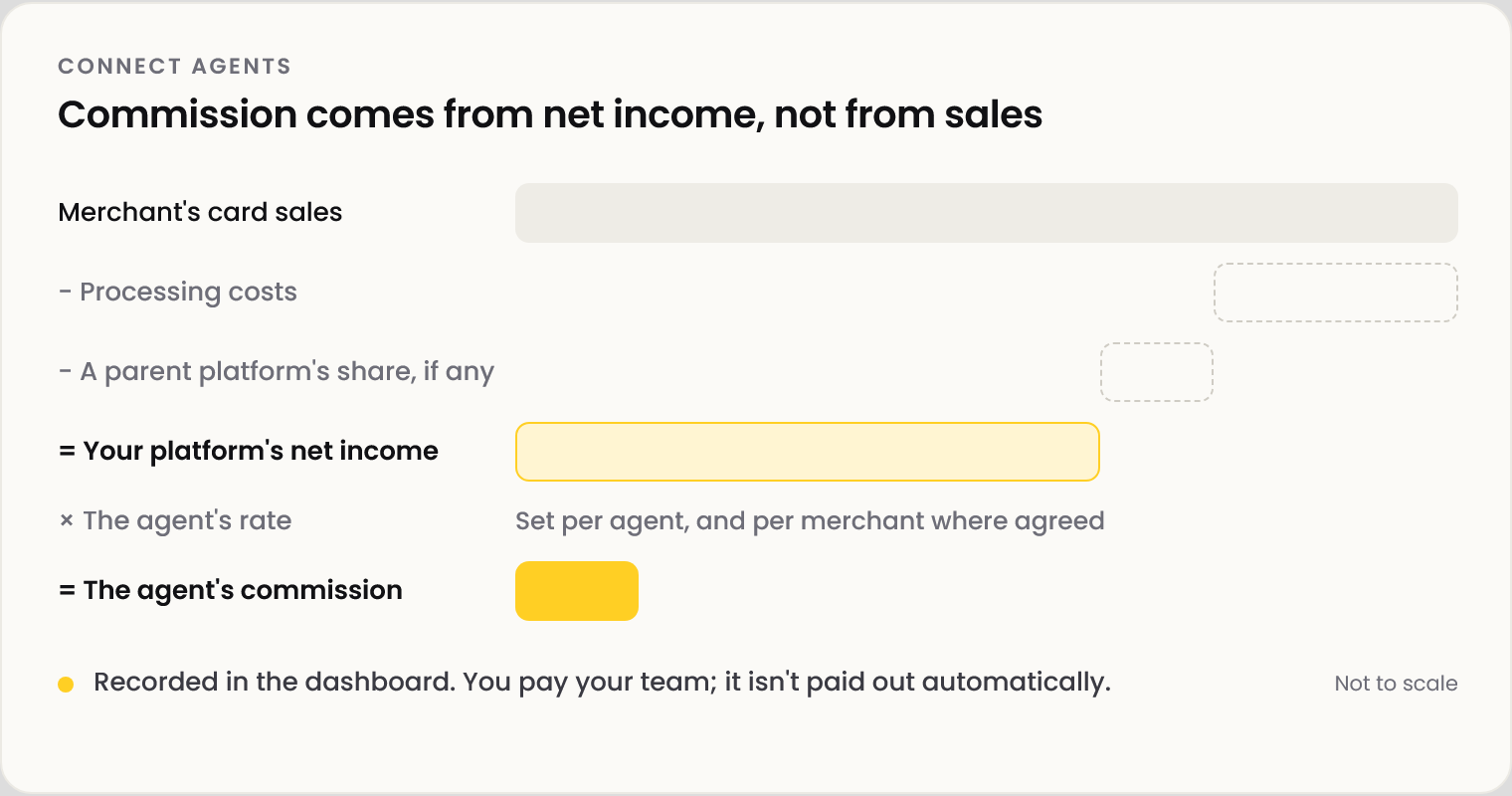
An agent's commission is their agreed rate of your platform's recorded net income from the merchants assigned to them: what is left after processing costs and any share owed to a parent platform.
📸 Commission is worked out from your platform's net income, not from the merchant's sales.
Example: one agent, one month
Sam, on Tillora Pay's sales team, is on 20% across his merchants, with 25% agreed for Market Street Deli.
📸 One agent and the merchants assigned to them. Figures shown are illustrative.
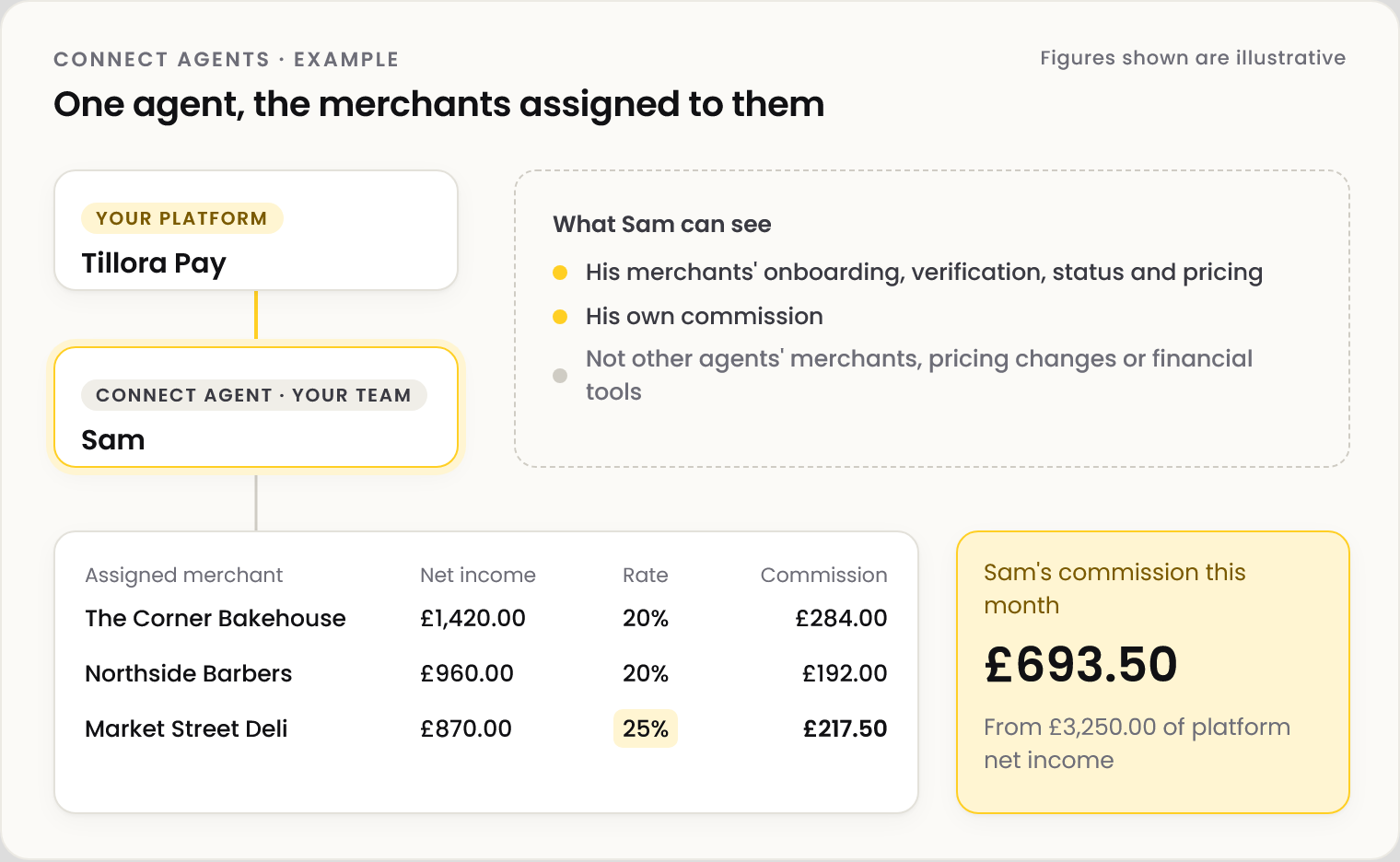
| Merchant | Platform net income | Rate | Commission |
|---|---|---|---|
| The Corner Bakehouse | £1,420.00 | 20% | £284.00 |
| Northside Barbers | £960.00 | 20% | £192.00 |
| Market Street Deli | £870.00 | 25% | £217.50 |
| Total | £3,250.00 | £693.50 |
💡 Note: Figures shown are illustrative. Commission is shown in the dashboard and is not paid out automatically. Pay your team through your own payroll or contractor process.
Set up an agent
| Step | What happens |
|---|---|
| 1 | Add the person as a team member in Staff management |
| 2 | Go to NeroConnect → Connect Agents and select Create agent |
| 3 | Choose the team member and enter their commission rate |
| 4 | Assign merchants from Connected Accounts. You can set a different rate for any merchant |
What an agent can and cannot do
| Can | Cannot |
|---|---|
| See their merchants' onboarding, verification and status | Change pricing |
| See their merchants' pricing | Move accounts between agents |
| See their own commission | Use financial tools, view as a merchant, change passwords |
💡 Note: Income in different currencies is kept separate. Income that cannot be matched to an agent's merchant is held for reconciliation.
Frequently asked questions
Is commission a share of the merchant's sales?
No. It is a share of your platform's net income from that merchant, after processing costs and any parent-platform share.
Does NeroPay pay my agents?
No. The dashboard calculates and records commission. You pay your team.
Can I give one merchant a different rate?
Yes. Set it when you assign the merchant.
Can an agent change a merchant's pricing?
No. Agents can see pricing but not change it.
Can an agent see other agents' merchants?
No. Each agent sees only the merchants assigned to them.
Still need help? Contact us at support@neropay.app or create a ticket.