NeroConnect Partner lets an approved platform invite other businesses to run their own merchants underneath it. Each partner gets its own workspace, its merchants see the partner's branding, and the share of income at each level is recorded in its own reports.
💡 Note: NeroConnect Partner is for businesses that run their own merchants under your platform. Introducing businesses to NeroPay for a bonus is the separate Partner Programme.
How it fits together
📸 Your platform, your partners and the merchants each partner brings on.
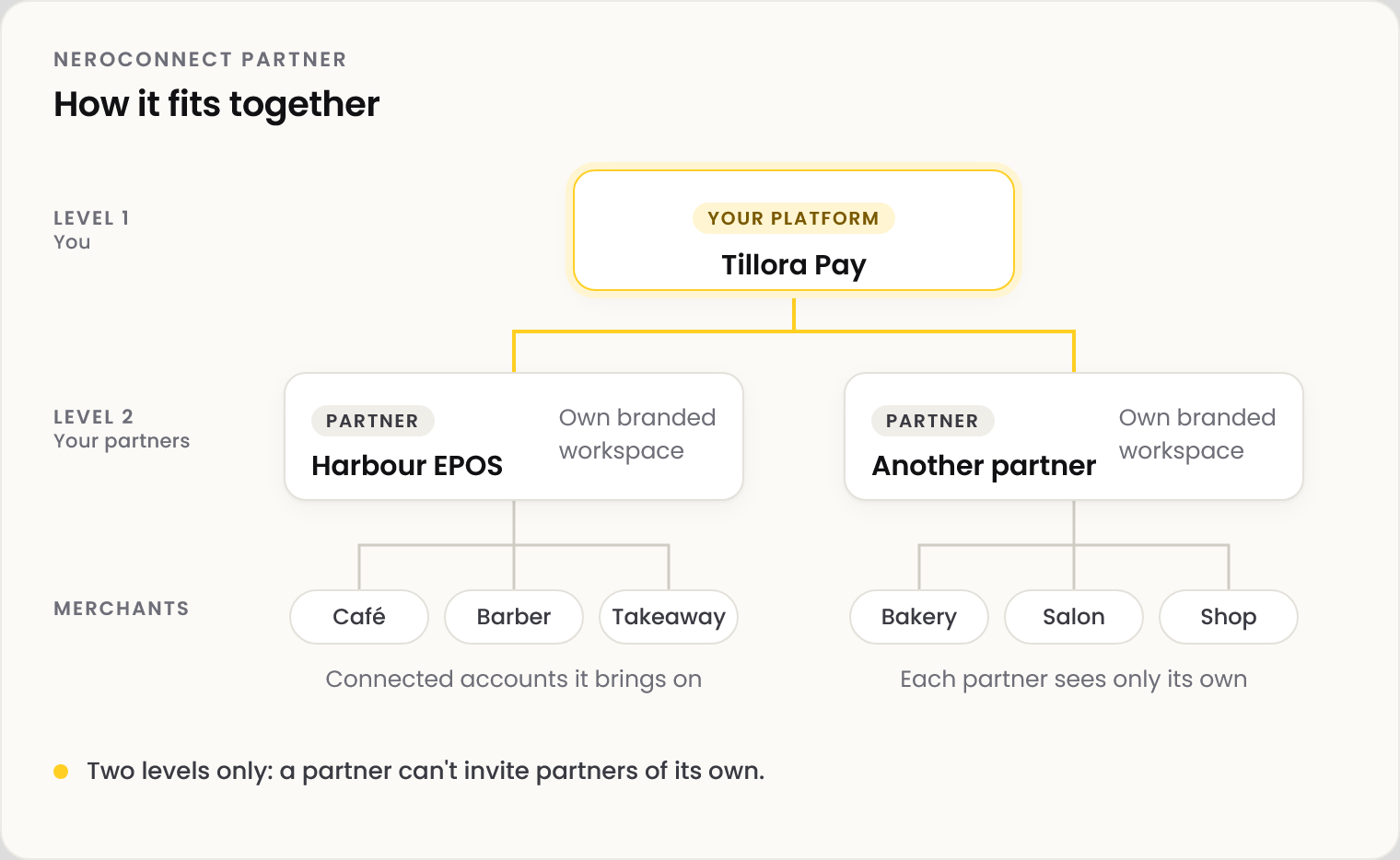
| Who | What they are |
|---|---|
| Platform | You: an approved NeroConnect platform |
| Partner | A business you invite to run its own merchants under your platform |
| Connected accounts | The merchants your partner brings on |
| Levels | Two only: a partner cannot invite partners of its own |
💡 Note: NeroConnect Partner needs its own approval and is not switched on with NeroConnect. Apply from NeroApps → NeroConnect.
Agreement types
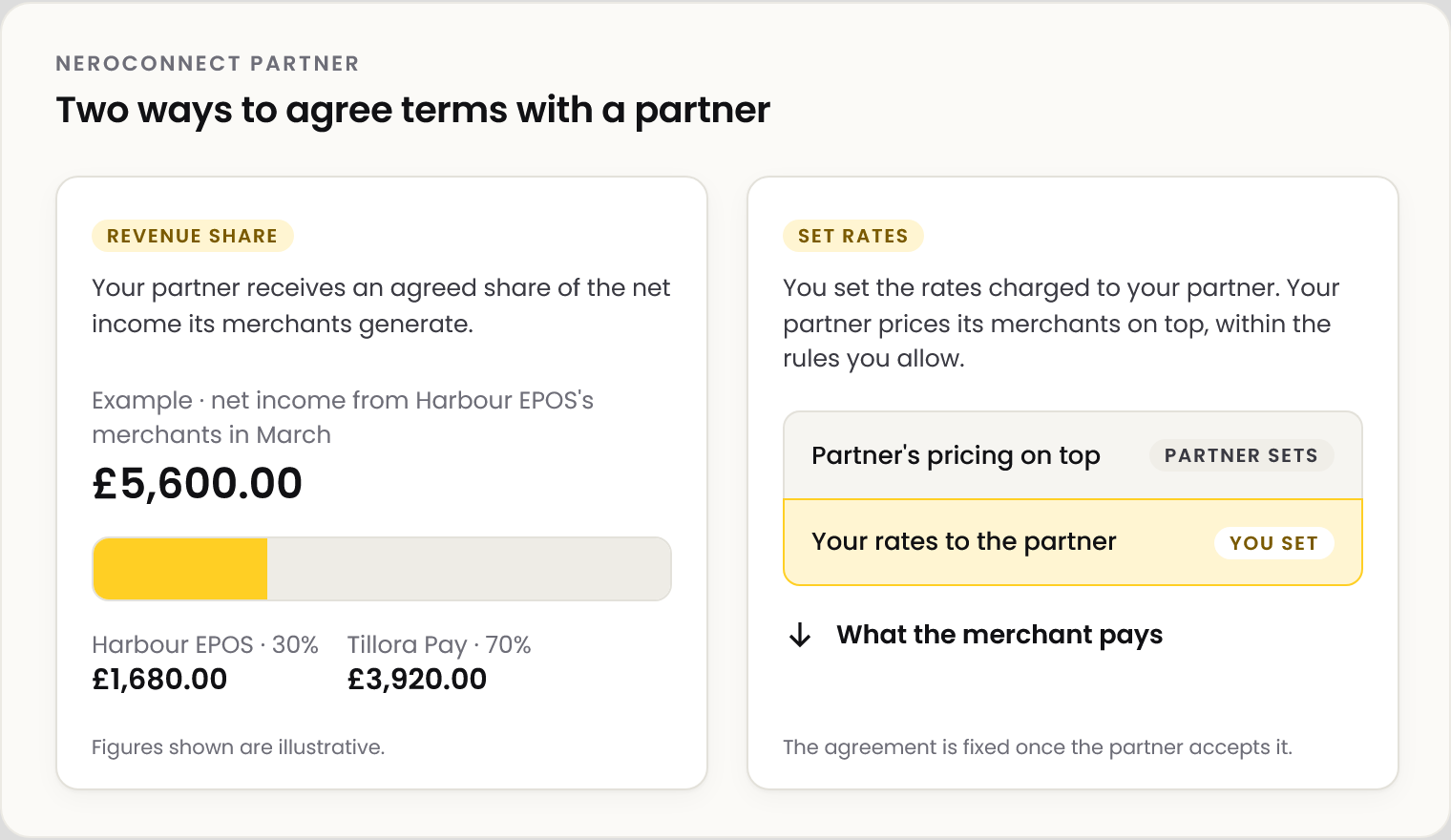
You choose how each partner is paid when you invite them. The agreement is fixed for that partner once they accept it.
| Agreement | How it works |
|---|---|
| Revenue share | Your partner receives an agreed share of the net income its merchants generate |
| Set rates | You set the rates charged to your partner; your partner sets its merchants' pricing on top, within the rules you allow |
📸 The two agreement types side by side. Figures shown are illustrative.
Example: a revenue share partner
Tillora Pay invites Harbour EPOS as a partner on a 30% revenue share. In March, the merchants Harbour EPOS brought on generate £5,600.00 of net income.
| Amount | |
|---|---|
| Net income from the partner's merchants | £5,600.00 |
| Harbour EPOS (30%) | £1,680.00 |
| Tillora Pay | £3,920.00 |
💡 Note: Figures shown are illustrative. Your agreement sets the share; nothing here is a NeroPay rate.
Who sees what
| Platform | Partner | |
|---|---|---|
| Partner's merchants: status, KYC, compliance | Yes | Its own only |
| Partner agreement and share | Yes | Its own only |
| Other partners | Yes | No |
| Financial details | By staff permission | By staff permission |
⚠️ Operational and financial permissions are separate. Give financial access only to the staff who need it.
Where to find it
| Page | What it shows |
|---|---|
| Connect Partner → Partner Accounts | Each partner: agreement, connected accounts, KYC and compliance status |
| Connect Partner → Partner Reports | Partner income, and funds and balances recorded between levels |
| Connect Partner → Partner Logs | Transactions by partner |
| Connect Partner → Partner Settings | Signup link, partner legal pages, signup and pricing defaults |
To invite your first partner, see Inviting a partner.
Frequently asked questions
Can a partner change the terms it signed up on?
No. Changes to your signup defaults apply to new partners only. Existing partners keep the terms they accepted.
Who checks a partner's merchants?
Your partner manages its own merchants, including their onboarding. Verification is largely automated, and every connected account's KYC and compliance status is visible to your partner, to your platform and to NeroPay.
Can my partner invite partners of its own?
No. NeroConnect Partner has two levels only: your platform and your partners.
Is the partner paid automatically?
Each level's share is calculated and recorded in Partner Reports. How and when it is settled between you and your partner is set by your agreement.
Do my partner's merchants see my brand or theirs?
Your partner's. Each partner runs its own branded workspace under your platform.
Still need help? Contact us at support@neropay.app or create a ticket.