NeroConnect lets a software company, an EPOS installer or anyone who looks after a group of businesses offer card payments under their own name. NeroPay runs the payments, verification and hardware underneath; you set the brand, the prices and the relationship with your merchants.
💡 Note: NeroConnect is for businesses that run merchants under their own brand. Introducing businesses to NeroPay for a bonus is the separate Partner Programme.
How it fits together
📸 Your platform on top, your merchants in the middle, NeroPay underneath.
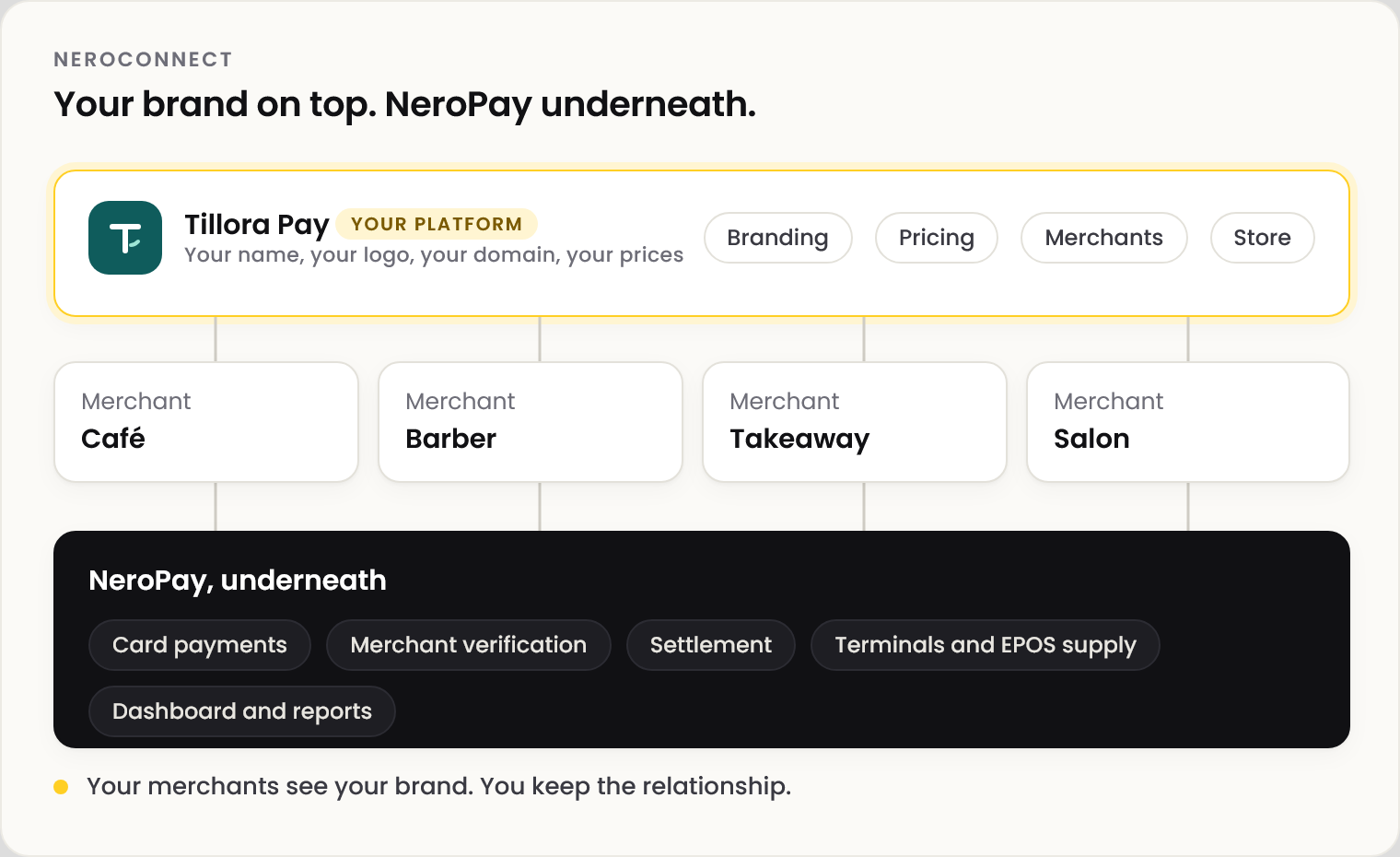
| Your platform | NeroPay | |
|---|---|---|
| Brand | Your name, logo and domain | Runs underneath, out of sight if you choose |
| Prices | Your own fee and your service prices | Its own costs, shown to you only |
| Merchants | You sign them up and look after them | Verifies each business |
| Hardware | Your store, your selling prices | Supplies, ships and handles returns |
Who it's for
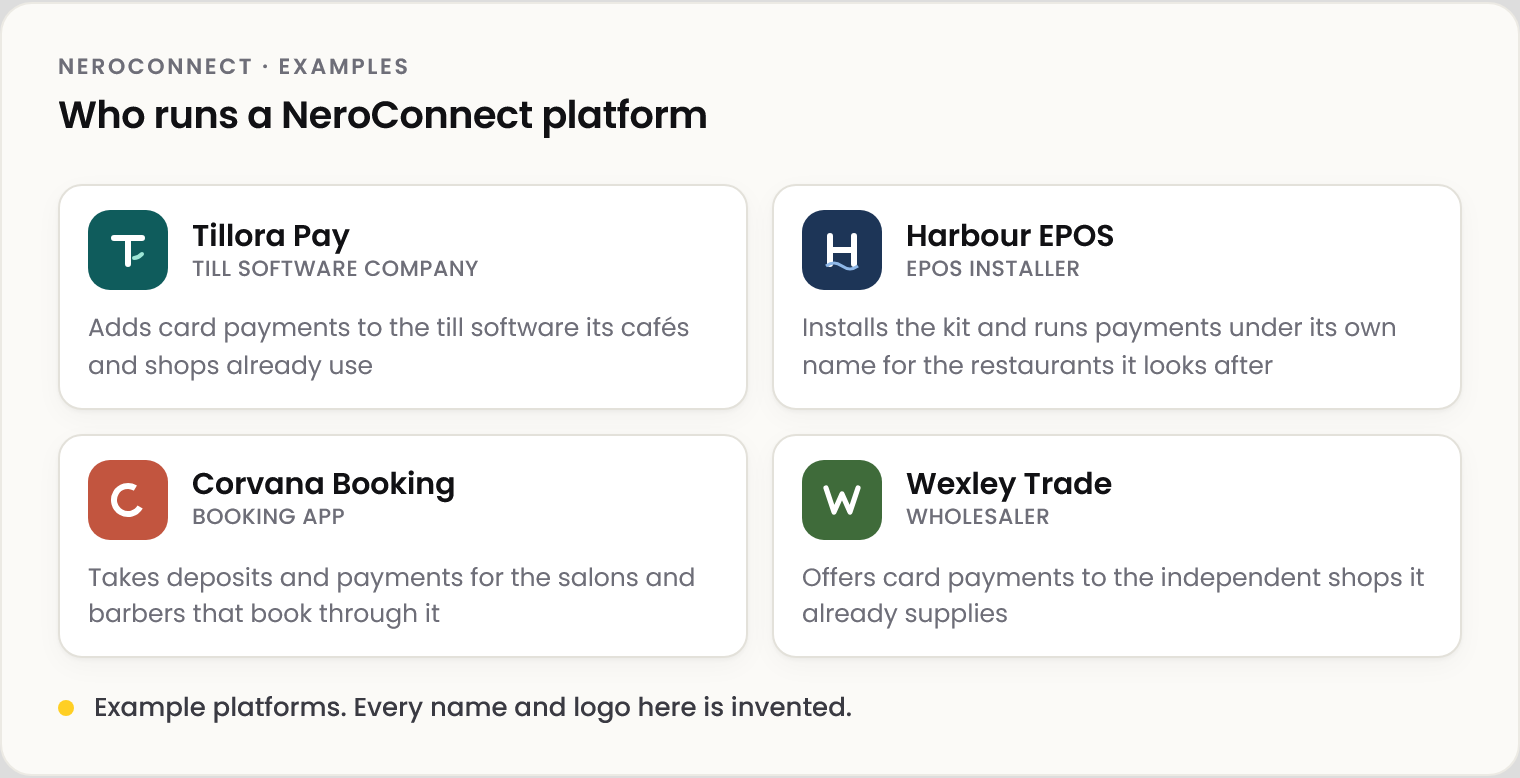
📸 Four example platforms. Every name and logo is invented.
Four ways your platform earns
📸 Four ways a platform earns. Your fee and your prices are yours to set.
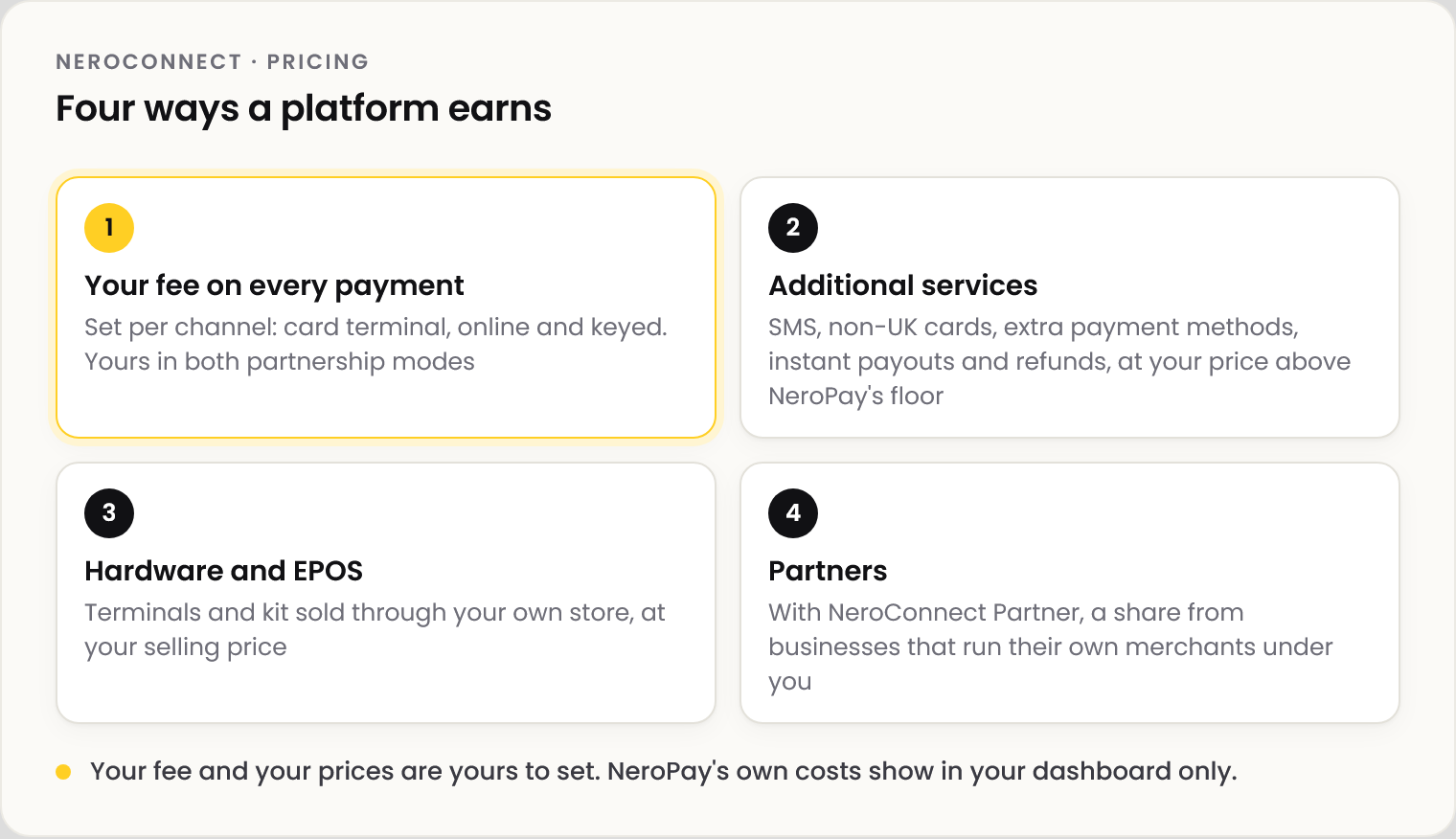
| Way | Where you set it |
|---|---|
| Your fee on every payment | Pricing your merchants |
| Additional services | Additional services |
| Hardware and EPOS | Your hardware store |
| Partners | NeroConnect Partner |
Example: one merchant, one month
📸 Your own fee on one merchant's card takings for a month. Figures shown are illustrative.
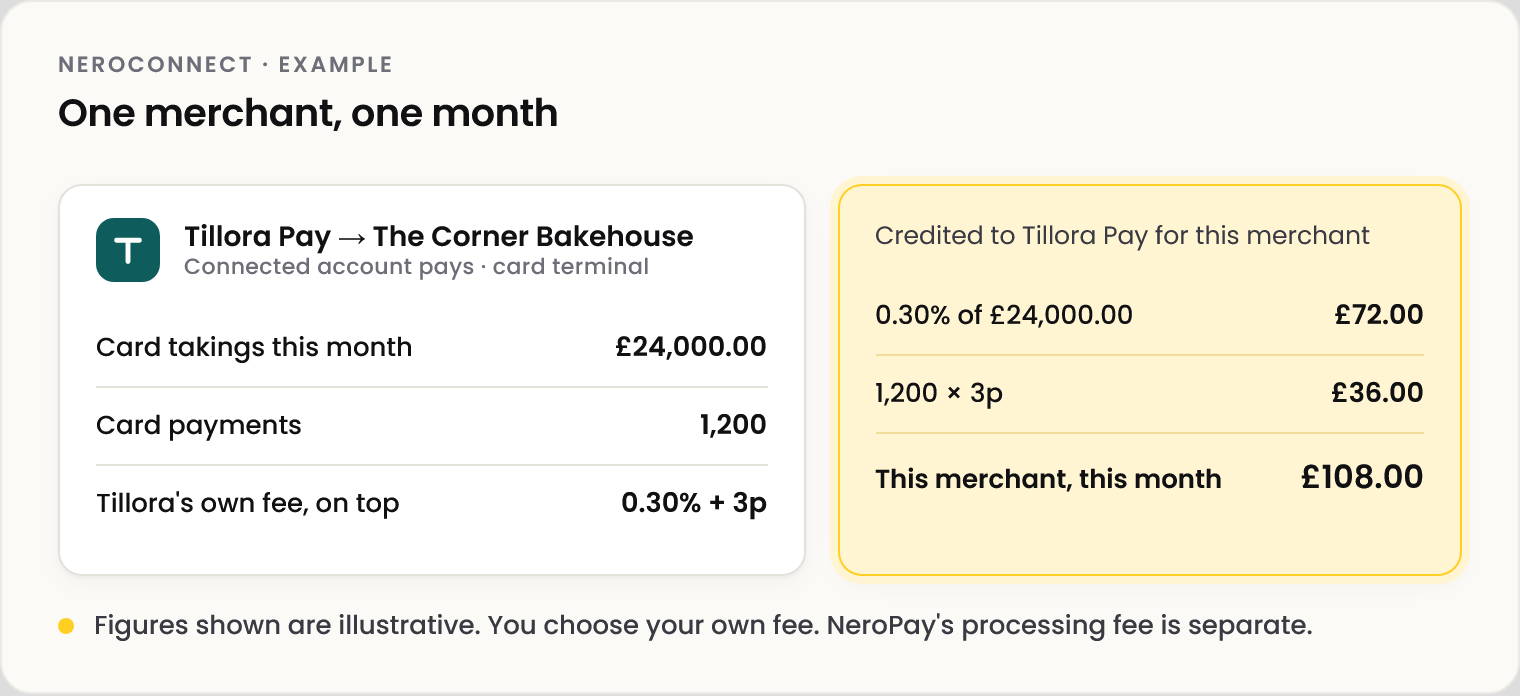
💡 Note: Figures shown are illustrative. Your fee is your choice, per channel and per merchant. NeroPay's processing fee is separate and shown in your dashboard only.
Building it yourself, or NeroConnect
| Building it yourself | With NeroConnect | |
|---|---|---|
| Card payments and settlement | Find a provider and integrate it | Runs on NeroPay |
| Verifying each merchant | Build or buy the checks | NeroPay verifies every business |
| Terminals and EPOS kit | Source, stock and ship | Your store; NeroPay supplies and ships |
| Merchant dashboard | Build it | Ready, under your brand |
| Reports and reconciliation | Build it | Connect Reports |
| Merchant support | Your team | Your team, or NeroPay under your brand on Premium |
Getting started
📸 Four steps from approval to your first merchant.
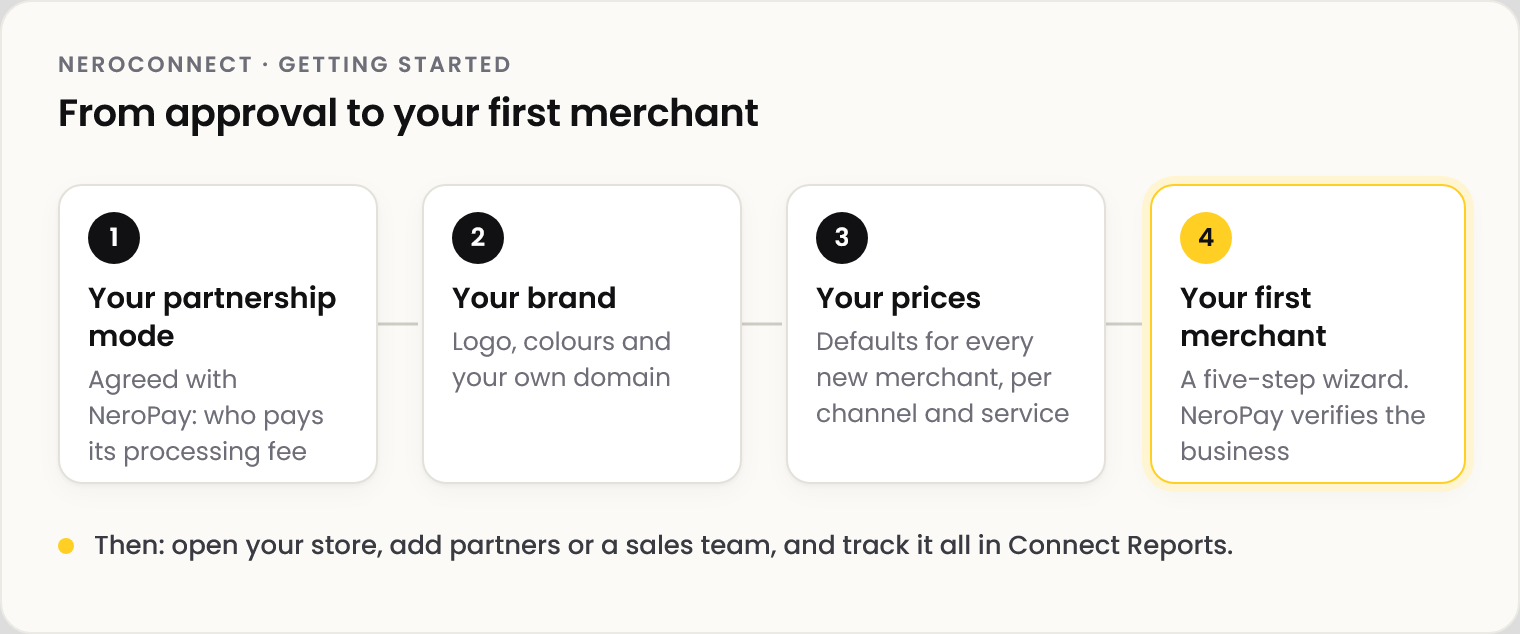
| Step | Article |
|---|---|
| 1 · Your partnership mode | Choosing your partnership mode |
| 2 · Your brand and domain | Your brand and custom domain |
| 3 · Your prices | Pricing your merchants |
| 4 · Your first merchant | Creating and managing merchants |
Your dashboard
📸 The NeroConnect Dashboard: your whole estate at a glance. Demo data.
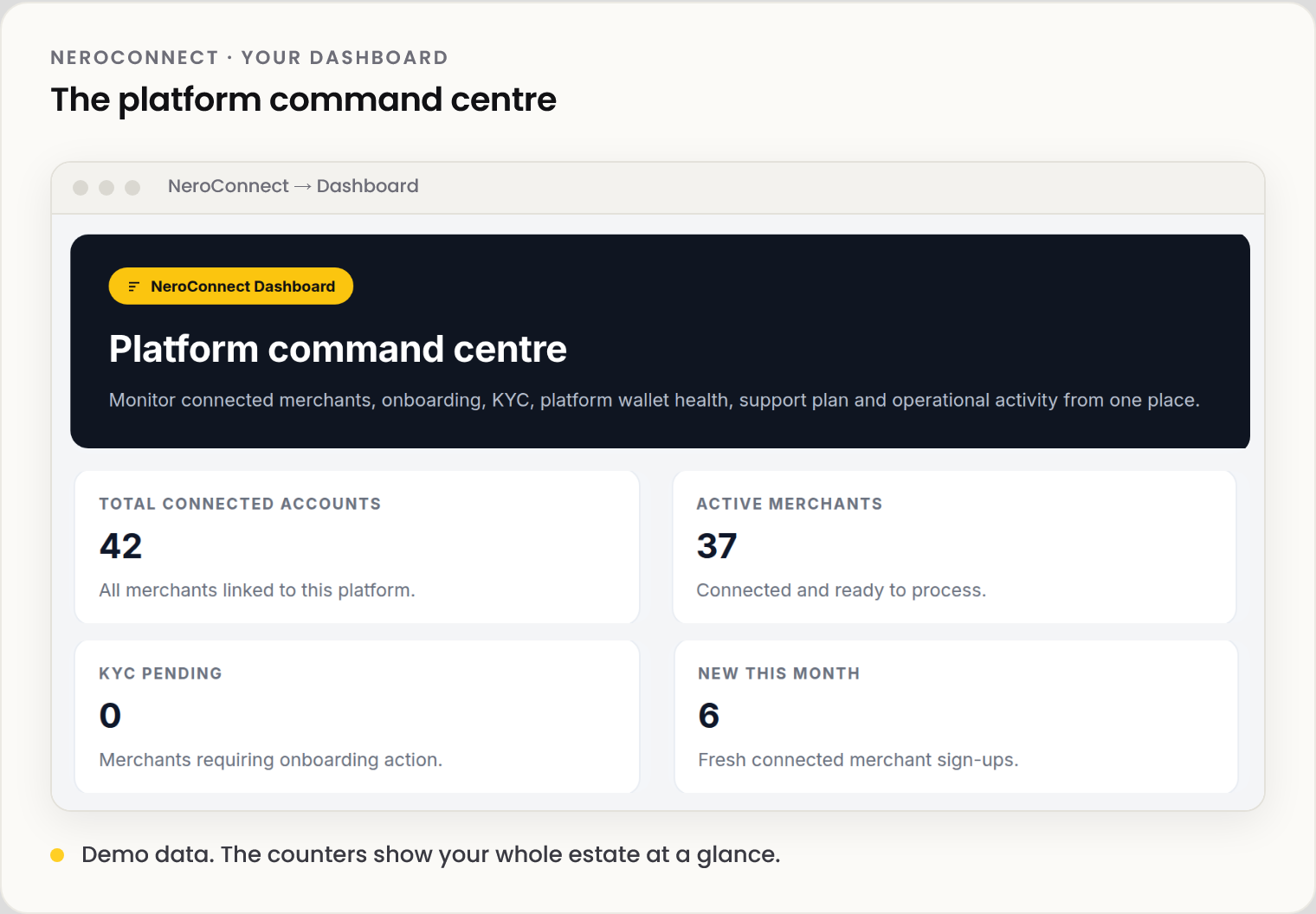
NeroConnect is its own group in your dashboard sidebar: Dashboard, Connected Accounts, Connect Orders, Connect Reports, Connect Logs, Connect Rewards, Connect Agents, Connect Support and Settings.
Frequently asked questions
Is NeroConnect a separate product from my NeroPay account?
No. It is a group of screens inside your NeroPay dashboard. Your platform account is a NeroPay account with NeroConnect switched on.
Do my merchants see NeroPay?
Your choice. With your logo, your custom domain and the NeroPay checkout logo switched off, they see your brand only.
Who verifies my merchants?
NeroPay. You create the merchant and can chase stalled onboarding; verification and any compliance decision stay with NeroPay.
Where do I see what I've earned?
Month to date on the NeroConnect Dashboard, and in full in Connect Reports.
Still need help? Contact us at support@neropay.app or create a ticket.