Connect Rewards is your own programme for your merchants: set a target of successful payments and describe what a merchant gets for reaching it. You fund and fulfil every reward.
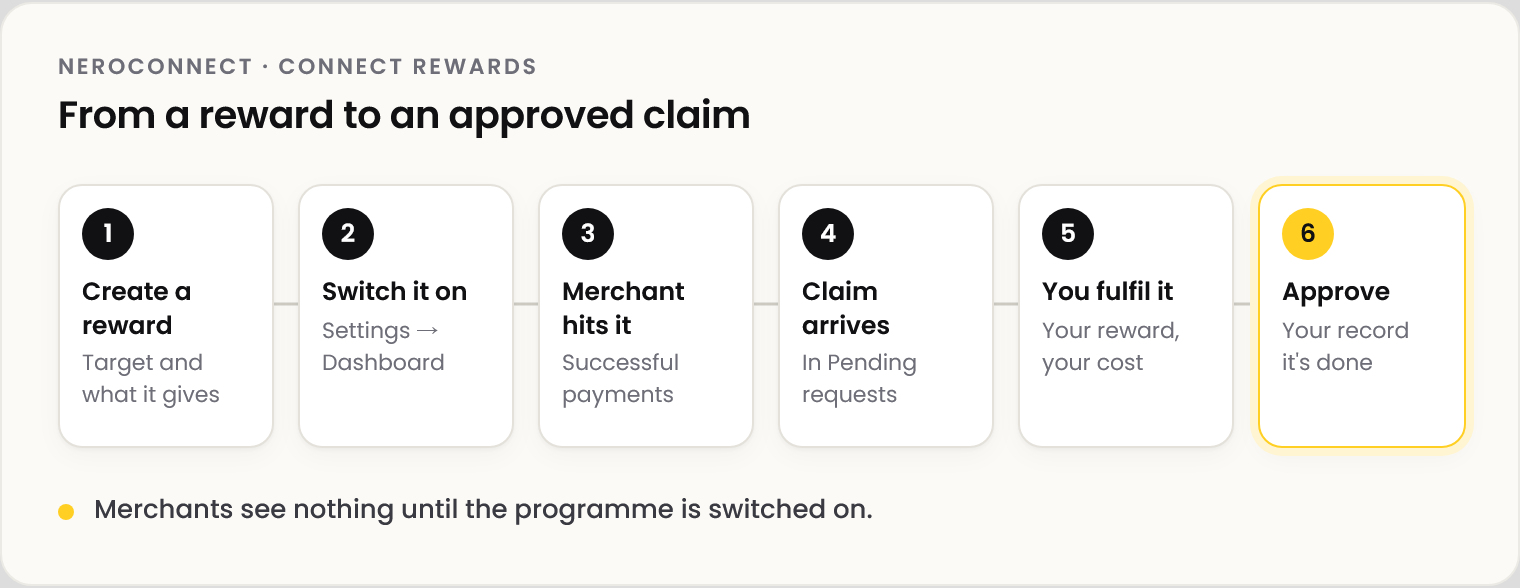
📸 From a reward to an approved claim.
How it works
| Rule | What it means |
|---|---|
| What counts | Successful card terminal, Tap to Pay, Make Payment and keyed payments |
| The target | Yours, per reward, as a number of successful payments |
| Who fulfils | You. NeroPay records the claim and sends nothing |
| Who sees it | Your merchants, under your brand, once switched on |
Run the programme
| Step | What to do |
|---|---|
| 1 | Go to NeroConnect → Connect Rewards and create a reward: target, title and description |
| 2 | Switch on Connected Account Rewards in Settings → Dashboard. Until then the page shows Programme hidden |
| 3 | Review claims in Pending requests |
| 4 | Fulfil the reward, then approve the request |
⚠️ Approve a claim only after the reward is fulfilled. Approval is your record that the merchant received it.
Connect Rewards is separate from NeroPay's own rewards.
Frequently asked questions
Does NeroPay pay for the rewards?
No. Every reward is yours to fund and fulfil.
Why can't my merchants see the rewards?
The programme is switched off. Turn on Connected Account Rewards under Settings → Dashboard.
Which payments count towards a target?
Successful card terminal, Tap to Pay, Make Payment and keyed payments.
Still need help? Contact us at support@neropay.app or create a ticket.