
NeroConnect tells you when a merchant needs something from you: in the attention queue, in banners on Connected Accounts, and by email if you switch the alerts on. NeroConnect never answers a case for your merchant.
The attention queue
📸 The attention queue on the NeroConnect Dashboard. Demo data.
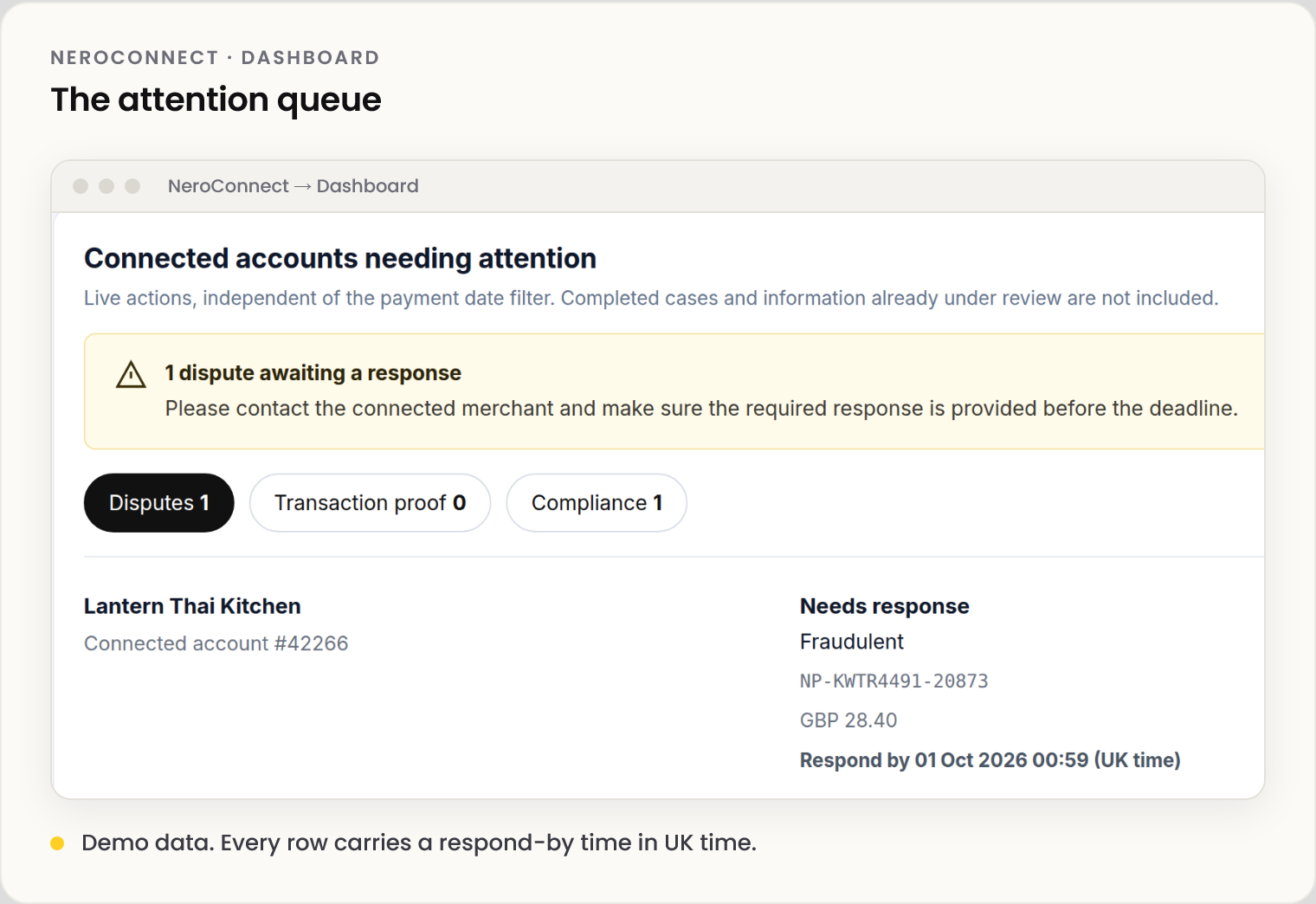
| Counter | What you do |
|---|---|
| Disputes | Contact the merchant and make sure the response is in before the deadline |
| Transaction proof | Ask the merchant for the evidence for that payment |
| Compliance | Get the merchant to provide or replace what NeroPay asked for |
⚠️ Needs response means you chase the merchant. The deadline doesn't move while you gather information.
The queue ignores date filters and drops closed cases and anything under review, so an empty queue means nothing is outstanding.
The banners
📸 The three banners on Connected Accounts. Demo data.
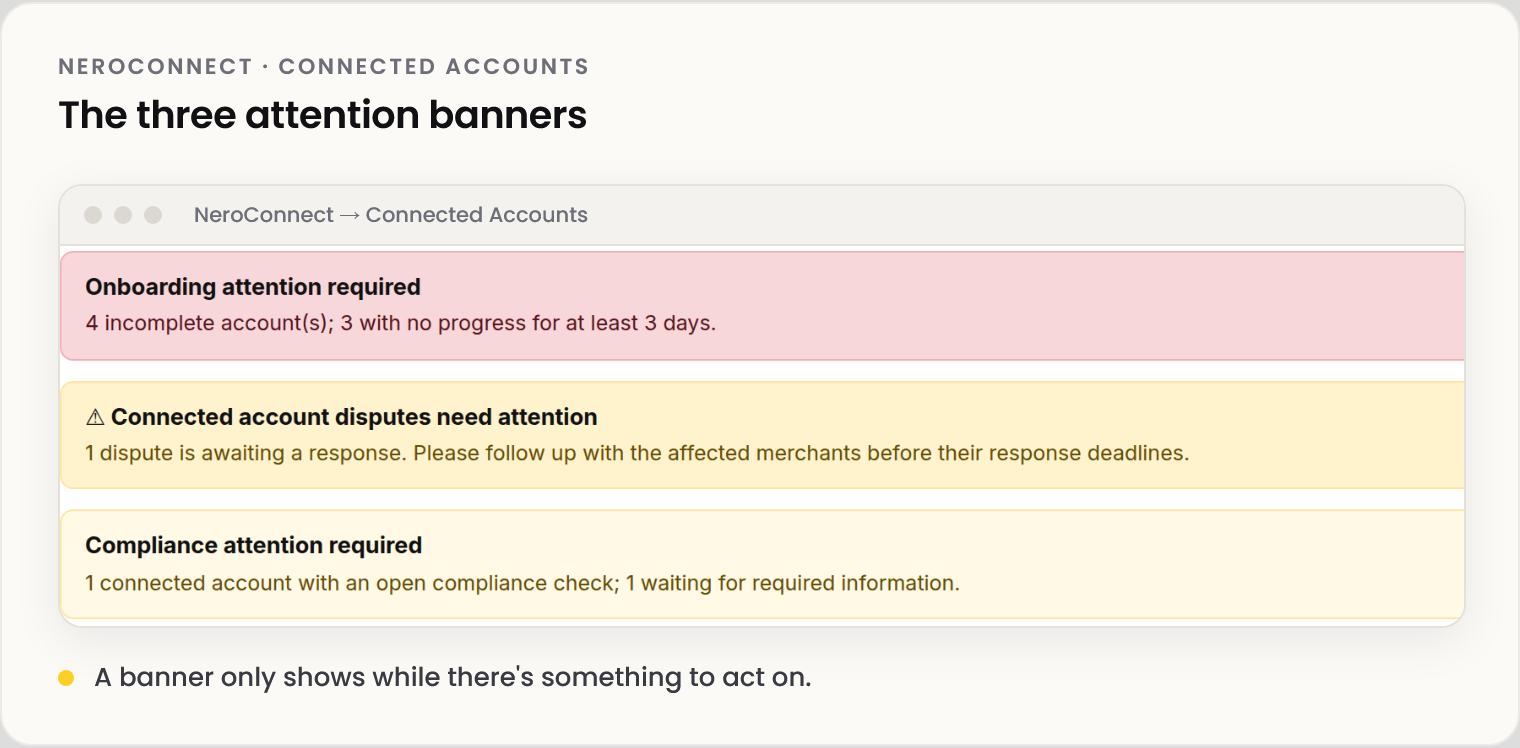
Stalled onboarding
| Attention column | What to do |
|---|---|
| In progress | Select Send reminder and give the merchant time |
| Stuck | Contact the merchant directly. A reminder only re-sends the same prompt |
| Connected, KYC Unverified | Wait for NeroPay's check, or send a fresh link from Identity verify |
Email alerts
📸 The four email alerts in Settings → Notifications. Demo data.
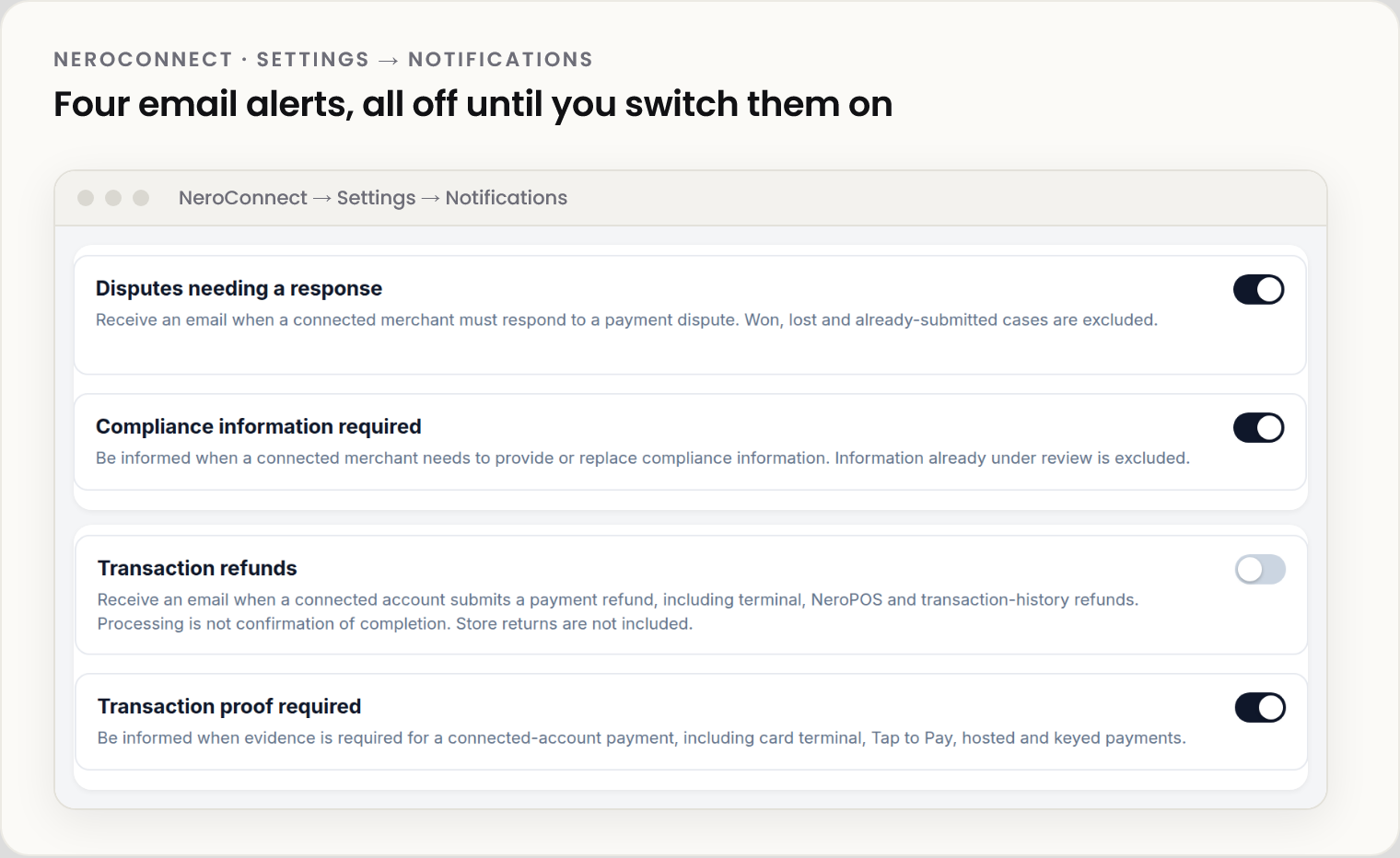
| Alert | Leaves out |
|---|---|
| Disputes needing a response | Won, lost and already-answered cases |
| Compliance information required | Information already under review |
| Transaction refunds | Store returns. The email means a refund started, not that it completed |
| Transaction proof required | Payments with no evidence request |
Up to three recipients get every alert you switch on: a primary address (your account email if left blank) and two optional CC or BCC addresses. Save with Save notifications, its own button.
💡 Note: Switching an alert on may email you once about cases already open. Refund emails cover new refunds only, and saving again never resends.
Frequently asked questions
I changed the date filter and the queue didn't change.
Correct. The queue shows live cases, whatever dates the page is showing.
Will NeroConnect answer the dispute for my merchant?
No. You chase the merchant; the merchant answers.
What time zone is the deadline?
UK time, labelled on the row.
Can different people get different alerts?
No. All recipients get every alert switched on. Use a shared inbox and filter there.
Still need help? Contact us at support@neropay.app or create a ticket.