
Your partnership mode is agreed with NeroPay and decides one thing: who pays NeroPay's processing fee, your platform or each merchant. It changes where NeroPay collects its cost and how much you carry.
📸 The two modes side by side.
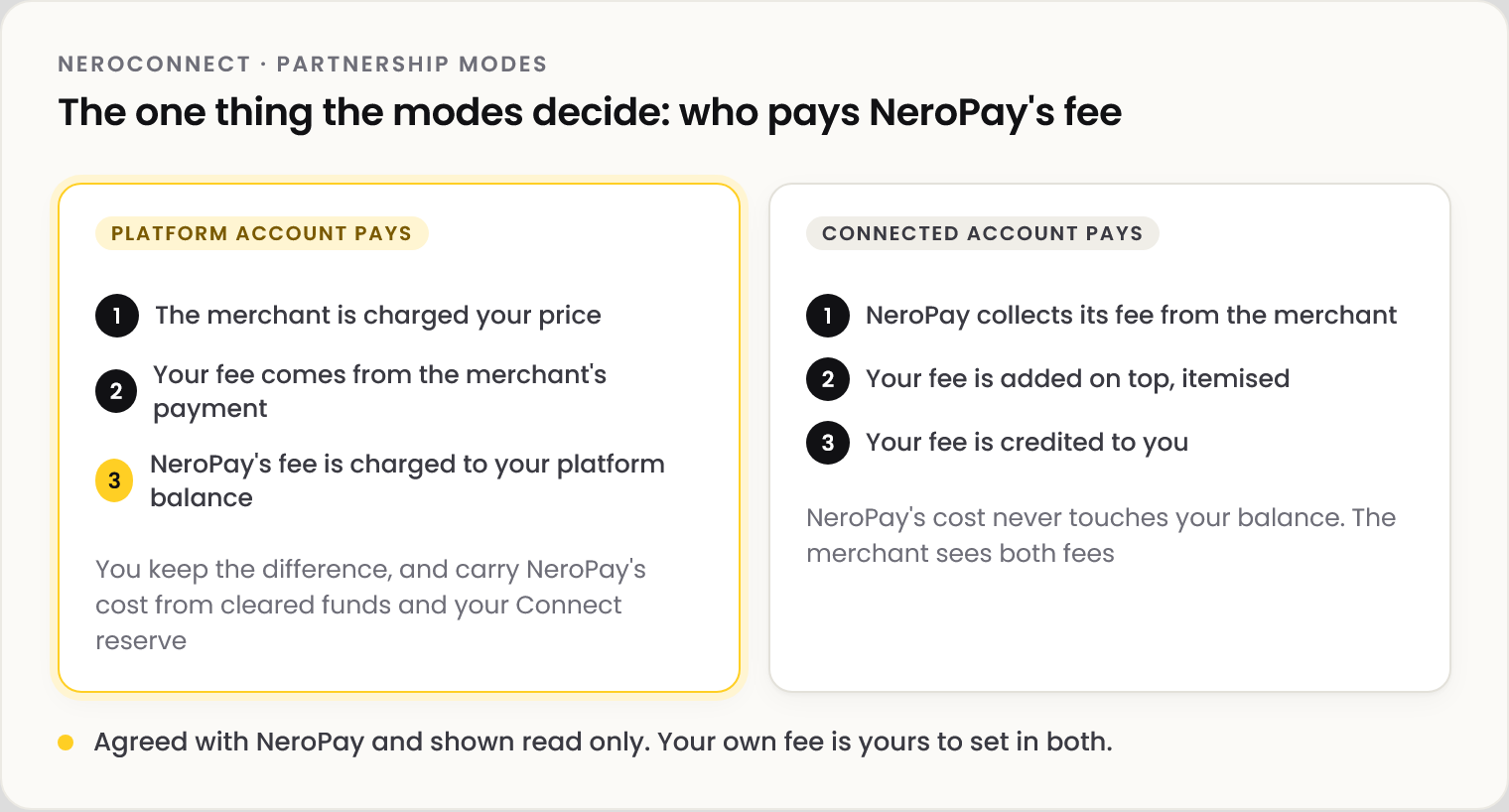
| Platform account pays | Connected account pays | |
|---|---|---|
| What the merchant sees | Your price | NeroPay's fee, with your fee itemised on top |
| NeroPay's cost | Charged to your platform balance | Collected from the merchant |
| What you carry | NeroPay's cost, from cleared funds and your Connect reserve | Nothing of NeroPay's |
| Your own fee | Yours to set | Yours to set |
💡 Note: When your platform pays and neither your cleared funds nor your Connect reserve can cover a payment's NeroPay cost, that one payment falls back to merchant collection. Nothing goes unfunded.
See or change your mode
| Step | What happens |
|---|---|
| 1 | Go to NeroConnect → Settings → Pricing. The first two panels are read only and show your current arrangements |
| 2 | To change, select Contact NeroPay below them |
| 3 | NeroPay reviews the request. Once changed, the panels and the Connected Accounts banner update |
⚠️ Monthly active account and terminal fees have their own arrangement: charged to the merchant first, with your platform balance as the fallback. Ask explicitly if you want that changed too; it doesn't follow the processing change.
Not part of the mode
| Choice | Where it lives |
|---|---|
| Branding depth: full white label or the NeroPay logo at checkout | Your brand and custom domain |
| Store mode: NeroPay original, white-label or hidden | Your hardware store |
Both are yours to change at any time, and independent of each other and of the mode.
Frequently asked questions
Which mode am I on?
Settings → Pricing shows it in the processing fee payer panel. The Connected Accounts banner and Connect Reports restate it.
Can I switch myself?
No. Both arrangements are agreed with NeroPay. Use Contact NeroPay on the Pricing tab.
If the merchant pays NeroPay's fee, can I still charge mine?
Yes. Your fee is added on top, itemised to the merchant and credited to you.
Does the mode change who handles disputes?
No. In every mode you chase your merchant for a dispute response before the deadline. See Accounts needing attention.
Still need help? Contact us at support@neropay.app or create a ticket.