
Every NeroConnect term in one place. When a figure or a setting doesn't behave as you expect, the answer is usually a definition.
📸 The three parties: your platform, your merchants and NeroPay.
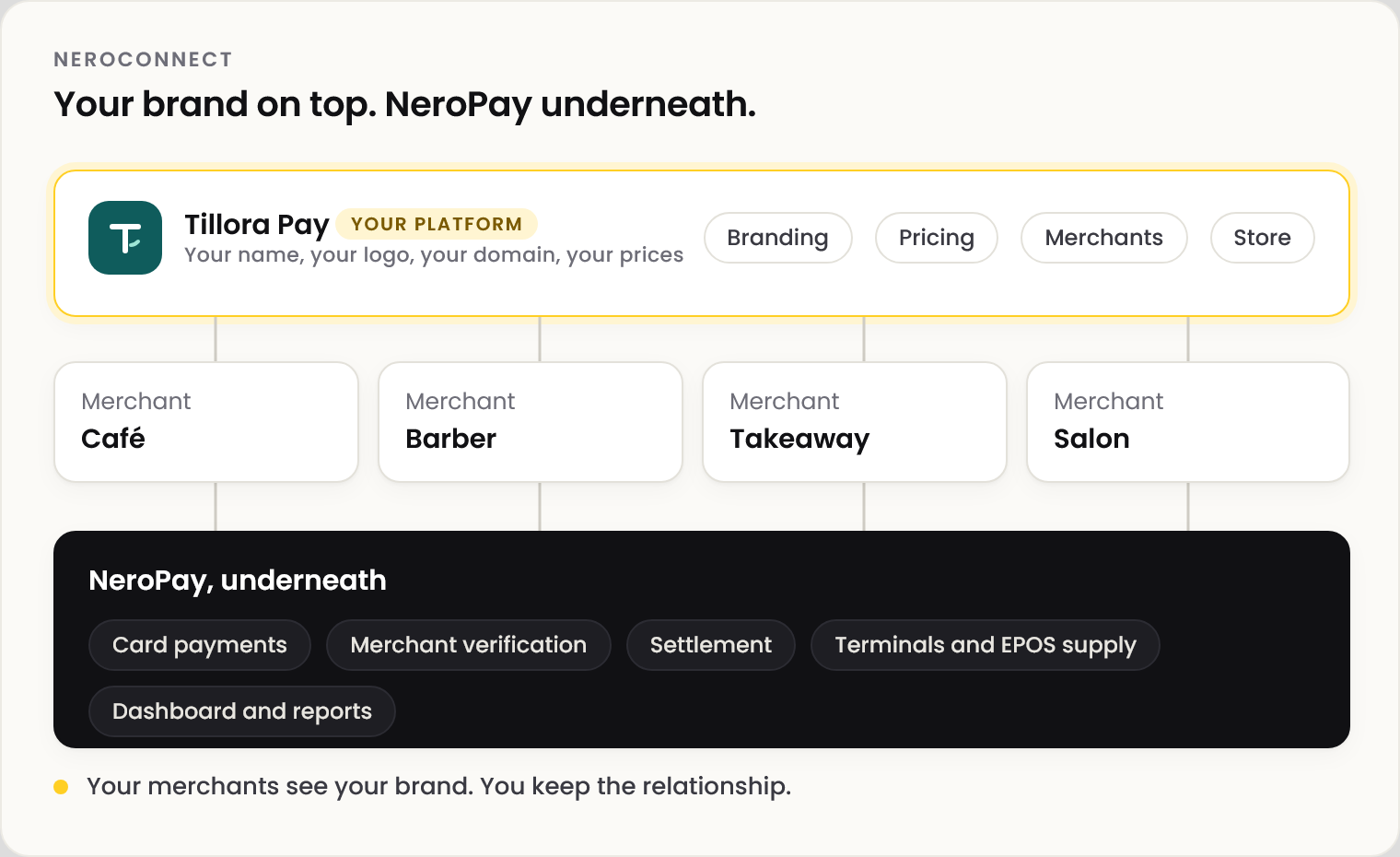
The parties
| Term | Meaning |
|---|---|
| NeroPay | Runs the payments underneath. Owns KYC, compliance decisions and the caps no platform setting can exceed |
| Platform | Your NeroConnect account. Creates merchants, sets its prices and brands their experience |
| Connected account | A merchant taking payments under your platform |
| Platform account ID | Your NeroConnect identifier, used for API calls made as the platform |
Fees
| Term | Meaning |
|---|---|
| Application fee | Your charge on a merchant's payment |
| NCPA | Your application fee as credited to your ledger |
| NCPF | NeroPay's processing fee, debited from your platform when you are the fee payer |
| Net transaction margin | NCPA less NCPF, before monthly charges |
| Protected base | NeroPay's floor for an additional service. A price below it is replaced by it |
| Payment allocation | Where one payment went: customer paid, connected kept, platform fee received, NeroPay costs, platform net |
Balances
| Term | Meaning |
|---|---|
| Available balance | Cleared platform funds you can use |
| Connect reserve | Your ring-fenced funds covering merchant shortfalls and platform-paid processing |
| Normal balance | A merchant's payment wallet |
| Reserve balance | Funds held back on one merchant pending review. Unrelated to your Connect reserve |
| Debt balance | Amount due. Negative means the merchant owes NeroPay |
| NeroBusiness balance | A merchant's linked business account, where one exists |
Limits and account state
| Term | Meaning |
|---|---|
| Hard cap | NeroPay's maximum for a payout limit. Platform settings can only lower it |
| Effective value | A limit or price after your choice and NeroPay's cap are both applied |
| NeroDisburse | Disbursement and payout orchestration, with its own daily maximum |
| Active | On reports: at least one successful payment inside the selected dates |
| Onboarding | Connected (set-up complete), Pending (started) or Not started |
| Account mode | Full active, or deactivated by the platform. Reversible, and separate from a NeroPay compliance action |
| KYC | Identity verification, controlled by NeroPay in every mode |
| Attention queue | Open disputes, proof requests and compliance checks. Ignores date filters |
⚠️ Period totals count unique merchants and readers, so they won't always equal the monthly rows added together.
Store and branding
| Term | Meaning |
|---|---|
| Store mode | Whether your merchants see a NeroPay-branded store, your branded store, or none |
| Supply cost | What NeroPay charges you for a catalogue item. Debited once, when the order is paid |
| Gross margin | Your selling price less the supply cost, shown as you set the price |
| White-label URL | The login or registration link you give merchants, on your own domain once active |
Frequently asked questions
What is the difference between NCPA and my application fee?
The application fee is what a payment generates. NCPA is the credit recorded in your ledger for it. Reports show both.
Why do two reports show different active counts?
Check the dates and channel first. Active means a successful payment in the dates chosen, and period totals count each merchant once.
Reserve balance or Connect reserve?
Connect reserve is your platform's ring-fenced fund. A reserve balance is one merchant's money held back for review.
A service shows 0.00% in reports. Is it broken?
No. It is priced exactly at its protected base, so it passes through at NeroPay's cost. Raise your price to earn on it.
Still need help? Contact us at support@neropay.app or create a ticket.