
Your brand and your own domain are the first two settings on a new platform. They decide what your merchants and their customers see, and where your links live.
Your brand
Go to NeroConnect → Settings → Branding.
| Field | What to enter |
|---|---|
| White-label login and registration URLs | Read only, with Copy buttons. The links you give merchants |
| Email/SMS sender handling | Messages sent as NeroPay, or, where available, under your branding and webhook flow |
| Support email and phone | Where your merchants go for help |
| Platform terms and privacy URLs | Your own legal pages |
| Brand logo | Upload with Choose File |
| Show NeroPay logo on checkout page | Off for a fully white-label checkout; on where the NeroPay mark adds trust |
💡 Note: Branding and Custom domain share one Save NeroConnect settings button. Switch tab without saving and the edits are lost.
Your own domain
📸 Your own domain in five steps.
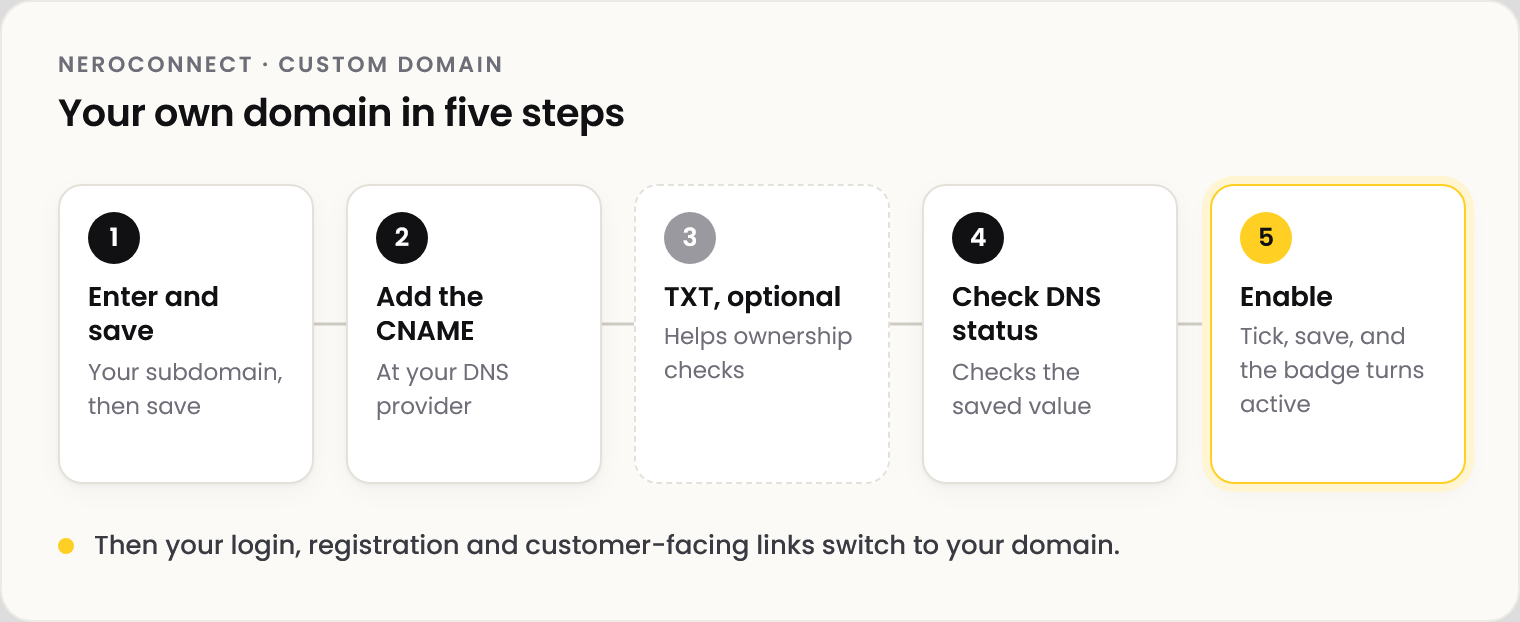
| Step | What to do |
|---|---|
| 1 | In Settings → Custom domain, enter your Partner branded subdomain and save |
| 2 | Add the CNAME record shown at your DNS provider, using the Copy buttons |
| 3 | Optional: add the TXT record too |
| 4 | Select Check DNS status |
| 5 | Tick Enable custom domain and save. The badge shows active once DNS and SSL are ready |
⚠️ Save the domain before you check it. Check DNS status tests the saved value, not an unsaved edit.
Once active, your white-label links use the domain automatically: copy them again from the Branding tab. A partner signup link uses it too.
Frequently asked questions
Do I need the TXT record?
No. The CNAME activates the domain; TXT only helps ownership checks.
Check DNS status can't see my CNAME.
Make sure the domain was saved, then allow time for DNS to update at your provider.
Can I be fully white label and still show the NeroPay logo at checkout?
Yes. The checkout logo switch is independent of the domain, the store mode and your partnership mode.
Can my merchants' terminals carry my brand?
Custom terminal branding is available to platforms. Ask NeroPay about the options for yours.
Still need help? Contact us at support@neropay.app or create a ticket.