
Your store is where your merchants buy terminals, EPOS kit and accessories, under your brand and at your prices. NeroPay supplies, ships and handles returns.
Choose a store mode
📸 The three store modes in Settings → Store. Demo data.
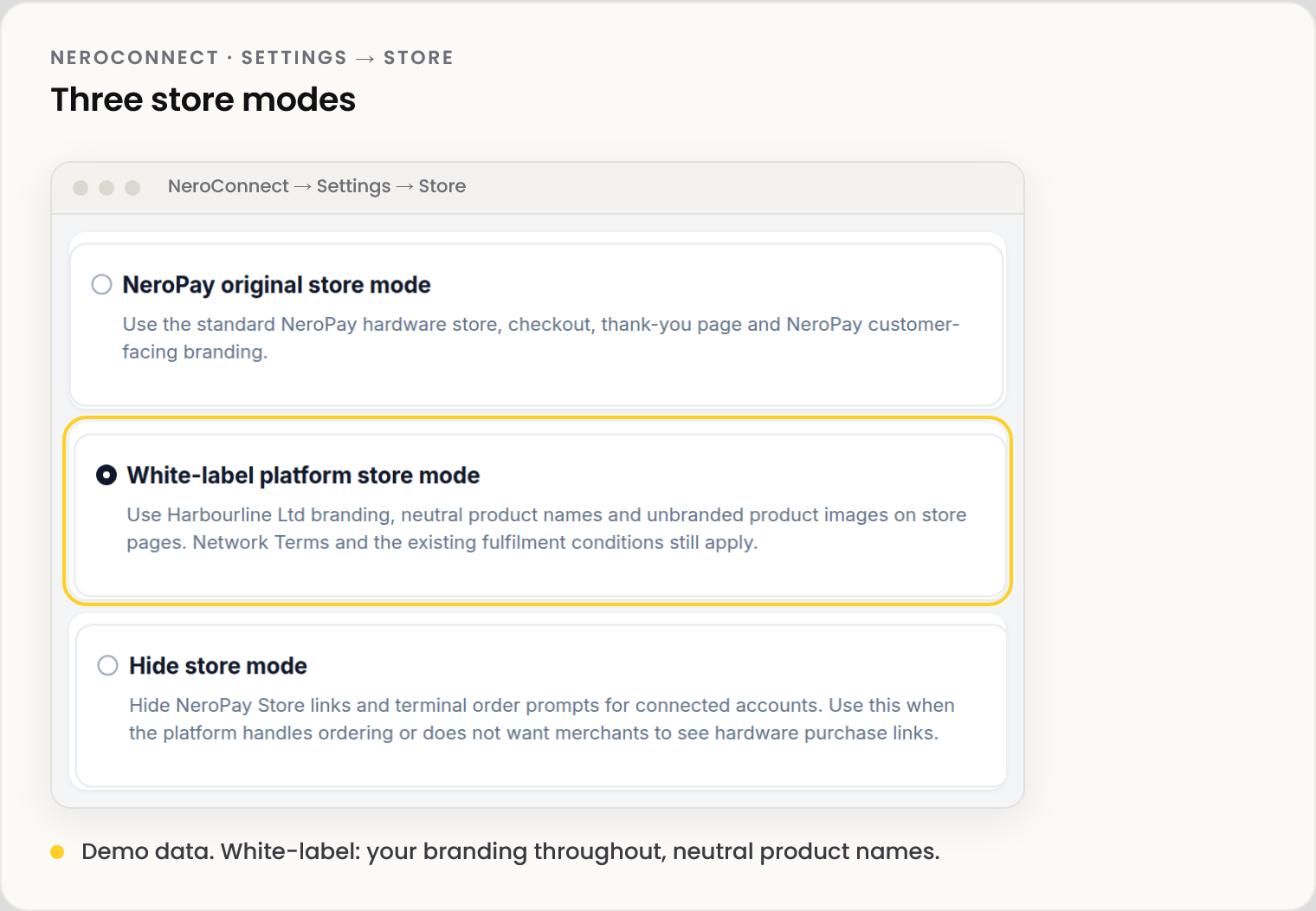
| Mode | Use it when |
|---|---|
| NeroPay original | NeroPay branding on hardware pages is fine |
| White-label platform | Your merchants should only ever see your brand |
| Hide store | You order hardware yourself, or don't want merchants to see purchase links |
Below the modes, switch each catalogue item on or off: hardware, accessories and software add-ons. Hiding a terminal hides its checkout add-on; hardware in an EPOS bundle stays in the bundle; a hidden software add-on leaves the store only.
Set your prices
In Store pricing, each item shows Your supply cost (read only), your Pay-in-full price, and Gross margin, which updates as you type. Prices include VAT.
⚠️ NeroPay's supply cost is debited from your platform balance once, when an order is paid.
Discount codes lower your selling price for this platform's merchants only. They can't be combined, and they never reduce NeroPay's supply cost, so check Gross margin first.
Orders and invoices
| Where | What it is |
|---|---|
| Connect Orders | Every order your merchants place, with payment and fulfilment status. NeroPay fulfils and approves returns |
| Settings → Invoices | Invoices and credit notes NeroPay issues on your behalf, where your agreement allows |
| Seller and invoice details | Optional details for store invoices only. Record your VAT status before the first order |
💡 Note: On the Free support plan, a device your merchant orders ships without white-label preparation unless you place the order yourself. See Support plans.
Frequently asked questions
Can my store carry no NeroPay branding at all?
Yes. Choose white-label platform mode. Whether the NeroPay mark shows at checkout is a separate switch on the Branding tab.
I hid a terminal but it still shows in a bundle.
Correct. Hidden items leave the store as standalone products; bundles keep them.
Who handles fulfilment and returns?
NeroPay, on both support plans. Connect Orders tracks them.
Still need help? Contact us at support@neropay.app or create a ticket.