
Connect Reports answers four questions: what your merchants traded, what you earned, what NeroPay charged you, and whether the ledger agrees with itself.
Go to NeroConnect → Connect Reports. The filters at the top (dates, channel, one merchant) drive the whole page once you select Apply. Export CSV and Export PDF download it.
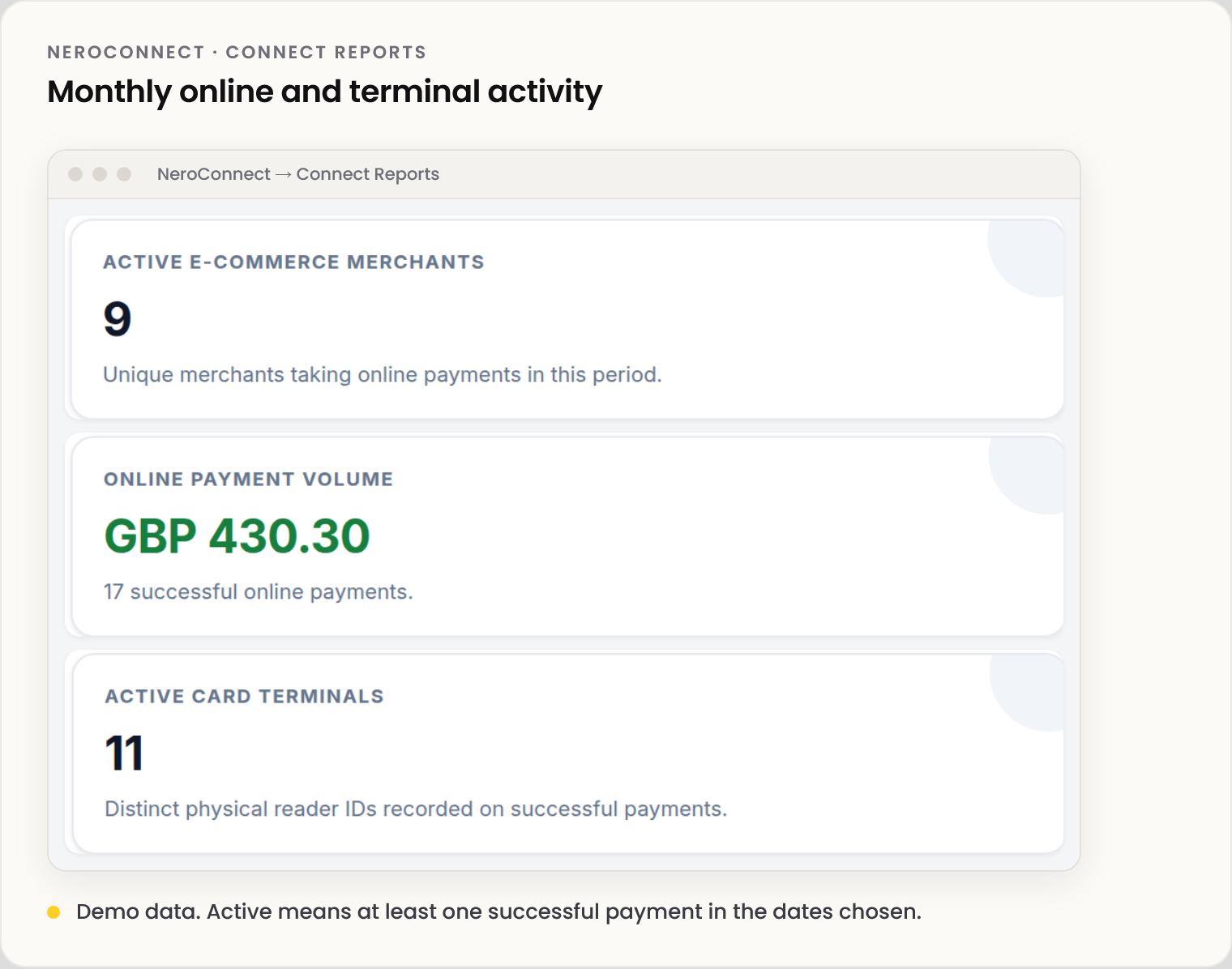
📸 Monthly online and terminal activity. Demo data.
💡 Note: Figures are cached for up to 90 seconds, so a payment taken a moment ago may not show yet.
What each section shows
| Section | Shows |
|---|---|
| Monthly activity | Active online merchants, online volume and active card terminals, by month |
| Estate and ledger tiles | Processed volume, application fees generated, NCPA credited, NCPF debited and what your platform kept |
| Channel performance | Terminal and e-commerce side by side, with a fee-responsibility summary |
| Additional service economics | Per service: what merchants were charged, NeroPay's base cost and what you kept |
| Reconciliation and fee report | Whether NCPA, NCPF and the fees generated agree, and the latest payments traced to the ledger |
| Account and terminal inventory | Every merchant's status, KYC and active terminals |
⚠️ Reconciliation checks payment fees against the ledger. Monthly account, terminal and transfer charges sit outside it.
Your platform wallet
| Balance | Means |
|---|---|
| Available balance | Cleared platform funds you can use |
| Connect reserve | Ring-fenced funds that keep platform-paid processing working when the main balance is thin |
When a number looks wrong
| What you see | Why |
|---|---|
| Fewer active merchants than in the register | Active needs a successful payment in the dates chosen |
| Online volume below e-commerce volume | Keyed payments and recurring invoices are left out of online |
| Period total isn't the monthly rows added up | Totals count each merchant once |
| Application fees read zero | Your pricing is set at cost |
| Reconciliation agrees but the balance moved more | Monthly and transfer charges are outside the check |
Frequently asked questions
Application fee generated or NCPA credited?
Generated is what your pricing produced on each payment; NCPA is what the ledger recorded. The reconciliation section confirms they agree.
What if my balance and reserve run low?
No payment is left unfunded. A payment whose NeroPay cost can't be covered falls back to merchant collection. Keep the reserve topped up.
Where do I trace one payment?
Open it in Connect Logs.
Still need help? Contact us at support@neropay.app or create a ticket.